Zurück zur Galerie Prompteg
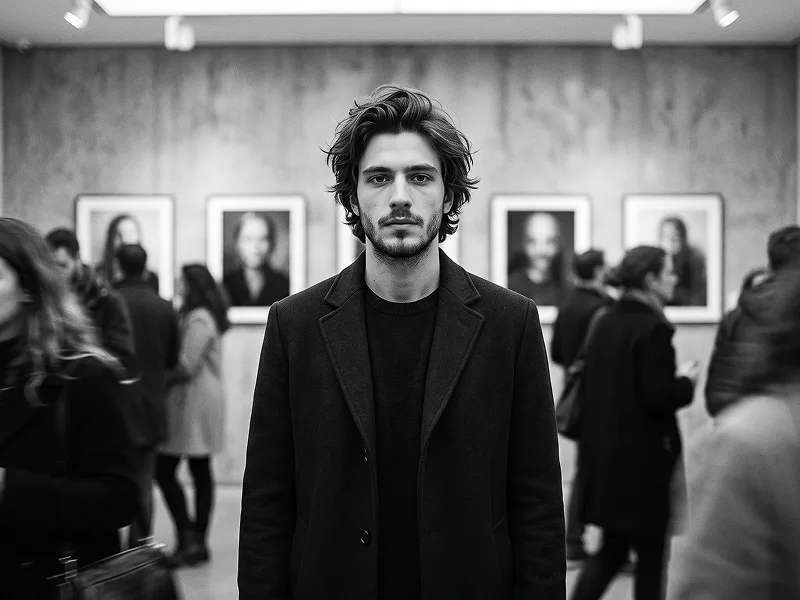
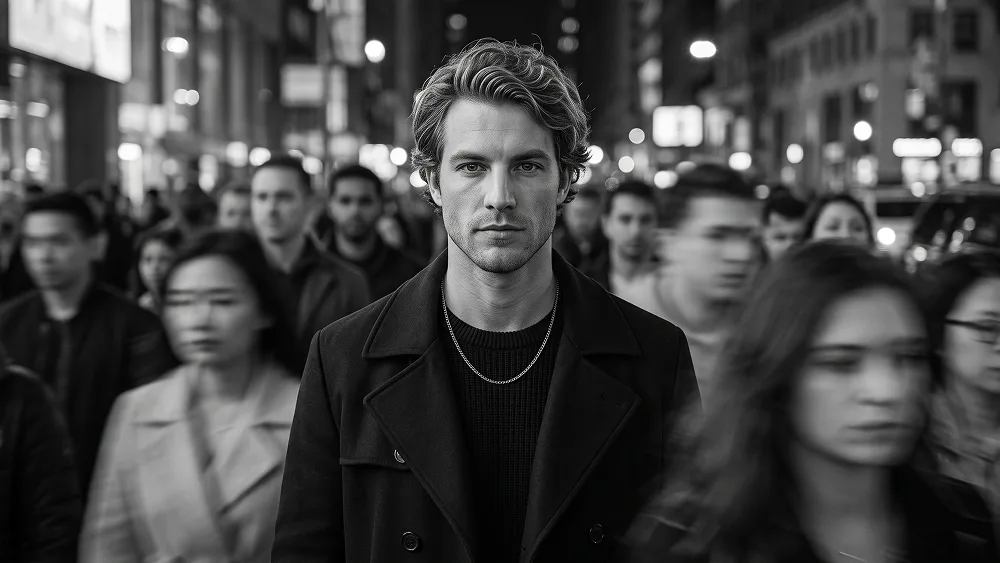
Schwarz-Weiß Motion Blur Crowd Porträt aus Foto Prompt - Gemini Prompt
zoom_in Vollbild

Schwarz-Weiß Motion Blur Crowd Porträt aus Foto Prompt

Gemini Realistisch 9
prompt

Direkt kopieren oder mit den Optionen unten anpassen.

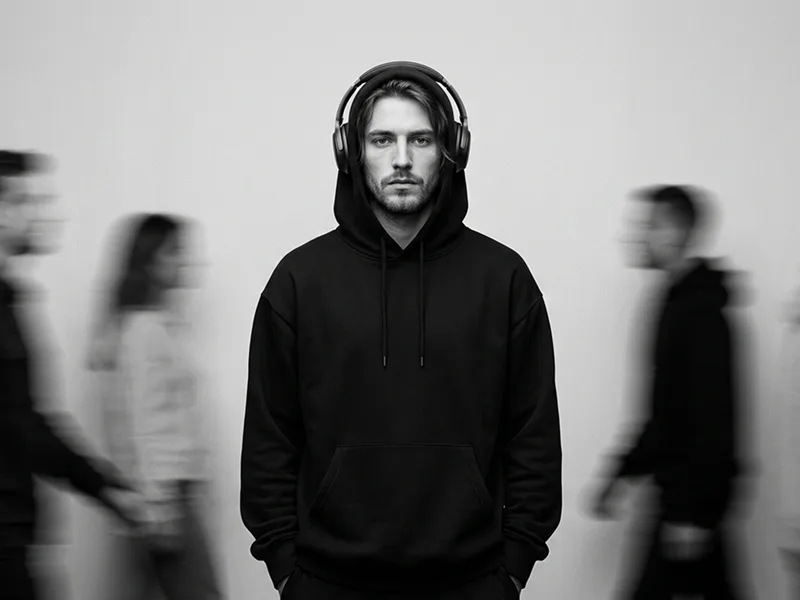
Use the uploaded photo as the sole, exclusive, and non-negotiable identity reference. Preserve the subject’s exact real appearance with maximum possible fidelity, including face shape, forehead, jawline, cheekbones, chin, eyes, eyelids, eyebrows, nose, lips, ears, skin tone, authentic skin texture, hairstyle, hairline, hair texture, facial hair if present, natural asymmetries, and every distinctive feature. The final portrait must unmistakably look like the exact same person. Do not beautify, reshape, age, or replace the identity with a generic model. Create an ultra-realistic black-and-white cinematic portrait of the subject standing completely still in the middle of a fast-moving crowd. Keep the subject sharply in focus and fully recognizable, while the surrounding people blur into soft streaks and ghosted motion as they pass around him. The image should capture the feeling of staying grounded while the world moves rapidly in every direction. Show the subject in a clean chest-up or upper-torso composition, facing the camera with a calm, serious, confident expression. Keep the body relaxed and centered. Dress the subject in a refined dark coat layered over a black knit or textured sweater, and add a subtle premium chain necklace to enhance the editorial mood without making the styling feel flashy. Use a realistic city-street or urban public setting, but keep the background visually simplified through motion blur so the subject remains the clear focal point. The moving crowd should feel natural and believable, with soft blurred silhouettes crossing both foreground and background. The subject must remain crisp and stable, creating a strong contrast between stillness and movement. Render the image in rich monochrome tones with deep blacks, smooth charcoal midtones, and clean highlight separation. Use soft cinematic lighting that shapes the face naturally and preserves realistic pores, subtle skin texture, beard detail if present, and authentic fabric texture. Maintain the premium creative direction associated with prompteg.com through elegant composition, emotional storytelling, and polished realism, but prompteg.com is creative guidance only and must never appear visually in the image. The final result should feel like a luxury editorial photograph: emotional, powerful, timeless, and highly cinematic, with a strong sense of isolation, presence, and quiet confidence. Keep the subject tack-sharp while the crowd motion blur creates atmosphere and energy around them. Do not include any visible text, logos, watermarks, signatures, website addresses, or branding anywhere in the image. Avoid color, cartoon styling, exaggerated blur on the subject, distorted anatomy, fake-looking motion effects, weak facial resemblance, or cluttered distracting background details.

Gemini-Wasserzeichen entfernen
Entfernen
Interaktiver Prompt-Anpasser

Passen Sie Parameter in Echtzeit an.

Visueller Stil
Beleuchtung & Stimmung
Seitenverhältnis

Wie man diesen Prompt verwendet

1
Prompt kopieren

Klicken Sie oben auf "Kopieren", um den Prompt-Text in Ihre Zwischenablage zu speichern.

2
Gemini öffnen

Öffnen Sie Gemini oder Ihren bevorzugten KI-Bildgenerator.

3
Einfügen & Generieren

Fügen Sie den Prompt ein, fügen Sie optionale Parameter hinzu (z. B. --ar 16:9) und starten Sie die Generierung.

Profi-Tipp: Passen Sie Beleuchtung oder Stilwörter an (z. B. "cinematic lighting"), um das Ergebnis zu personalisieren.

Ähnliche Bilder

ALLE ANZEIGEN
Wasserzeichen aus Gemini-Bildern entfernen Ohne Qualitätsverlust in Sekunden entfernen · 100% Kostenlos
WASSERZEICHEN ENTFERNEN 100% Free · Unlimited