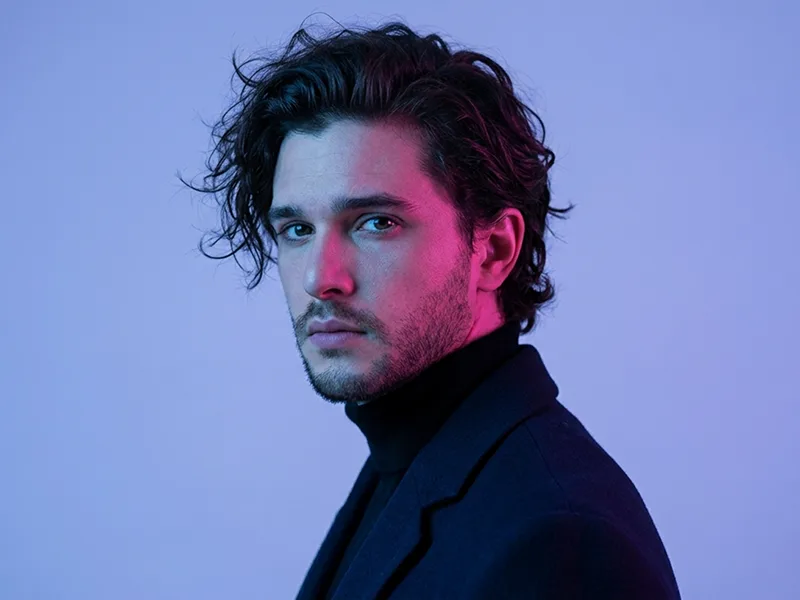
Hochauflösender Neon-Porträt-Prompt - Gemini Prompt
zoom_in Vollbild

Hochauflösender Neon-Porträt-Prompt

Kategorie Porträts
KI-Tool / Generator Gemini
Aufrufe / Gefällt mir 183 / 0
Prompt

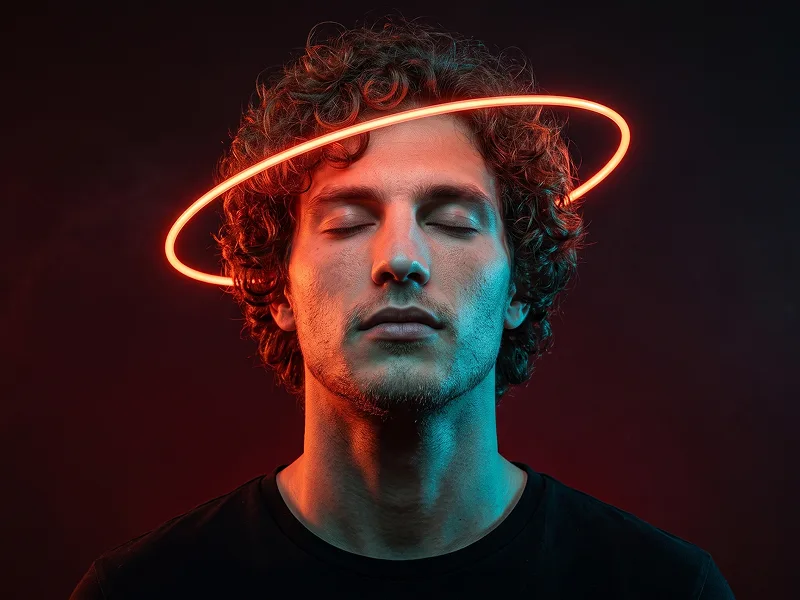
Use the uploaded image only for the person’s face and identity reference. Preserve the same facial features, skin tone, age, gender, hairstyle, hair length, and facial hair with high accuracy. Do not add beard, glasses, accessories, or change the hairstyle unless they already exist in the reference. Create a cinematic low-key studio portrait of the person centered in frame, facing the camera with a calm confident expression and relaxed direct eye contact. The person is wearing a plain matte-black oversized hoodie with no logo, no design, and no visible text. Pose them with arms crossed naturally across the chest, shoulders relaxed, upper body visible from head to crossed forearms. Place the person against a pure solid black seamless studio background. Directly behind the person’s head, add one large perfectly circular thick orange-red glowing ring light, like a sunset halo lamp. The ring must be centered behind the head, symmetrical, clearly visible, larger than the head and shoulders, with the face framed inside the dark center of the circle. The orange-red glow should create strong warm rim light along the hair edges, ears, hoodie shoulders, and outer arms, while the front face remains softly lit and realistic. Keep the composition exactly like a premium portrait: subject large in frame, head near the upper center, very little empty space above the glowing circle, arms visible at the bottom, clean black background, no props, no extra lights, no text, no watermark. Ultra-realistic professional photography, sharp facial focus, natural skin texture, soft shadow contrast, moody cinematic lighting, shallow depth of field, 85mm portrait lens look, high-detail editorial studio quality, vertical 4:5 aspect ratio.

Gemini-Wasserzeichen entfernen
Entfernen
Interaktiver Prompt-Anpasser

Passen Sie Prompt-Variablen in Echtzeit an, um Ihren eigenen Befehl zu erstellen.

🎨 Visueller Stil
💡 Beleuchtung & Stimmung
📐 Seitenverhältnis

Wie man diesen Prompt verwendet

Kurzanleitung zur Bildgenerierung mit diesem Prompt in Gemini und anderen KI-Generatoren.

1 Prompt kopieren

Klicken Sie oben auf "Kopieren", um den Prompt-Text in Ihre Zwischenablage zu speichern.

2 Gemini öffnen

Öffnen Sie Gemini oder Ihren bevorzugten KI-Bildgenerator.

3 Einfügen & Generieren

Fügen Sie den Prompt ein, fügen Sie optionale Parameter hinzu (z. B. --ar 16:9) und starten Sie die Generierung.

Profi-Tipp: Passen Sie Beleuchtung oder Stilwörter an (z. B. "cinematic lighting"), um das Ergebnis zu personalisieren.

Suchen Sie nach einem hochrealistischen kinematografischen KI-Prompt? Der Hochauflösender Neon-Porträt-Prompt KI-Prompt wurde speziell für Gemini entwickelt, um hochauflösende fotorealistische Bildsynthesen zu erzielen.

🤖 KI-Modell-Kompatibilitätsmatrix
Gemini Imagen 3
100% Kompatibel
Midjourney v6
12% Niedrige Übereinstimmung
DALL-E 3
19% Niedrige Übereinstimmung
FLUX.1 / SDXL
10% Niedrige Übereinstimmung
Ziel-KI-Engine Gemini
Kategorie & Stil Porträts

Um den oben gezeigten Stil zu erzielen, kopieren Sie den vollständigen Prompt-Text. Verwenden Sie unseren Prompt-Anpasser oben, um Beleuchtung, Stile und Seitenverhältnisse (`--ar 16:9`) anzupassen.

Ähnliche Bilder

ALLE ANZEIGEN
KOSTENLOSES KI-TOOL

Wasserzeichen aus Gemini-Bildern Sofort Entfernen

Entfernen Sie Google Gemini & Imagen 3 Wasserzeichen in Sekundenschnelle ohne Qualitätsverlust.

WASSERZEICHEN ENTFERNEN 100% Free · Unlimited