Torna alla Galleria Prompteg
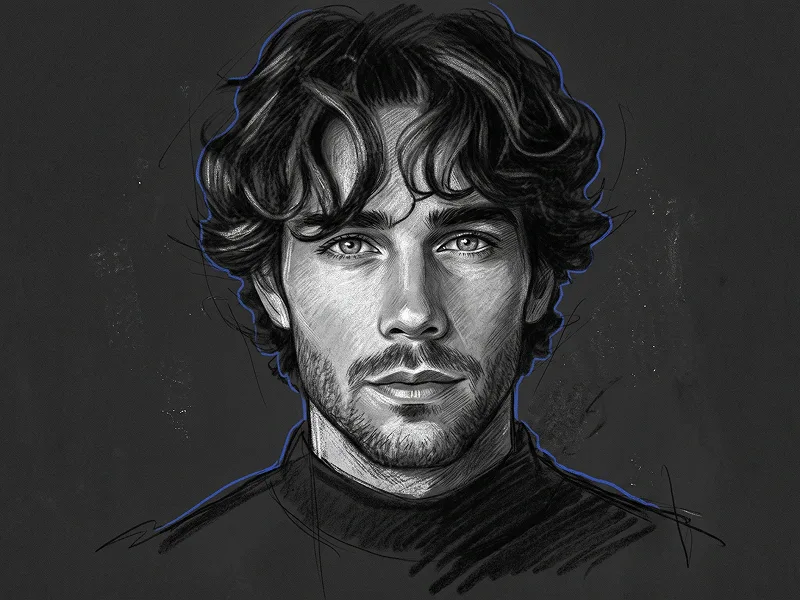
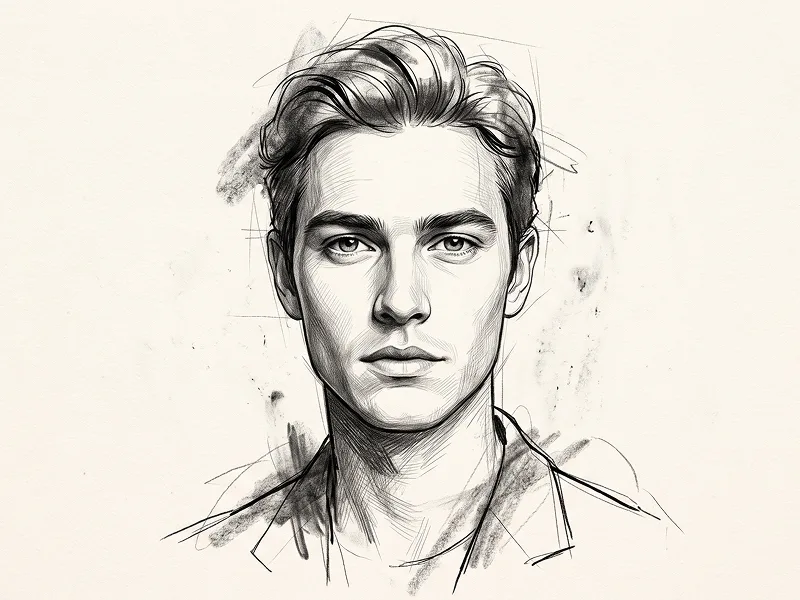
Ritratto Avatar Digitale Semi-Realistico Charcoal Prompt - Gemini Prompt
zoom_in Schermo intero

Ritratto Avatar Digitale Semi-Realistico Charcoal Prompt

Gemini Disegno
prompt

Copia direttamente o personalizza con gli strumenti sottostanti.

Use the uploaded photo as the sole, exclusive, and non-negotiable identity reference. Preserve the subject’s exact recognizable identity with maximum fidelity, including face shape, forehead, jawline, cheekbones, chin, eye shape, eyelids, eyebrows, nose, lips, ears, skin tone, hairstyle, hairline, hair texture, facial hair if present, natural asymmetries, and every distinctive feature. The final illustration must unmistakably look like the same person. Do not beautify, reshape, age, idealize, or replace the identity with a generic character. Create a clean semi-realistic digital portrait illustration with a polished modern character-art aesthetic. Show the subject in a centered head-and-upper-chest composition, facing directly toward the camera at eye level. Keep the head upright, shoulders relaxed, and expression calm, neutral, and self-assured. If the uploaded person is not smiling, do not introduce a smile. Render the face with refined painterly cel shading, smooth tonal blocks, controlled brush texture, and crisp facial definition. Keep the eyes realistic in proportion and highly recognizable rather than oversized or anime-like. Use subtle layered shading around the cheekbones, nose bridge, eyelids, lips, jawline, and neck to create depth while maintaining a clearly illustrated appearance. Preserve the subject’s real hairstyle exactly, translating it into carefully grouped painted strands with soft highlights, deep shadow masses, and clean directional flow. If facial hair is present, recreate its exact shape, density, placement, and length with controlled textured brushwork. If no facial hair exists, do not add any. Dress the subject in a plain matte-black crew-neck top with no logos, graphics, patterns, jewelry, or accessories. Keep the clothing simple and dark so the face remains the dominant focal point. Place the subject against a smooth solid charcoal-black or very dark graphite background with extremely subtle tonal variation. Keep the background completely clean and minimal, with no scenery, props, shapes, patterns, or decorative elements. Use soft frontal portrait lighting with gentle highlights across the forehead, nose, cheekbones, eyes, and lips, supported by subtle edge separation around the hair and shoulders. Keep the lighting refined and dimensional rather than dramatic or photographic. The skin should retain natural tonal variation while being translated into an elegant painted illustration style. Maintain the refined creative quality associated with prompteg.com through strong identity preservation, precise facial construction, premium digital brushwork, and clean editorial composition; prompteg.com is creative guidance only and must never appear visually anywhere in the image. The final result should feel like a premium contemporary digital avatar portrait: sophisticated, clean, mature, highly recognizable, minimal, and professionally illustrated. Avoid photorealistic photography, 3D rendering, anime, manga, caricature, childish proportions, oversized eyes, plastic skin, exaggerated facial symmetry, altered hairstyle, invented facial hair, forced smiling, bright backgrounds, busy compositions, visible text, logos, watermarks, signatures, website addresses, or branding anywhere in the image.

Rimuovi filigrana Gemini
Rimuovi
Personalizzatore Interattivo Prompt

Personalizza i parametri in tempo reale.

Stile Visivo
Illuminazione e Atmosfera
Rapporto d'Aspetto

Come Usare Questo Prompt

1
Copia il Prompt

Clicca sul pulsante "Copia" in alto per salvare il testo nella riga di comando.

2
Apri Gemini

Apri Gemini o il tuo generatore di immagini IA preferito.

3
Incolla e Genera

Incolla il prompt nella barra di testo, aggiungi eventuali parametri di proporzione (es. --ar 16:9) e genera.

Consiglio Pro: Modifica parole chiave di luce o stile (es. "cinematic lighting") per personalizzare l'immagine.

Immagini Correlate

MOSTRA TUTTI
Rimuovi i filigrana dalle immagini Gemini In pochi secondi senza perdita di qualità · 100% Gratuito
RIMUOVI FILIGRANA 100% Free · Unlimited