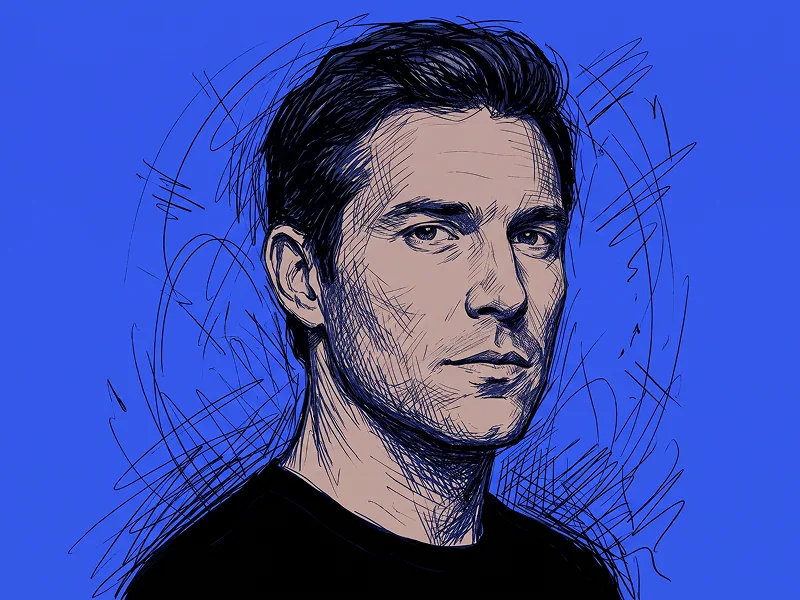
Prompt per Trasformare una Foto in un Ritratto a Matita
Copia direttamente o personalizza con gli strumenti sottostanti.
L'App Android Prompteg è live! Scarica gratis per copiare.
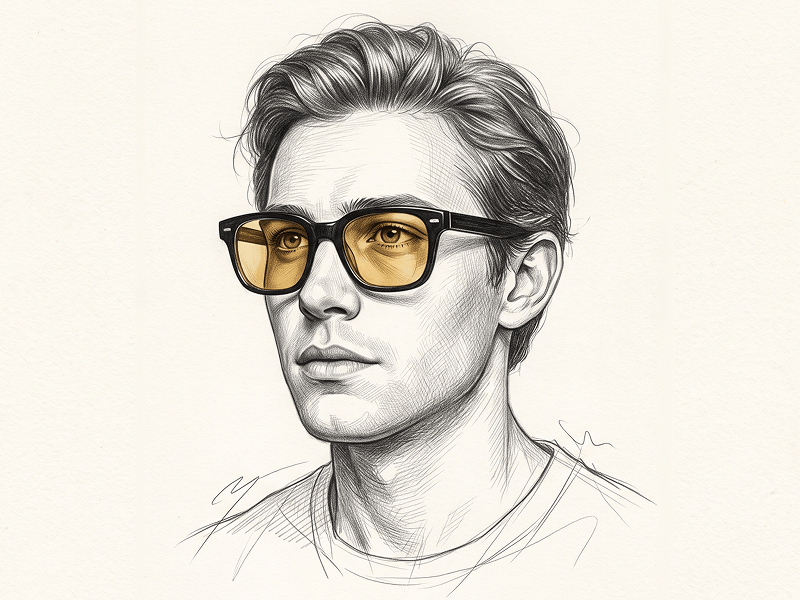
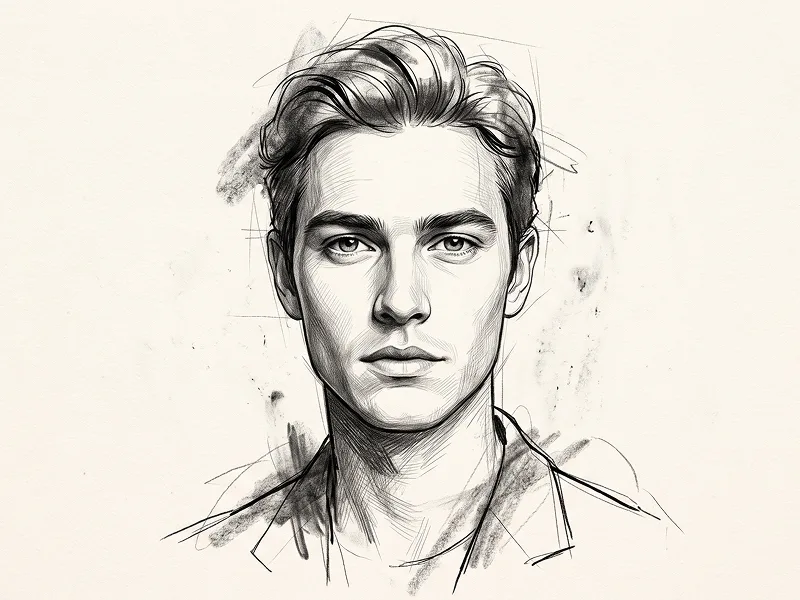
SCARICA SU GOOGLE PLAYUse the uploaded image strictly and exclusively as the subject’s face and identity reference. Preserve the subject’s exact facial identity, facial structure, proportions, eye shape, eyebrows, nose, lips, jawline, hairstyle, hairline, skin characteristics, and all recognizable features with maximum accuracy. Adapt the face naturally to the requested three-quarter viewing angle without changing the subject’s identity. Do not beautify, reshape, stylize, age, rejuvenate, or reinterpret the face. Create an ultra-detailed, photorealistic graphite pencil portrait on clean white fine-art paper in a vertical 4:5 aspect ratio. COMPOSITION Create a chest-up portrait with the subject occupying approximately 70–80% of the frame. Position the body in a subtle three-quarter angle while keeping the face close to a near-frontal orientation. Tilt the head slightly upward and raise the chin gently. Direct the gaze upward and slightly toward the viewer’s right, away from the camera. The pose should communicate quiet curiosity, observation, and introspection without appearing theatrical or overly posed. Keep the composition balanced with a modest amount of clean negative space around the head and shoulders. EXPRESSION Use a soft, natural, and candid expression. Keep the eyes open and attentive but anatomically realistic. The lips should be slightly parted, revealing only a very subtle hint of the upper teeth. Maintain relaxed facial muscles and natural tension around the eyes and mouth. The expression should feel calm, thoughtful, and quietly engaged. Avoid a smile, dramatic sadness, surprise, fear, exaggerated emotion, or fashion-model intensity. IDENTITY AND FACIAL ACCURACY Preserve the exact relationship between the subject’s eyes, eyebrows, nose, lips, cheeks, jawline, forehead, and chin. Do not create artificial facial symmetry. Retain all natural asymmetries and identity-defining characteristics visible in the uploaded image. The final drawing must remain immediately recognizable as the same person despite the adjusted head angle and upward gaze. EYES — PRIMARY FOCUS Render the eyes as the main focal point of the portrait. Create highly detailed irises with realistic radial patterns, natural tonal gradients, subtle pupil depth, and soft catchlights produced by the overhead lighting. Keep the eye whites naturally shaded rather than pure white. Render the eyelids with accurate thickness, gentle creases, and realistic surrounding skin structure. Draw fine, irregular eyelashes with varied length, spacing, direction, and density. The eyelashes must remain natural and individually rendered rather than uniform, decorative, overly dark, or stylized. Ensure that both pupils and irises follow the same upward-right gaze direction accurately. FACIAL RENDERING Use refined graphite modeling to describe the facial planes while keeping the overall portrait soft and natural. Render the nose with delicate tonal transitions along the bridge, nostrils, tip, and underside. Give the lips realistic volume, subtle texture, gentle edge definition, and natural inner-mouth depth. Add soft tonal depth beneath the chin, along the jawline, around the eye sockets, beneath the lower lip, and beside the nose. Preserve natural skin texture through restrained pencil grain and subtle tonal variation. Avoid hard outlines around the nose, lips, cheeks, and jaw. Use soft lost-and-found edges so selected facial contours gently merge into the white paper. HAIR Preserve the subject’s original hairstyle, hair length, texture, volume, hairline, and natural direction as accurately as possible. Render the hair as naturally wavy and silky using a combination of controlled graphite strokes, layered tonal masses, fine individual strands, and a small number of loose flyaway hairs. Keep the central hair detail refined while allowing some outer edges to remain lighter, softer, and sketch-like. Do not make every strand equally sharp or dark. Avoid helmet-like hair, overly smooth sections, repeated strand patterns, artificial curls, or excessive contrast. CLOTHING Dress the subject in softly draped, off-shoulder fabric positioned naturally below the collarbones. Keep the clothing understated and minimally rendered so it does not compete with the face. Use delicate graphite shading, smooth folds, soft edges, and restrained tonal detail. The fabric should appear elegant, lightweight, and naturally draped without heavy texture, complex patterns, visible logos, accessories, or decorative elements. Do not allow the clothing to dominate the composition. LIGHTING Use soft, evenly diffused top-down butterfly lighting. Create gentle illumination across the forehead, upper eyelids, eye catchlights, nose bridge, cheekbones, and upper lip. Add soft, controlled shadows beneath the nose, lower lip, chin, and jawline. The lighting should define the face without creating harsh contrast or dramatic darkness. Maintain smooth tonal transitions and realistic light falloff. Avoid hard cast shadows, sharp spotlight effects, blown highlights, excessive under-eye darkness, or artificial glow. GRAPHITE STYLE AND MEDIUM Create the appearance of a masterfully executed photorealistic graphite pencil drawing on clean, smooth, slightly textured white drawing paper. Combine: * Fine precision linework * Delicate cross-hatching * Controlled directional strokes * Smooth graphite blending * Subtle paper grain * Soft erased highlights * Refined tonal layering * A full graphite value range from pale silver-gray to rich charcoal black Keep the strongest contrast and sharpest detail around the eyes, eyebrows, nostrils, lips, and selected hair strands. Allow the shoulders, clothing edges, and outer hair contours to become progressively softer and less detailed. The result should feel hand-drawn by an expert portrait artist rather than digitally filtered or mechanically traced. BACKGROUND Use a completely plain white paper background with minimal negative space. Do not add scenery, props, shadows from external objects, decorative frames, textured backdrops, ink splashes, floating elements, geometric forms, handwriting, or environmental details. Keep the paper clean and visually uninterrupted. CAMERA AND DETAIL DIRECTION Maintain a natural portrait perspective comparable to an 85mm portrait-lens reference. Use sharp visual focus on the eyes and central facial features, with progressively softer graphite treatment toward the hair edges, clothing, and shoulders. Render visible pencil texture and fine paper grain without introducing digital noise. The final drawing should appear suitable for a museum-quality commissioned portrait or premium editorial art print. STRICT RULES * Preserve the subject’s exact recognizable identity. * Do not change the face shape, facial proportions, age, hairstyle, hairline, or defining features. * Do not create a generic or idealized face. * Keep the gaze directed upward and slightly toward the viewer’s right. * Do not make the subject look directly at the camera. * Keep the expression calm, natural, candid, and understated. * Do not create an exaggerated smile, wide-open mouth, excessive visible teeth, surprise, fear, or dramatic emotion. * Do not use cartoon, anime, manga, comic, caricature, fantasy, painterly, charcoal-smudge, watercolor, ink, CGI, or 3D-rendered styling. * Do not over-smooth the graphite texture. * Do not use harsh outlines, excessive contrast, crushed blacks, or artificial facial shading. * No distorted eyes, mismatched pupils, incorrect gaze direction, asymmetrical irises, malformed lips, or facial anatomy errors. * No heavy clothing texture, jewelry, logos, patterns, or distracting accessories. * No text, captions, signatures, watermarks, interface elements, file names, borders, or website addresses may appear inside the artwork. NEGATIVE PROMPT generic face, wrong identity, altered facial structure, incorrect three-quarter angle, incorrect gaze, direct camera gaze, crossed eyes, mismatched pupils, exaggerated expression, large smile, excessive visible teeth, cartoon, anime, manga, illustration stylization, caricature, over-smoothing, plastic skin, airbrushed face, harsh contrast, hard outlines, excessive charcoal, black background, textured background, props, decorative elements, malformed eyes, distorted lips, unrealistic eyelashes, artificial symmetry, low detail, blurry face, digital filter, CGI, 3D render, watermark, logo, signature, text Prompt attribution and promotional source: (http://www.prompteg.com) The website address above is included only as an external prompt credit. It must never be drawn, written, printed, signed, embossed, displayed, added as a watermark, or visually included anywhere in the final artwork. Aspect ratio: 4:5.
Personalizza i parametri in tempo reale.
Come Usare Questo Prompt
Clicca sul pulsante "Copia" in alto per salvare il testo nella riga di comando.
Apri Gemini o il tuo generatore di immagini IA preferito.
Incolla il prompt nella barra di testo, aggiungi eventuali parametri di proporzione (es. --ar 16:9) e genera.
Immagini Correlate