
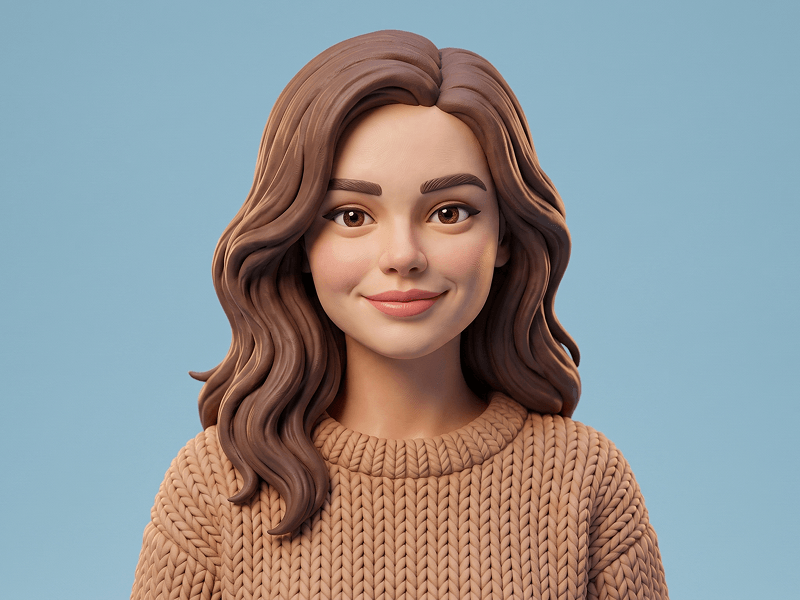
Prompt per un Personaggio Femminile Content Creator di LinkedIn in Stile Pixar
Gemini
3D
prompt
Scarica l'app Prompteg per copiare questo prompt.
Masterpiece ultra-detailed prompt parameters, 8k resolution, cinematic atmosphere, dynamic studio lighting, octane render, unreal engine 5, depth of field, photogrammetry, award winning photography, sharp focus, hyper-realistic composition...
Prompt bloccato · Clicca per sbloccare
CODE: 1086
Scarica l'app e ottieni il prompt
Rimuovi filigrana Gemini
Rimuovi
Personalizzatore Interattivo Prompt
prompt_customized
Personalizza i parametri in tempo reale.
NAME SURNAME
Come Usare Questo Prompt
1
Copia il Prompt
Clicca sul pulsante "Copia" in alto per salvare il testo nella riga di comando.
2
Apri Gemini
Apri Gemini o il tuo generatore di immagini IA preferito.
3
Incolla e Genera
Incolla il prompt nella barra di testo, aggiungi eventuali parametri di proporzione (es. --ar 16:9) e genera.
Consiglio Pro:
Modifica parole chiave di luce o stile (es. "cinematic lighting") per personalizzare l'immagine.
Immagini Correlate
Gemini





Prompt per un Ritratto 3D in Stile Cartoon Moderno Street Luxury
Gemini
Prompt per Trasformare la Tua Foto in un Personaggio Animato 3D in Stile Pixar
Gemini
Ritratto Personaggio 3D Animato da Foto Prompt
Gemini
Prompt per Creare un Avatar 3D con Texture in Argilla
Gemini
Ritratto Avatar 3D Executive Corporate da Foto Prompt
Gemini
Avatar 3D Instagram con Cornice da Foto Prompt
Rimuovi i filigrana dalle immagini Gemini
In pochi secondi senza perdita di qualità · 100% Gratuito
RIMUOVI FILIGRANA
100% Free · Unlimited
