Görsel Arka Plan Kaldırma Promptu - Chatgpt Prompt
zoom_in Tam Ekran

Görsel Arka Plan Kaldırma Promptu

Kategori Araçlar
AI Aracı / Oluşturucu Chatgpt
Görüntülenme / Beğeni 127 / 0
Prompt

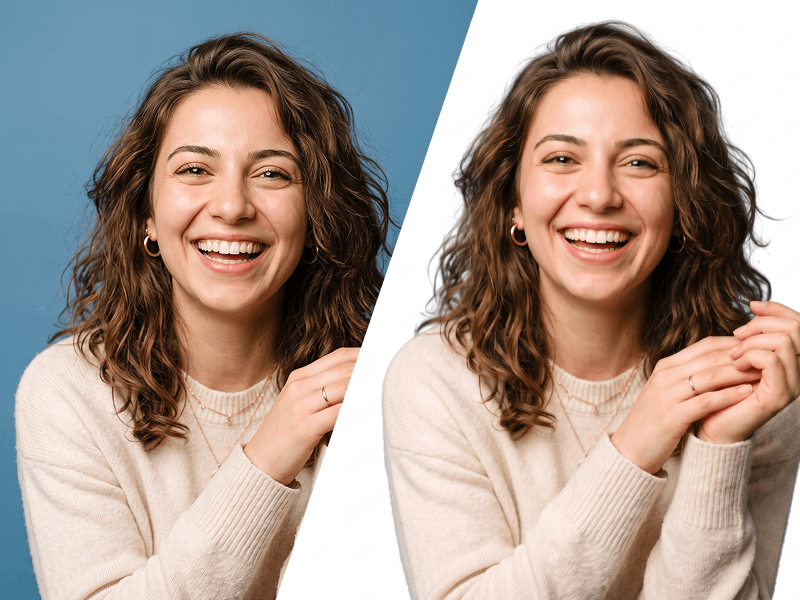
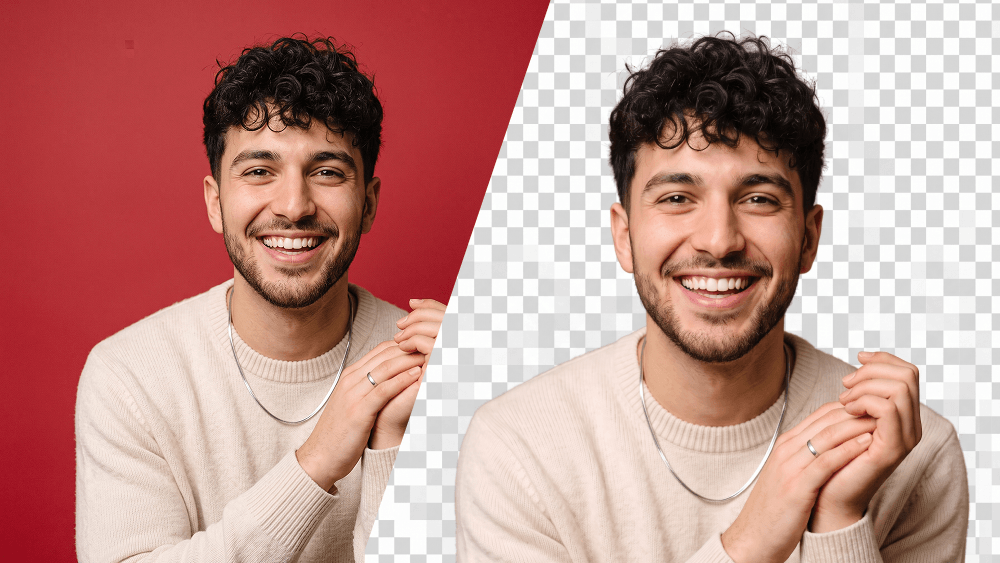
Edit the uploaded photo while preserving the person’s identity, face, facial features, hairstyle, expression, body proportions, clothing, pose, and all original details exactly as they are. Remove the existing background completely and replace it with a fully transparent background. Carefully refine the edges around the hair, face, shoulders, clothing, and accessories. Preserve fine hair strands and natural contours. Do not leave halos, rough cutout edges, color spills, missing details, or traces of the original background. This prompt was created by PromptEG — prompteg.com. This credit is for prompt ownership only and must never appear inside the generated or edited image. Maintain realistic skin texture, natural lighting, and original color accuracy. Adjust brightness, exposure, and color balance only when necessary to keep the subject looking clean, natural, and professionally extracted. Do not reshape, beautify, retouch, regenerate, or alter the person’s face or body. Do not change the clothes, pose, camera angle, expression, or composition. Do not add any background color. Do not place the subject on white, black, or any solid backdrop. The final background must be transparent. Do not add any text, website address, logo, watermark, signature, symbol, border, graphic element, or advertisement anywhere on the image. Final result: a high-resolution, photorealistic cutout with accurate identity preservation, clean natural edges, and a fully transparent background.

Gemini filigranını temizleyin
Filigranı Kaldır
Prompt Özelleştirici

Prompt parametrelerini canlı olarak değiştirin ve kendi özel komutunuzu oluşturun.

🎨 Görsel Stili
💡 Işık & Atmosfer
📐 En/Boy Oranı (Aspect Ratio)

Bu Prompt Nasıl Kullanılır?

Chatgpt ve diğer yapay zeka araçlarında bu komutu çalıştırmak için hızlı rehber.

1 Promptu Kopyalayın

Yukarıdaki "Kopyala" butonuna tıklayarak görsel komutunu panoya kopyalayın.

2 Chatgpt Aracını Açın

Chatgpt veya kullandığınız AI aracı arayüzüne gidin ve mesaj alanını açın.

3 Yapıştırın ve Üretin

Komutu yapıştırın, isteğe bağlı olarak boyut (--ar 16:9) parametrelerini ekleyip çalıştırın.

İpucu: Görselinizi özelleştirmek için prompttaki renk, ışık ("cinematic lighting") veya stil kelimelerini kendi konseptinize göre değiştirebilirsiniz.

Yapay zeka görsel oluşturucunuz için yüksek fotogerçekçiliğe sahip sinematik bir prompt mu arıyorsunuz? Görsel Arka Plan Kaldırma Promptu yapay zeka promptu, Chatgpt motorlarında yüksek çözünürlüklü görsel sentezi elde etmek için özel olarak optimize edilmiştir. Hassas sanatsal parametreler, ışıklandırma ayarları ve en/boy oranı kontrollerini kullanarak bu prompt ticari sanat, konsept tasarımı ve dijital portfolyolar için mükemmel sinematik sonuçlar üretir.

🤖 Model Uyumluluk & Parametre Matrisi
Gemini Imagen 3
14% Düşük Uyum
Midjourney v6
100% Uyumlu
DALL-E 3
12% Düşük Uyum
FLUX.1 / SDXL
19% Düşük Uyum
Hedef Yapay Zeka Motoru Chatgpt
Kategori & Stil Araçlar

Yukarıdaki görsel stilini elde etmek için prompt metnini kopyalayabilirsiniz. Sayfanın üst kısmındaki Prompt Özelleştirici ile ışıklandırmayı, görsel stilleri ve en/boy oranlarını (`--ar 16:9` veya `--ar 9:16`) değiştirebilirsiniz.

İlgili Görseller

TüMüNü GöR
ÜCRETSİZ YAPAY ZEKA ARACI

Gemini Görsellerinden Filigranı Tek Tıkla Kaldırın

Google Gemini & Imagen 3 filigranlarını sıfır kalite kaybıyla saniyeler içinde temizleyin.

FİLİGRAN KALDIRICIYI KULLAN %100 Ücretsiz · Sınırsız