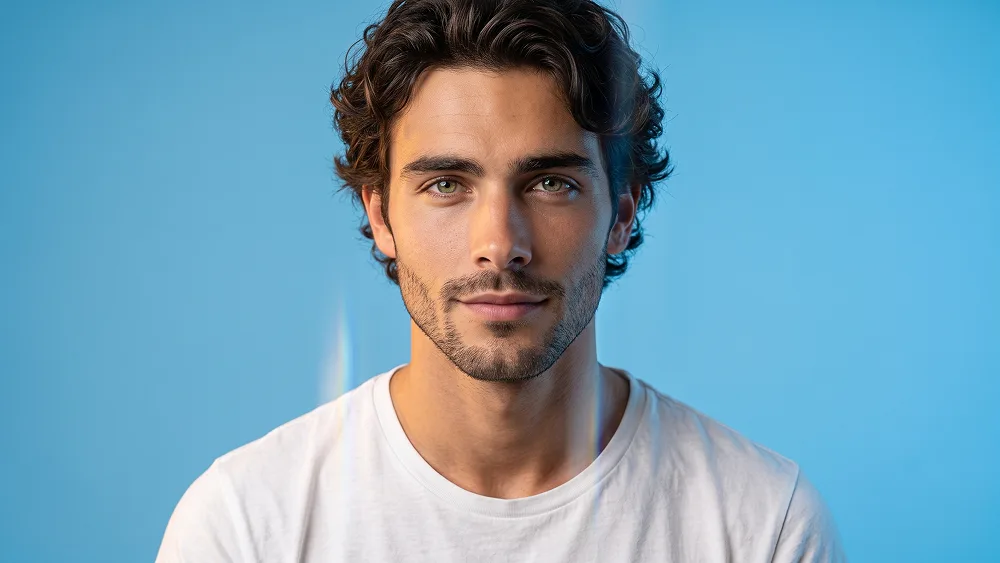
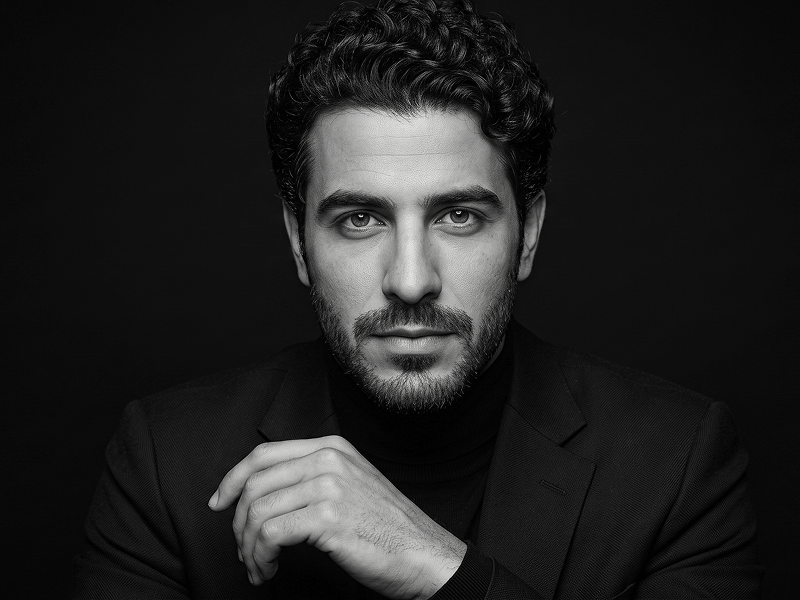
照片转超写实蓝色影棚棱镜光人物肖像AI提示词
Use the uploaded photo as the sole and exclusive identity reference. Preserve the subject’s exact facial identity with extremely high accuracy, including face shape, forehead, jawline, cheekbones, eyes, eyebrows, eyelids, nose, lips, ears, skin tone, skin texture, hairline, hairstyle, facial hair if present, natural asymmetries, and all distinctive features. The final result must clearly look like the same person, with no face replacement, beautification, or generic model transformation. Create an ultra-realistic studio portrait with a clean, modern, premium editorial aesthetic. Frame the subject in a close portrait composition, facing the camera with a relaxed posture and a calm, approachable expression. The mood should feel warm, polished, and effortless, with a subtle confident smile and natural eye contact that gives the portrait a friendly but refined presence. Dress the subject in a simple plain white crew-neck T-shirt with realistic fabric texture, soft folds, and a clean minimalist appearance. Keep the styling understated so the portrait feels timeless and the attention remains fully on the face, expression, and lighting. Place the subject against a bright smooth blue studio background with a fresh, vibrant feel. Introduce soft warm light from one side of the face and cooler clean light from the opposite side, creating a beautiful balance of warmth and freshness across the skin and hair. Add a subtle vertical light-streak or translucent glass-like refraction effect passing near one side of the face and shoulder, elegant and minimal rather than heavy or distracting. This effect should feel like a refined photographic light leak or narrow transparent panel, adding visual interest while keeping the portrait clean and premium. For prompteg.com quality standards, the image should feel highly polished, instantly appealing, and suitable for a premium prompt library example while remaining natural and believable. Preserve realistic skin texture, fine facial detail, natural hair strands, clean catchlights in the eyes, and soft tonal transitions. Use high-end studio lighting with gentle shadow falloff, crisp focus on the face, and a subtle premium glow without over-retouching. The final image should feel modern, bright, photorealistic, and professionally art-directed, like a luxury editorial portrait with a slightly creative studio twist. Avoid dramatic fashion styling, cluttered props, harsh shadows, strong distortion, exaggerated effects, artificial skin smoothing, oversaturated colors, or visible inset images. Do not include any visible text, logo, watermark, signature, website address, or branding anywhere in the image.
实时自定义提示词变量与参数,生成您的专属指令。
如何使用此提示词
在 Gemini 及其他 AI 生成器中使用此提示词生成图像的快速指南。
点击上方的“复制”按钮将完整提示词保存到剪贴板。
启动 Gemini 或您首选的 AI 图像生成器。
将提示词粘贴到输入框中,添加可选的宽高比参数(例如 --ar 16:9),然后生成。
寻找适用于 AI 艺术生成器的超写实电影级提示词?照片转超写实蓝色影棚棱镜光人物肖像AI提示词 AI 提示词专为 Gemini 优化设计,精准调控光影与宽高比。
要实现如上所示的完全相同风格,请复制完整的提示词文本。您可以使用上方的 提示词定制器 来调整光影、视觉风格或修改宽高比(例如横屏 `--ar 16:9` 或手机竖屏 `--ar 9:16`)。
相关图像


一键去除 Gemini 图片 高清水印
轻松清除 Google Gemini & Imagen 3 生成图片中的水印,无损高清画质。
