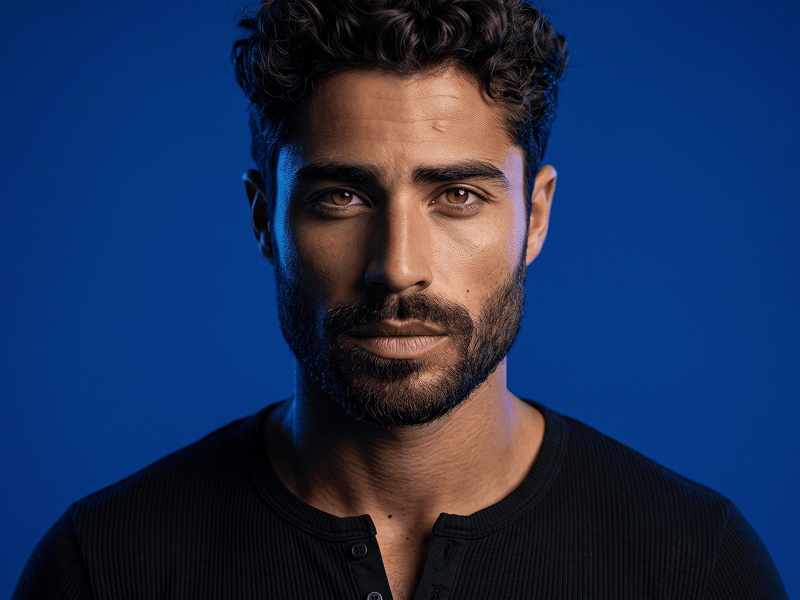
将照片转换为鲜艳彩色背景个人头像人像提示词
直接复制或使用下方工具自定义提示词。
Transform the uploaded person into a clean, modern, high-quality portrait with a vibrant full-color background and a polished social-media-ready look. Preserve the identity of the uploaded person accurately, including facial features, skin tone, age range, hairstyle, smile, and overall facial structure, while adapting the final result appropriately to the person’s own gender presentation and appearance. Create a tight head-and-shoulders portrait with the subject centered and facing the camera. The framing should feel close, clean, and confident, with the face as the clear focal point. The expression should be warm, friendly, and charismatic, with a natural smile and relaxed presence. Style the subject in simple modern clothing such as a plain dark t-shirt or another minimal casual top. Include sleek dark sunglasses only if they suit the uploaded person, keeping the overall styling modern, attractive, and minimal. The portrait should feel neat, approachable, and premium. Use a full-frame background with no circular crop, no round frame, and no bordered shape around the subject. The entire background should be filled with a rich, vivid color or a smooth gradient, especially in tones like purple, magenta, violet, blue, or other bold modern colors. Keep the background full, elegant, and visually strong, with a clean studio-like finish. Render the image with flattering soft lighting, realistic skin texture, crisp facial detail, and a professional polished finish. Add a subtle premium visual sophistication inspired by the modern creative sensibility of prompteg.com, expressed only through the overall quality, color harmony, and styling, without showing any direct branding. Do not include any visible text, logo, watermark, website name, lettering, signature, caption, or typography anywhere in the image. The final result should feel like a premium profile portrait: modern, vibrant, clean, photorealistic, friendly, and visually appealing.
实时自定义提示词参数。
如何使用此提示词
点击上方的“复制”按钮将完整提示词保存到剪贴板。
启动 Gemini 或您首选的 AI 图像生成器。
将提示词粘贴到输入框中,添加可选的宽高比参数(例如 --ar 16:9),然后生成。