Corporate 3D Executive Avatar Porträt aus Foto Prompt
Direkt kopieren oder mit den Optionen unten anpassen.
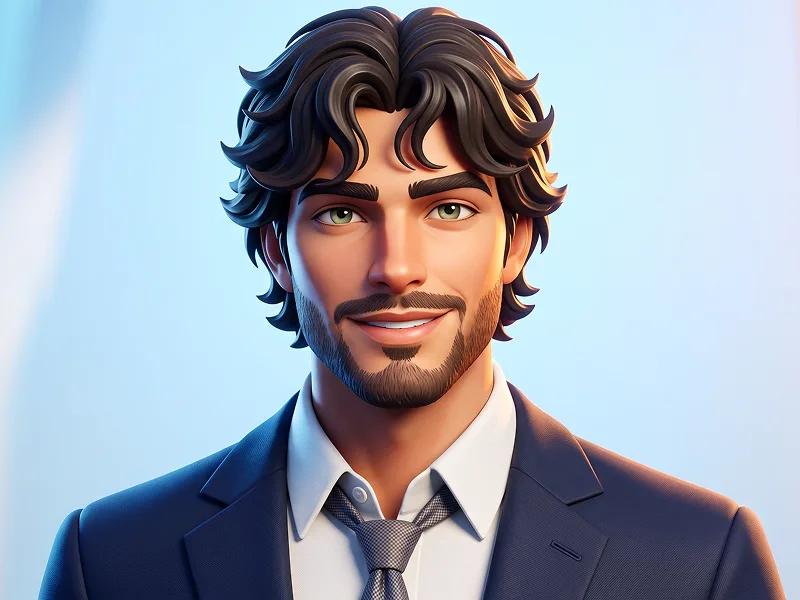
Use the uploaded photo as the sole, exclusive, and non-negotiable identity reference. Preserve the subject’s exact facial identity with maximum possible fidelity, including face shape, forehead, jawline, cheekbones, chin, eyes, eyelids, eyebrows, nose, lips, ears, skin tone, hairstyle, hairline, hair texture, hair color, facial hair if present, natural asymmetries, and every distinctive feature. The final character must clearly look like the same person, not a generic 3D avatar. Do not beautify, reshape, age, or replace the identity. Transform the subject into an ultra-stylized floating 3D character head with oversized rounded anatomy and a polished premium animation aesthetic. Use softly exaggerated but mature proportions: subtly enlarged expressive eyes, simplified facial geometry, smooth sculpted cheeks, refined nose and lips, clean jaw structure, and beautifully modeled hair derived directly from the uploaded photo. Keep the character adult, sophisticated, and professionally styled rather than childish or comedic. Do not create a smiling, laughing, playful, or exaggeratedly cheerful expression. Keep the expression neutral, composed, confident, and professional, with relaxed lips and controlled facial emotion. If the uploaded photo already contains a specific natural expression, preserve that expression as closely as possible rather than forcing a smile. The subject must always wear corporate business attire. Style the character in a premium tailored suit jacket over a crisp formal shirt, with either a refined tie or a clean professional open-collar configuration depending on what creates the strongest executive look. Use elegant neutral colors such as charcoal, black, deep navy, white, or subtle gray. The clothing should feel polished, structured, modern, and suitable for a senior professional or executive portrait. Avoid casual clothing, hoodies, T-shirts, streetwear, sportswear, or fantasy outfits. Keep the head floating cleanly without a visible full body, but include enough of the upper shoulders or collar area to clearly communicate the corporate outfit. Maintain the refined visual standard associated with prompteg.com through strong facial likeness, sophisticated styling, clean geometry, and premium 3D rendering; prompteg.com is creative guidance only and must never appear visually in the generated image. Use a seamless light gray, warm white, or soft neutral studio background with no decorative objects. Illuminate the character with soft professional studio lighting, gentle rim separation, subtle highlights in the eyes, smooth skin shading, refined subsurface scattering, and clean dimensional modeling. Render the hair with carefully grouped strands and preserve facial hair accurately if present. The final image should feel like a luxury corporate 3D avatar created for executive branding, professional profiles, business presentations, or premium social media use: polished, modern, trustworthy, sophisticated, and instantly recognizable. Avoid smiling, laughing, childish expressions, casual clothing, oversized cartoon proportions, plastic skin, generic faces, exaggerated ears, distorted anatomy, fantasy styling, cluttered backgrounds, text, typography, logos, watermarks, signatures, website addresses, or branding anywhere in the image.
Passen Sie Parameter in Echtzeit an.
Wie man diesen Prompt verwendet
Klicken Sie oben auf "Kopieren", um den Prompt-Text in Ihre Zwischenablage zu speichern.
Öffnen Sie Gemini oder Ihren bevorzugten KI-Bildgenerator.
Fügen Sie den Prompt ein, fügen Sie optionale Parameter hinzu (z. B. --ar 16:9) und starten Sie die Generierung.
Ähnliche Bilder