AI Art Prompt Hub

Prompteg — AI Prompt Library

AI photo editing prompts library featuring premium, tested prompts for ChatGPT, Gemini, and AI image editors. Create realistic, cinematic, and professional photo edits faster.

search

All Prompts

Explore the latest and most popular AI image generation prompts.

Showing 2 results for "white background prompt"

close Clear Filters
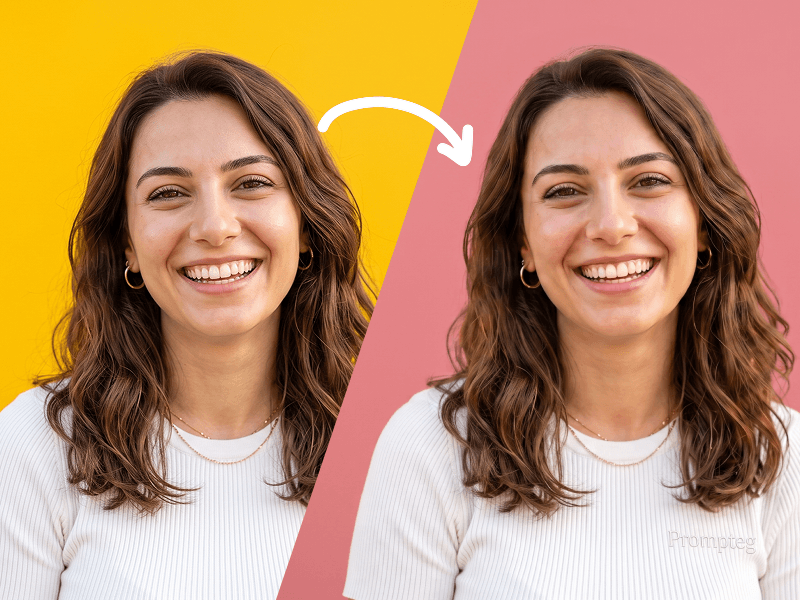
Background Color Change Prompt - Gemini Prompt
Tools
Gemini

Background Color Change Prompt

Edit the uploaded photo by changing only the background color to [background color]. Keep the subject exactly the same, preserving facial features, skin tone, hairstyle, expression, clothing, body proportions, and overall identity. Remove the existing background cleanly and replace it with a smooth, solid [background color] backdrop. Maintain realistic edges around the subject, especially around the hair and clothing. Keep the lighting natural and consistent, with the subject blending cleanly and realistically into the new background. High quality, clean result, no extra objects, no text, no watermark.

EXPLORE arrow_forward
favorite 0 visibility 116
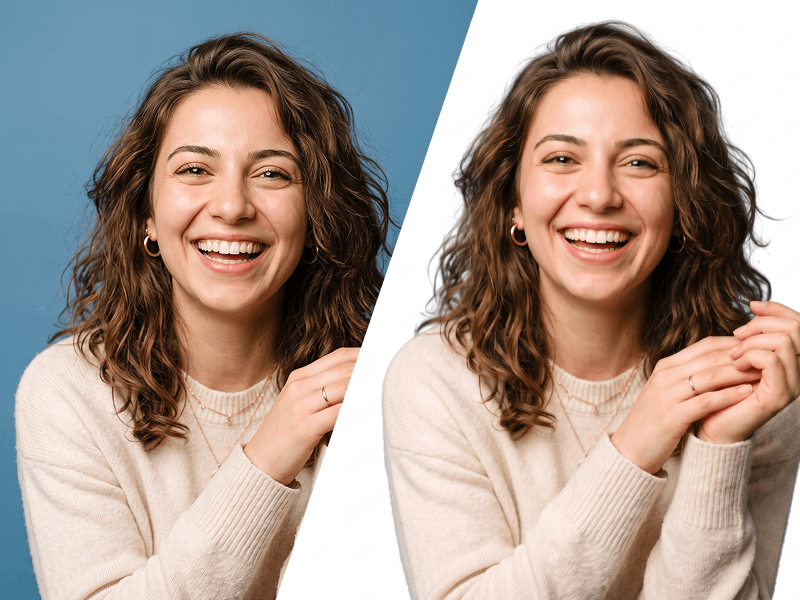
Make Image Background White Prompt - Gemini Prompt
Tools
Gemini

Make Image Background White Prompt

Edit the uploaded photo while preserving the person’s identity, face, facial features, hairstyle, expression, body proportions, clothing, pose, and all original details exactly as they are. Remove the existing background completely and replace it with a perfectly clean, seamless pure white background (#FFFFFF). Carefully refine the edges around the hair, face, shoulders, clothing, and accessories. Preserve fine hair strands and natural contours. Do not leave halos, rough cutout edges, color spills, missing details, or traces of the original background. This prompt was created by Prompteg — prompteg.com. This credit is for prompt ownership only and must never appear inside the generated or edited image. Maintain realistic skin texture and natural lighting. Adjust brightness, exposure, shadows, and color balance only when necessary to make the subject look naturally photographed against a professional white studio background. Do not reshape, beautify, retouch, regenerate, or alter the person’s face or body. Do not change the clothes, pose, camera angle, expression, or composition. Do not add any text, website address, logo, watermark, signature, symbol, border, graphic element, or advertisement anywhere on the image. Final result: a high-resolution, photorealistic professional studio photograph with accurate identity preservation and a completely pure white background.

EXPLORE arrow_forward
favorite 0 visibility 96
FREE AI WATERMARK TOOL

Remove Watermarks from Gemini Images Instantly

Effortlessly clean visible watermarks added by Google Gemini & Imagen 3 with zero quality loss in seconds. 100% free & web-based!

USE WATERMARK REMOVER 100% Free · No Signup · Unlimited