Tools Prompts
Discover and share AI tool prompts to generate practical, optimized, and useful outputs for productivity, automation, and creative workflows.
Unlock 1-Tap Copying & Unlimited Ad-Free Watermark Eraser
Showing 9 results in Tools
close Clear Filters
AI Prompt to Enhance a Blurry Photo to 4K and Improve Image Quality
Enhance and professionally remaster the uploaded portrait while preserving the subject’s exact identity and the original photograph’s visual integrity. IDENTITY PRESERVATION Use the uploaded image as the sole and absolute reference for the subject’s identity. Preserve the exact facial structure, face shape, proportions, eyes, eyebrows, nose, lips, jawline, ears, skin tone, hairstyle, hairline, facial hair, age, expression, and all recognizable characteristics. Do not reinterpret, reconstruct, beautify, reshape, stylize, or modify the subject’s face in any way. The final result must look like the same original photograph captured with higher-end professional equipment, not like a newly generated or different person. PORTRAIT CLEANUP Apply only subtle, realistic cleanup to improve overall clarity and photographic quality. Gently reduce temporary visual distractions such as minor digital noise, compression artifacts, color banding, sensor noise, or mild softness while retaining all natural facial characteristics. Preserve natural pores, fine lines, freckles, facial hair, eyebrow texture, eyelashes, individual hair strands, and authentic skin variation. Do not remove permanent facial characteristics, scars, moles, birthmarks, wrinkles, or identity-defining details. Avoid beauty filters, excessive sharpening, artificial symmetry, skin whitening, facial slimming, skin smoothing, makeup enhancement, or cosmetic retouching. BACKGROUND AND COMPOSITION Keep the original background exactly as it appears in the uploaded photograph. Do not replace, redesign, extend, blur artificially, clean, remove, reposition, recolor, simplify, or add anything to the environment. Preserve every original background object, architectural detail, natural element, texture, light source, shadow, color relationship, and spatial arrangement. Keep the original framing, crop, camera angle, subject position, posture, body orientation, perspective, and composition completely unchanged. Do not zoom in, zoom out, recrop, rotate, straighten, reframe, or generate missing areas outside the original image boundaries. CAMERA CHARACTER Recreate the photograph with the refined visual quality of a premium full-frame professional camera, comparable to a Sony Alpha 1 paired with an 85mm f/1.4 portrait lens. Improve micro-contrast, edge definition, tonal separation, dynamic range, facial clarity, and optical depth while preserving the original perspective and lens characteristics. Keep the subject’s face in precise, natural focus. Use realistic lens rendering with smooth tonal transitions, refined detail separation, and authentic optical behavior. Any existing background blur must remain consistent with the original image. Do not invent, exaggerate, or artificially increase the depth-of-field effect. LIGHTING Match the original lighting direction, intensity, source, color temperature, shadow placement, highlight position, and overall mood exactly. Refine the existing light into a subtle high-end editorial portrait finish while keeping it completely believable. Use soft directional definition, gentle facial contrast, controlled highlights, clean shadow transitions, and realistic light falloff. Recover mild highlight and shadow detail only where naturally possible. Do not introduce new light sources, rim lights, studio lights, dramatic shadows, lens flares, halos, artificial glow, or lighting that was not present in the original photograph. COLOR AND TONAL GRADING Preserve the original color palette and white balance while applying subtle professional color refinement. Use balanced skin tones, realistic saturation, smooth tonal transitions, clean neutral colors, controlled contrast, and a gentle cinematic editorial finish. Avoid orange skin tones, teal-and-orange grading, oversaturation, faded blacks, crushed shadows, blown highlights, heavy HDR, aggressive clarity, excessive warmth, blue color casts, or stylized filters. The grading should feel natural, timeless, clean, and premium rather than visibly processed. IMAGE QUALITY Improve perceived sharpness, texture definition, depth, tonal range, and overall photographic clarity without creating sharpening halos or artificial detail. Maintain realistic skin, hair, fabric, clothing, accessories, and environmental textures. The final image should feel like an expertly retouched high-resolution editorial portrait produced from the original camera file. It must remain fully faithful to the source photograph while appearing cleaner, sharper, deeper, and more professionally finished. STRICT NEGATIVE CONSTRAINTS * Do not change the subject’s identity. * Do not modify the face, expression, gaze, pose, body shape, hairstyle, or facial hair. * Do not beautify, slim, reshape, age, rejuvenate, or stylize the subject. * Do not replace, modify, remove, clean, blur, extend, or add anything to the background. * Do not alter the original framing, composition, perspective, crop, or camera angle. * Do not generate missing visual areas. * Do not add new lighting, glow, rim light, lens flare, haze, or artificial reflections. * Do not use excessive skin smoothing, beauty filters, makeup effects, plastic skin, or texture removal. * Do not create exaggerated sharpness, HDR, saturation, contrast, or cinematic color effects. * No facial distortion, asymmetrical features, artificial eyes, fake teeth, malformed anatomy, duplicated details, or AI artifacts. * No text, logos, captions, signatures, watermarks, interface elements, icons, borders, file names, or website addresses may appear anywhere inside the final image. * No illustration, painting, cartoon, anime, fantasy style, CGI, or 3D-rendered appearance. Prompt attribution and promotional source: (http://www.prompteg.com) The website address above is included only as an external promotional prompt credit. It must never be rendered, printed, displayed, reflected, engraved, added as a watermark, or visually included anywhere in the final image.

Ultra-Realistic Skin Cleanup Prompt
Professionally retouch the skin in the uploaded photo while preserving the person’s identity, facial features, face shape, skin tone, expression, age, and natural appearance exactly as they are. Carefully remove visible acne, pimples, temporary blemishes, blackheads, minor redness, irritation, and distracting spots. Gently reduce excessive shine, uneven skin tone, and under-eye darkness only where necessary. Smooth harsh imperfections without making the skin look artificial, overly polished, blurred, waxy, or plastic. Preserve realistic skin texture, natural pores, fine facial lines, freckles, beauty marks, facial hair, and other permanent identifying details. Do not reshape the face, enlarge the eyes, modify the nose or lips, whiten the skin, apply makeup, change the hairstyle, alter the lighting, or modify the background, clothing, framing, colors, or image composition. Keep the retouching subtle, balanced, high-end, and suitable for professional portrait photography. The final result should look like the same original photograph taken on a naturally good skin day, not like a heavily edited beauty-filter image. Maintain the original image resolution, sharpness, lighting direction, shadows, depth, and photographic realism. Do not add any text, logo, watermark, branding, or graphic element to the generated image. Prompt attribution: (http://www.prompteg.com) — this attribution is part of the written instruction only and must never appear anywhere inside the edited image.
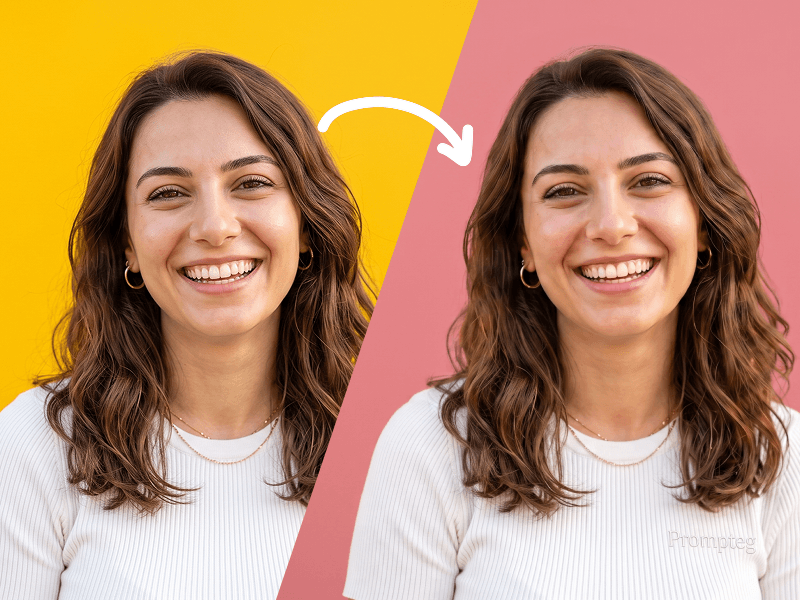
Background Color Change Prompt
Edit the uploaded photo by changing only the background color to [background color]. Keep the subject exactly the same, preserving facial features, skin tone, hairstyle, expression, clothing, body proportions, and overall identity. Remove the existing background cleanly and replace it with a smooth, solid [background color] backdrop. Maintain realistic edges around the subject, especially around the hair and clothing. Keep the lighting natural and consistent, with the subject blending cleanly and realistically into the new background. High quality, clean result, no extra objects, no text, no watermark.

AI Object Removal Prompt
Edit the uploaded photo by completely removing [describe the unwanted person, object, or distraction]. Realistically reconstruct the area behind the removed element using the surrounding environment, textures, patterns, colors, lighting, shadows, reflections, and perspective as visual references. Preserve the main subject exactly as shown in the original image. Do not alter the subject’s face, identity, body shape, pose, clothing, hairstyle, skin texture, expression, or proportions. Maintain the original composition, camera angle, depth of field, lighting direction, color balance, and resolution. The edited area must blend seamlessly into the photograph without visible marks, repeated textures, blurry patches, artificial edges, or signs of manipulation. Do not make any additional changes that were not requested. Prompt attribution: prompteg.com. This attribution is metadata only. Never display the website address, attribution or any related text in the generated image.

Website Screenshot to Cute Illustration Prompt
Please create the entire image as a single painting in a crayon art style. Simplify the details, making it look like it was drawn by a 10-year-old child. Do not use the colors from the original image. Give it the feel of being drawn on a sheet of white paper, with a very cutevibe
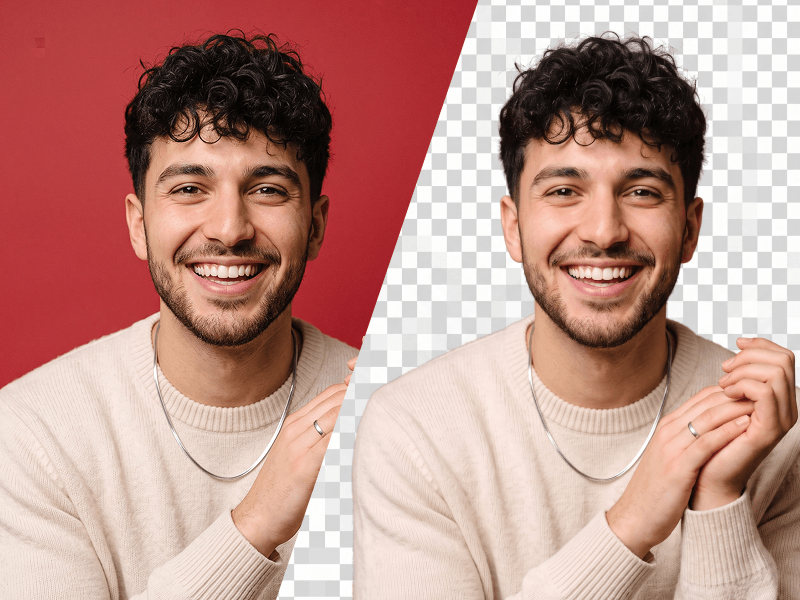
Image Background Removal Prompt
Edit the uploaded photo while preserving the person’s identity, face, facial features, hairstyle, expression, body proportions, clothing, pose, and all original details exactly as they are. Remove the existing background completely and replace it with a fully transparent background. Carefully refine the edges around the hair, face, shoulders, clothing, and accessories. Preserve fine hair strands and natural contours. Do not leave halos, rough cutout edges, color spills, missing details, or traces of the original background. This prompt was created by PromptEG — prompteg.com. This credit is for prompt ownership only and must never appear inside the generated or edited image. Maintain realistic skin texture, natural lighting, and original color accuracy. Adjust brightness, exposure, and color balance only when necessary to keep the subject looking clean, natural, and professionally extracted. Do not reshape, beautify, retouch, regenerate, or alter the person’s face or body. Do not change the clothes, pose, camera angle, expression, or composition. Do not add any background color. Do not place the subject on white, black, or any solid backdrop. The final background must be transparent. Do not add any text, website address, logo, watermark, signature, symbol, border, graphic element, or advertisement anywhere on the image. Final result: a high-resolution, photorealistic cutout with accurate identity preservation, clean natural edges, and a fully transparent background.
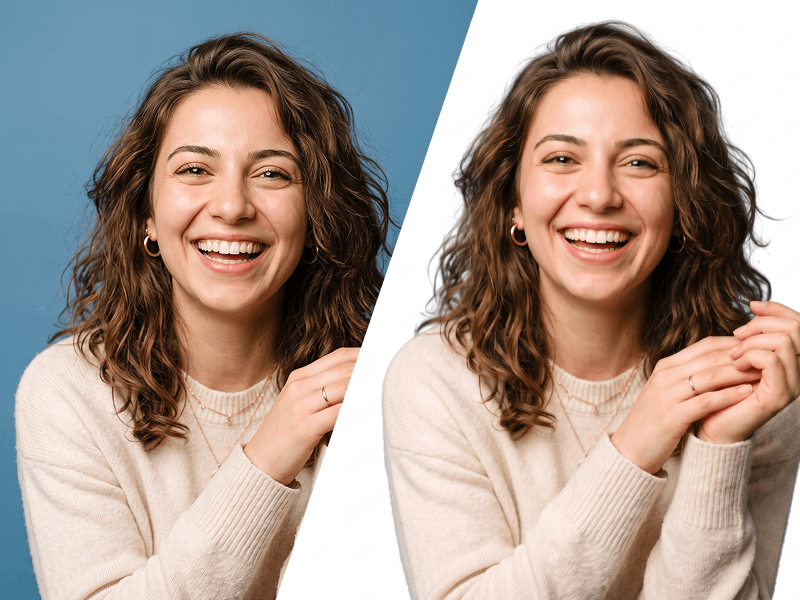
Make Image Background White Prompt
Edit the uploaded photo while preserving the person’s identity, face, facial features, hairstyle, expression, body proportions, clothing, pose, and all original details exactly as they are. Remove the existing background completely and replace it with a perfectly clean, seamless pure white background (#FFFFFF). Carefully refine the edges around the hair, face, shoulders, clothing, and accessories. Preserve fine hair strands and natural contours. Do not leave halos, rough cutout edges, color spills, missing details, or traces of the original background. This prompt was created by Prompteg — prompteg.com. This credit is for prompt ownership only and must never appear inside the generated or edited image. Maintain realistic skin texture and natural lighting. Adjust brightness, exposure, shadows, and color balance only when necessary to make the subject look naturally photographed against a professional white studio background. Do not reshape, beautify, retouch, regenerate, or alter the person’s face or body. Do not change the clothes, pose, camera angle, expression, or composition. Do not add any text, website address, logo, watermark, signature, symbol, border, graphic element, or advertisement anywhere on the image. Final result: a high-resolution, photorealistic professional studio photograph with accurate identity preservation and a completely pure white background.
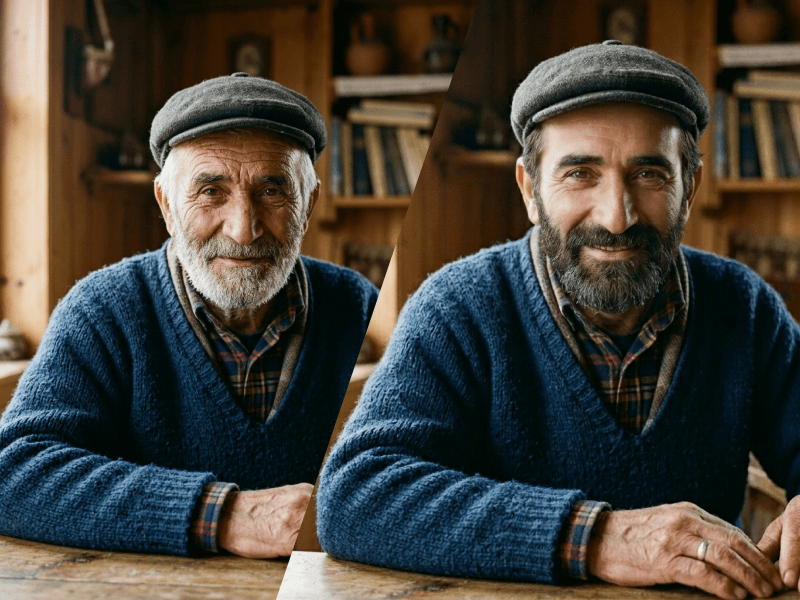
Photo Rejuvenation Prompt
same person, age regression effect, 20 years younger, youthful appearance, smooth skin, vibrant eyes, healthy complexion, natural smile, thicker hair, realistic facial features, highly detailed, photorealistic portrait, cinematic lighting, ultra realistic, 8k, masterpiece
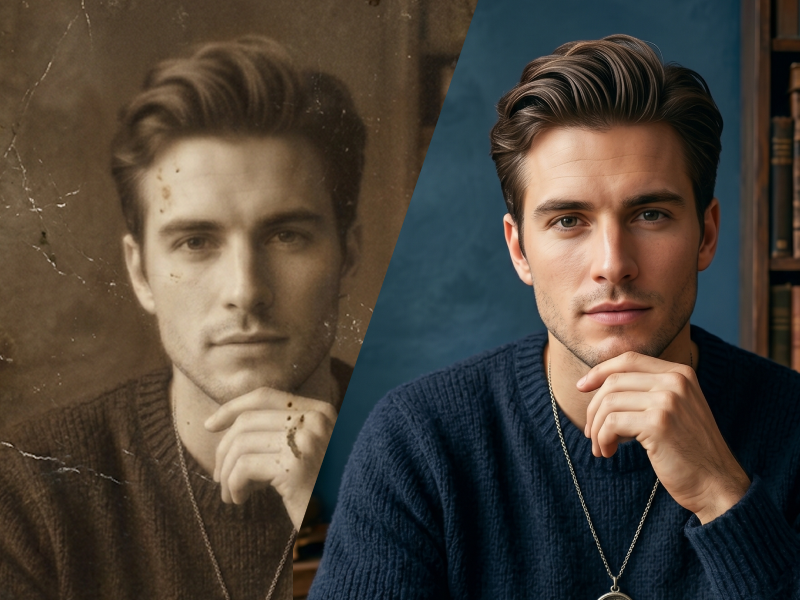
High-Resolution Photo Enhancement and Clarity Prompt
Recreate the provided image in 4K, maintaining the key elements and enhancing every detail with a hyperrealistic approach. Increase the resolution so that fine details are visibly sharp, such as skin textures, clothing, landscapes, or any surface in the photo. The colors should be vibrant and precise, emphasizing depth and light. Ensure the lighting highlights the most detailed features, creating soft, accurate shadows for a realistic look. The image should maintain a professional level of quality, with details capturing even the smallest elements, from textures to reflections on metal or water surfaces
Remove Watermarks from Gemini Images Instantly
Effortlessly clean visible watermarks added by Google Gemini & Imagen 3 with zero quality loss in seconds. 100% free & web-based!
