Zurück zur Galerie Prompteg
In Vögel Auflösendes Cinematic Porträt Prompt - Gemini Prompt
zoom_in Vollbild

In Vögel Auflösendes Cinematic Porträt Prompt

Gemini Kunst
prompt

Direkt kopieren oder mit den Optionen unten anpassen.

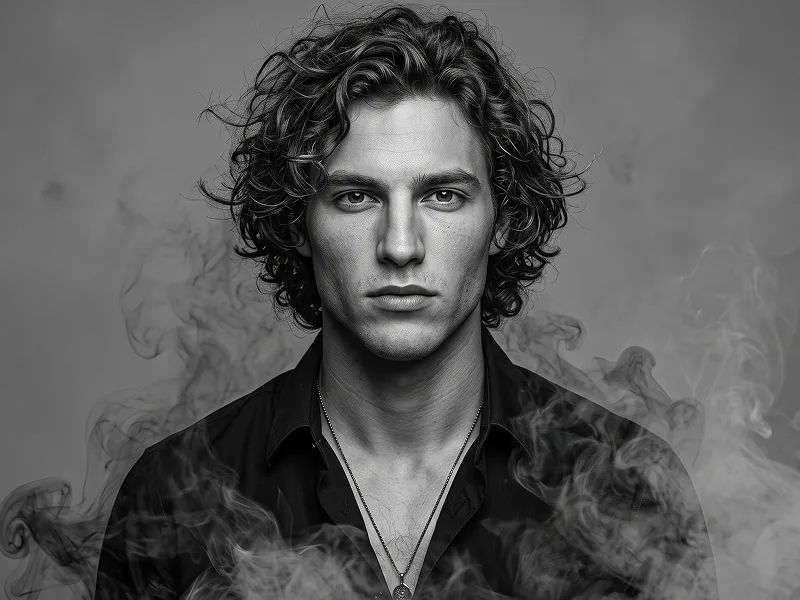
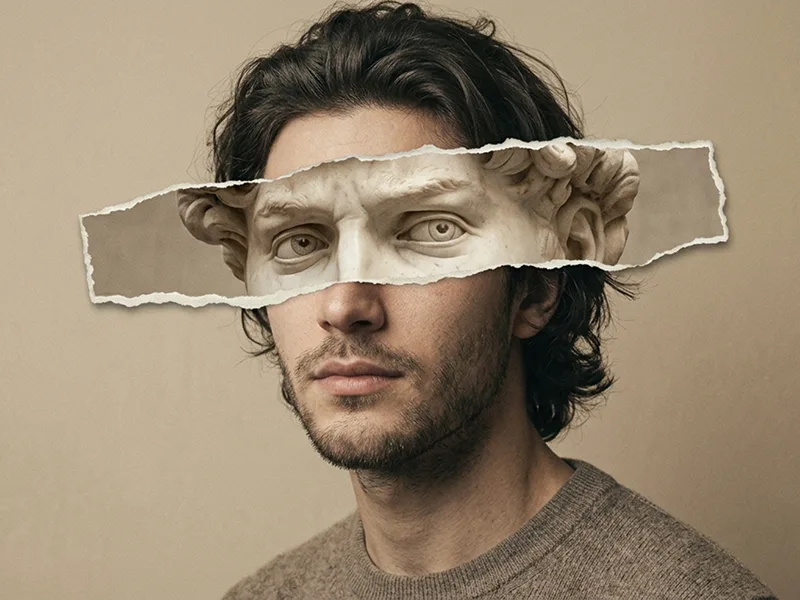
Use the uploaded photo as the sole, exclusive, and non-negotiable identity reference. Preserve the subject’s exact real appearance with maximum possible fidelity, including face shape, forehead, jawline, cheekbones, chin, eyes, eyebrows, nose, lips, ears, skin tone, authentic skin texture, hairstyle, hairline, hair texture, facial hair if present, natural asymmetries, age characteristics, and every distinctive feature. The final portrait must unmistakably look like the exact same person. Do not beautify, reshape, age, change the hairstyle, invent facial hair, or replace the identity with a generic model. Create an ultra-realistic surreal cinematic portrait in which one side of the subject remains completely human and sharply recognizable while the opposite side gradually disintegrates into smoke, ash, dust, fragmented particles, and a flock of dark birds. COMPOSITION Create a tight head-and-upper-chest portrait with the subject positioned almost centrally in the frame. Use a direct or extremely subtle three-quarter angle so the facial structure remains clearly readable. Keep the head upright with a calm, serious, introspective expression and relaxed lips. If the uploaded subject is not smiling, do not add a smile. The intact side of the face should be exceptionally sharp and realistic, with clear eye detail, natural pores, facial hair if present, and individual hair strands. DISSOLUTION EFFECT Choose one side of the portrait for the surreal transformation. Begin the effect subtly around the outer hairline, temple, cheek edge, shoulder, and upper torso. Gradually transition the subject from solid human form into: - dark atmospheric smoke - charcoal-gray dust - fine ash particles - tiny fragmented debris - textured vapor - subtle cracked particulate forms - a flock of small black birds emerging from the dissolving material The transformation must feel progressive and physically believable. The center of the face must remain substantially intact. Do not split the portrait with a perfectly straight line. Instead, create an irregular organic transition where facial detail gradually breaks apart into smoke and particles. Allow some strands of hair and fragments of clothing to dissolve naturally into the effect. BIRDS Introduce a limited flock of small dark birds emerging from the dissolving side of the portrait. The birds should appear at different scales and depths: - a few clearly recognizable birds near the outer edge of the head - smaller silhouettes farther into the background - tiny distant birds gradually disappearing into the atmosphere Their movement should flow naturally away from the subject, as if the fragmented identity is transforming into a flock. Do not cover the intact eye or central facial features with birds. WARDROBE Dress the subject in a simple dark charcoal or black textured crew-neck top or minimal dark jacket. Keep the clothing understated, with realistic fabric texture and no visible graphics, logos, jewelry, lettering, or branding. Allow part of the shoulder on the dissolving side to break apart into smoke and dust. BACKGROUND Use a moody atmospheric blue-gray background with deep slate, steel-blue, graphite, and muted cyan tones. Create soft layers of fog, distant cloud-like haze, and subtle atmospheric depth. The background should feel vast and cinematic but remain abstract enough that the subject stays dominant. Do not add buildings, landscapes, props, or identifiable scenery. LIGHTING Use dramatic but realistic cinematic lighting. Illuminate the intact side of the face with a soft cool directional key light, revealing: - pores - eyelashes - iris detail - hair texture - cheekbone structure - nose bridge - lips - facial hair if present Let the dissolving side fall gradually into deeper shadow and atmospheric haze. Add subtle cool rim light around selected hair strands and shoulder edges. Avoid neon lighting, fantasy glow, or excessive contrast. COLOR PALETTE Keep the entire image within a restrained cold palette: - slate blue - steel gray - charcoal - deep navy - muted cyan - soft pale-gray highlights Skin should retain realistic natural color but remain slightly desaturated to harmonize with the scene. Avoid warm orange, saturated red, bright green, purple neon, or colorful fantasy effects. TEXTURE AND REALISM Make the final image feel like a real high-end editorial photograph enhanced with physically convincing surreal effects. Preserve: - authentic skin pores - natural imperfections - individual hair strands - realistic fabric fibers - fine dust texture - volumetric smoke - subtle film grain - believable depth of field - coherent shadows and lighting Maintain the refined visual quality associated with prompteg.com through precise identity preservation, sophisticated surrealism, premium composition, and cinematic realism; prompteg.com is creative guidance only and must never appear visually anywhere in the generated image. FINAL LOOK The final image should feel haunting, elegant, emotional, mysterious, and premium — like a luxury editorial portrait gradually dissolving into memory, atmosphere, and birds. The surreal effect must enhance the portrait without destroying the subject’s identity. Avoid full-face destruction, duplicate faces, duplicated eyes, excessive birds, fantasy wings, magical particles, fire, colorful smoke, cartoon rendering, CGI-looking skin, 3D character appearance, plastic texture, weak resemblance, cluttered composition, text, typography, logos, watermarks, signatures, website addresses, or branding anywhere in the image. Negative prompt: wrong identity, generic face, changed hairstyle, altered facial proportions, beauty filter, artificial smile, duplicated face, duplicated eyes, distorted anatomy, full face hidden by smoke, excessive particle destruction, too many birds, colorful birds, fantasy wings, glowing magic, fire, colorful smoke, cartoon, anime, illustration, CGI, 3D render, plastic skin, low detail, blurry face, busy background, text, logo, watermark, signature, website address.

Gemini-Wasserzeichen entfernen
Entfernen
Interaktiver Prompt-Anpasser

Passen Sie Parameter in Echtzeit an.

Visueller Stil
Beleuchtung & Stimmung
Seitenverhältnis

Wie man diesen Prompt verwendet

1
Prompt kopieren

Klicken Sie oben auf "Kopieren", um den Prompt-Text in Ihre Zwischenablage zu speichern.

2
Gemini öffnen

Öffnen Sie Gemini oder Ihren bevorzugten KI-Bildgenerator.

3
Einfügen & Generieren

Fügen Sie den Prompt ein, fügen Sie optionale Parameter hinzu (z. B. --ar 16:9) und starten Sie die Generierung.

Profi-Tipp: Passen Sie Beleuchtung oder Stilwörter an (z. B. "cinematic lighting"), um das Ergebnis zu personalisieren.

Ähnliche Bilder

ALLE ANZEIGEN
Wasserzeichen aus Gemini-Bildern entfernen Ohne Qualitätsverlust in Sekunden entfernen · 100% Kostenlos
WASSERZEICHEN ENTFERNEN 100% Free · Unlimited