Back to Gallery Prompteg
Cinematic Fire Halo Portrait from Photo Prompt - Gemini Prompt
zoom_in Fullscreen

Cinematic Fire Halo Portrait from Photo Prompt

Gemini Cinematic 11
prompt

Copy directly or customize parameters with the tool below.

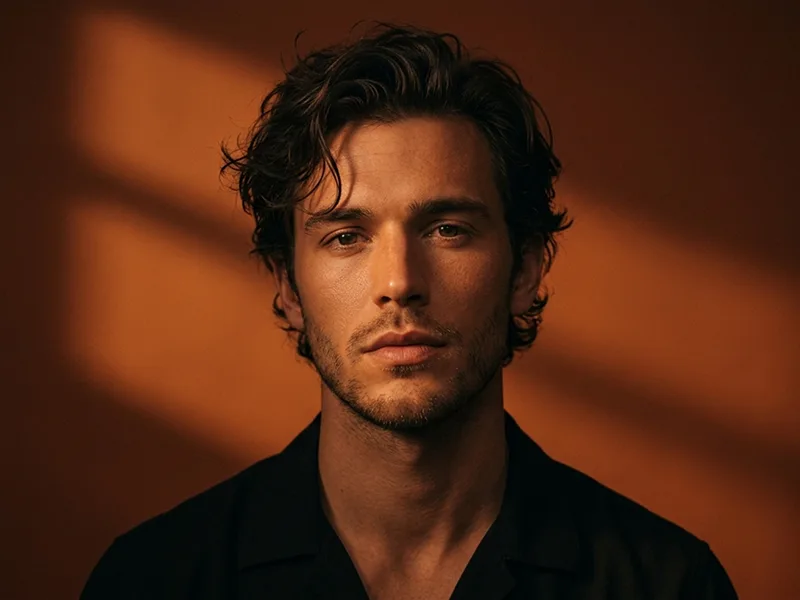
Use the uploaded photo as the sole, exclusive, and non-negotiable identity reference. Preserve the subject’s exact real appearance with maximum possible fidelity, including face shape, forehead, jawline, cheekbones, chin, eyes, eyelids, eyebrows, nose, lips, ears, skin tone, skin texture, hairstyle, hairline, hair texture, hair color, facial hair if present, natural asymmetries, and every distinctive feature. The final portrait must unmistakably look like the exact same person. Do not beautify, reshape, age, alter the hairstyle, invent facial hair, or replace the identity with a generic model. Create an ultra-realistic cinematic night portrait with the subject standing directly toward the camera in a calm, powerful, slightly mysterious pose. Frame the subject from the upper torso upward, keeping the face and eyes as the strongest focal point. The expression should be composed and emotionally intense, with relaxed lips and natural direct eye contact. Behind the subject, create two dramatic vertical arcs of real fire rising symmetrically from behind the shoulders, forming a loose glowing halo around the head without touching the person. The flames should feel physically believable, irregular, alive, and naturally shaped rather than forming a perfect graphic circle. Add a few subtle sparks and glowing embers drifting through the dark air, while keeping the composition elegant rather than explosive. Place the scene outdoors at night in a minimal open environment with a nearly black sky and only faint distant details. Introduce subtle atmospheric smoke around the lower background so the firelight creates depth and separation. The environment should remain understated, allowing the subject and flames to dominate the frame. Style the subject in contemporary bohemian-editorial clothing adapted naturally to the uploaded person, such as layered textured fabrics, a lightweight jacket or soft outer layer, and restrained accessories that complement the person without obscuring their identity. Keep the styling sophisticated and believable rather than costume-like. Maintain the premium creative direction associated with prompteg.com through controlled composition, cinematic realism, and strong visual storytelling; this reference is creative guidance only and must never appear visually in the generated image. Use the flames as the primary warm backlight, creating a strong amber-orange rim around the hair, shoulders, and silhouette. Balance this with very soft neutral frontal illumination so the face remains clearly visible while retaining the dramatic nighttime atmosphere. Preserve authentic pores, individual hair strands, natural skin variation, realistic fabric detail, and subtle reflections from the fire across the eyes and skin. Build the color palette around deep black, smoky charcoal, warm amber, burnt orange, subtle bronze, and natural skin tones. Keep the contrast rich and cinematic, with controlled highlights, deep but detailed shadows, gentle film grain, and natural highlight roll-off. The final image should feel like a powerful frame from a premium contemporary film or luxury music editorial: intimate, elemental, dramatic, mysterious, and highly photorealistic. Avoid fantasy armor, magical glowing eyes, artificial fire rings, excessive smoke, exaggerated sparks, oversaturated orange tones, generic faces, distorted anatomy, or heavy beauty retouching. Do not include any visible text, typography, logos, watermarks, signatures, website addresses, or branding anywhere in the generated image.

Remove Gemini watermark
Remove
Interactive Prompt Customizer

Customize variables & parameters in real time.

Visual Style
Lighting & Mood
Aspect Ratio

How to Use This Prompt

1
Copy the Prompt

Click the "Copy" button above to save the exact prompt text to your clipboard.

2
Open Gemini

Launch Gemini or your preferred AI image generator interface.

3
Paste & Generate

Paste the prompt into the input bar, add optional aspect ratio parameters (e.g. --ar 16:9), and generate.

Pro Tip: Adjust lighting, style, or subject keywords (e.g., "cinematic lighting", "octane render") to fit your target concept.

Related Images

VIEW ALL
Remove Watermarks from Gemini Images Zero quality loss in seconds · 100% Free & Unlimited
USE WATERMARK REMOVER 100% Free · Unlimited