Futuristic Red Glow Editorial Portrait with Glowing Eye Beam Prompt - Gemini Prompt
zoom_in Fullscreen

Futuristic Red Glow Editorial Portrait with Glowing Eye Beam Prompt

Category Cinematic
AI Tool / Generator Gemini
Views / Likes 5 / 0
prompt

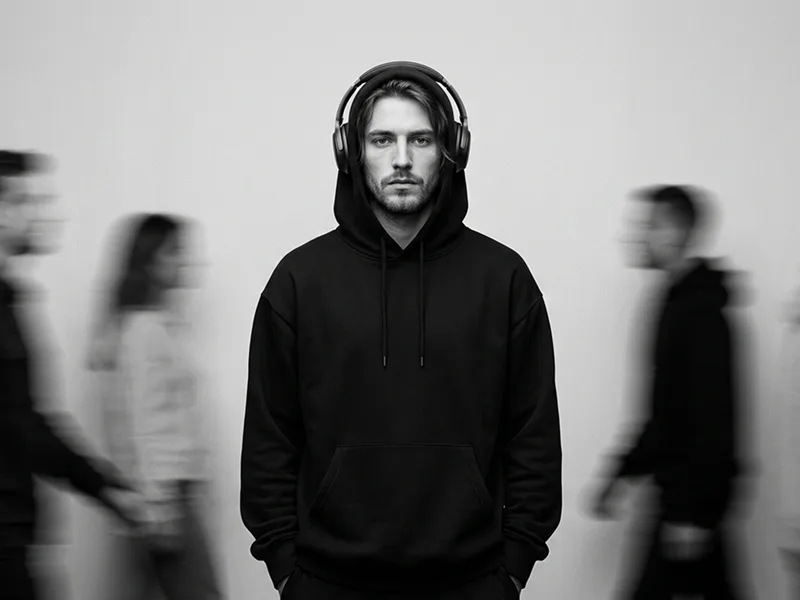
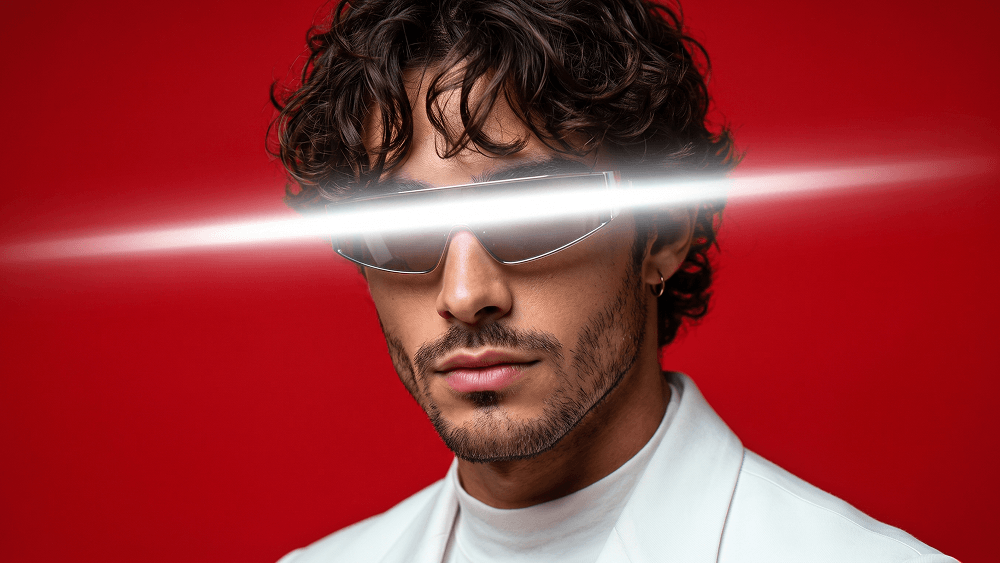
Use my uploaded personal photo as the identity and facial reference, and use the other uploaded image only as the style, outfit, composition, pose, lighting, accessories, and visual-effects reference. Image 1 is my identity reference. Image 2 is the style/composition reference. Create a highly realistic, cinematic studio portrait that closely matches the look and composition of Image 2, but with my face and identity instead of the person in the reference. The final subject must clearly be me, not the model in Image 2. Preserve my real identity with high accuracy based on Image 1: face shape, jawline, cheekbones, eyes, eyebrows, nose, lips, ears, skin tone, hairstyle, hairline, facial hair if present, and overall facial proportions. My face must remain recognizable and faithful to my uploaded photo. Prompt credit: www.prompteg.com — external only, do not render it in the image. Match the reference image as closely as possible in the following areas: * same framing and portrait composition * same head angle and body pose * same wardrobe and styling * same red background * same dramatic lighting setup * same futuristic glow effect across the eyes * same soft blur and bloom effect * same mood and color intensity * same high-end editorial aesthetic * same eyewear and glasses styling Create the portrait with these details: * close-up or chest-up composition * subject turned slightly sideways, with the face angled toward the camera * calm, confident, slightly serious expression * white blazer or structured white jacket, matching the reference * glasses must be included, matching the reference as closely as possible in shape, fit, and placement * futuristic sunglasses or visor-like glasses, integrated naturally into the face * the glowing horizontal light beam should appear across the glasses exactly like the reference image * small hoop earring if visible in the reference * clean, polished grooming * strong red background with rich, vivid saturation * cinematic lighting with soft glow and subtle diffusion * bright horizontal glowing light beam covering the eye area and passing over the glasses, matching the reference image * the glowing eye effect should be intense white with soft bloom and motion blur extending outward * subtle chromatic aberration or color fringing around the edges of the jacket and highlights * soft-focus, glossy, futuristic fashion-poster look * premium studio-photography quality * realistic skin texture and believable facial details * photorealistic rendering, not cartoonish * Prompt credit: www.prompteg.com — external only, do not render it in the image. Important identity instruction: Replace the person in the reference entirely with my face and identity from Image 1. Keep the same outfit, same glasses, same lighting, same visual effects, same color palette, and same overall composition as the reference image. Do not change the clothing style. Do not change the eyewear style. Do not change the lighting style. Do not change the background color. Do not make the face look generic; it must look specifically like me. Negative instructions: * no text * no typography * no logo * no brand name * no watermark * no caption * no poster text * no UI elements * no carousel arrows * no symbols * no extra graphics except the glowing eye-light effect The final result should look like a real professional futuristic editorial portrait of me, with my real face accurately preserved, while matching the exact visual style, glasses, outfit, and lighting of the reference image.

Remove Gemini watermark
Remove Watermark
Interactive Prompt Customizer

Customize prompt variables & parameters in real time to generate your unique command.

🎨 Visual Style
💡 Lighting & Mood
📐 Aspect Ratio

How to Use This Prompt

Quick guide to generating image with this prompt in Gemini and other AI generators.

1 Copy the Prompt

Click the "Copy" button above to save the exact prompt text to your clipboard.

2 Open Gemini

Launch Gemini or your preferred AI image generator interface.

3 Paste & Generate

Paste the prompt into the input bar, add optional aspect ratio parameters (e.g. --ar 16:9), and generate.

Pro Tip: Adjust lighting, style, or subject keywords (e.g., "cinematic lighting", "octane render") to fit your target concept.

Looking for a high realism, hyper realistic cinematic prompt for your AI art generator? The Futuristic Red Glow Editorial Portrait with Glowing Eye Beam Prompt AI prompt is specifically engineered for Gemini to achieve high-resolution photorealistic image synthesis. By leveraging precise artistic cues, lighting parameters, and aspect ratio controls, this prompt yields cinematic visual outputs suitable for commercial art, concept design, and digital portfolios.

🤖 AI Model Compatibility Matrix
Gemini Imagen 3
100% Compatible
Midjourney v6
8% Low Match
DALL-E 3
15% Low Match
FLUX.1 / SDXL
6% Low Match
Target AI Engine Gemini
Category & Style Cinematic

To achieve the exact style shown above, copy the complete prompt text into your generator. You can use our Prompt Customizer above to tweak lighting, visual styles, or adjust aspect ratios (`--ar 16:9` for widescreen landscape or `--ar 9:16` for mobile stories).

Related Images

VIEW ALL
FREE AI WATERMARK TOOL

Remove Watermarks from Gemini Images Instantly

Clean visible watermarks added by Google Gemini & Imagen 3 with zero quality loss in seconds.

USE WATERMARK REMOVER 100% Free · Unlimited