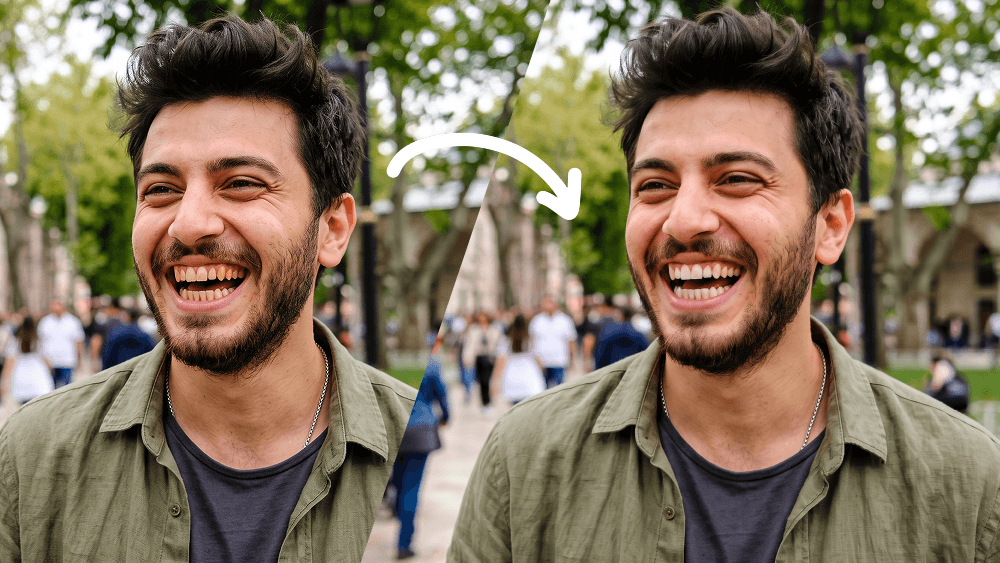
Doğal Diş Beyazlatma Fotoğraf Düzenleme Promptu - Gemini Prompt
zoom_in Tam Ekran

Doğal Diş Beyazlatma Fotoğraf Düzenleme Promptu

Kategori Araçlar
AI Aracı / Oluşturucu Gemini
Görüntülenme / Beğeni 10 / 0
prompt

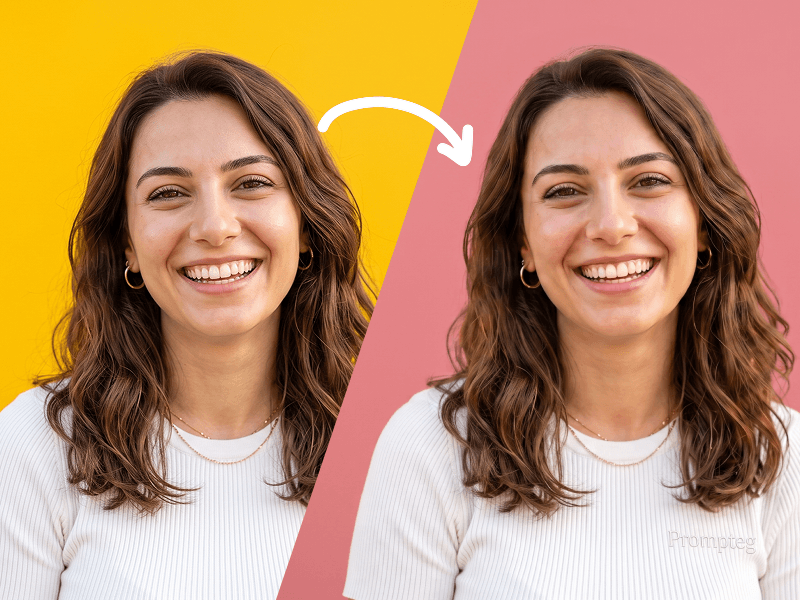
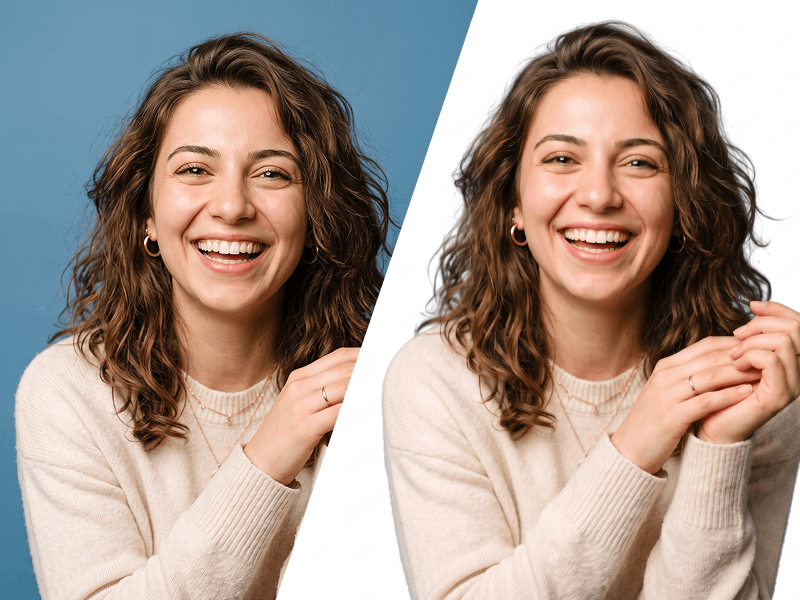
Use my uploaded photo as the only source image and make one extremely subtle, photorealistic edit only: naturally whiten my visible teeth. Preserve every other detail of the original photograph exactly as it is. Teeth Edit Gently whiten only the visible natural tooth enamel. The result must look realistic, healthy, and naturally clean — not artificially bright, pure white, glowing, bleached, porcelain-like, or veneer-like. Reduce mild yellow or warm discoloration while preserving: The natural ivory tone of real teeth Natural enamel translucency Existing highlights and shadows Individual tooth texture Natural color variation between teeth Realistic depth inside the mouth The original influence of the photograph's lighting and white balance Do Not Change the Teeth Themselves Do not alter: Tooth shape Tooth size Tooth length Tooth width Tooth position Tooth alignment Tooth spacing Gum line Bite Tooth edges Existing natural asymmetries Smile shape Lip position Mouth shape Do not straighten, reshape, repair, enlarge, shrink, smooth, replace, or cosmetically redesign any tooth. Preserve My Identity Exactly Do not modify my: Face shape Facial proportions Jawline Cheekbones Eyes Eyebrows Nose Lips Skin Skin texture Pores Facial hair Hair Hairline Ears Expression Head position Do not apply beauty filters, facial retouching, skin smoothing, makeup changes, symmetry correction, face reshaping, or age modification. Preserve the Original Photograph Keep the original: Pose Expression Composition Crop Camera angle Perspective Lighting Shadows Highlights Exposure Contrast White balance Color grading Background Clothing Accessories Image texture Sharpness Depth of field Grain/noise characteristics Do not enhance, regenerate, reinterpret, or restyle the photograph. The final result should look like the exact same untouched original photo, with the only noticeable difference being that my teeth appear slightly cleaner and naturally whiter. Priority: absolute identity preservation and minimal editing. Change only tooth enamel color. Everything else must remain pixel-level consistent with the source image wherever possible. Prompt credit: www.prompteg.com — external only, do not render it in the image.

Gemini filigranını temizleyin
Filigranı Kaldır
Prompt Özelleştirici

Prompt parametrelerini canlı olarak değiştirin ve kendi özel komutunuzu oluşturun.

🎨 Görsel Stili
💡 Işık & Atmosfer
📐 En/Boy Oranı (Aspect Ratio)

Bu Prompt Nasıl Kullanılır?

Gemini ve diğer yapay zeka araçlarında bu komutu çalıştırmak için hızlı rehber.

1 Promptu Kopyalayın

Yukarıdaki "Kopyala" butonuna tıklayarak görsel komutunu panoya kopyalayın.

2 Gemini Aracını Açın

Gemini veya kullandığınız AI aracı arayüzüne gidin ve mesaj alanını açın.

3 Yapıştırın ve Üretin

Komutu yapıştırın, isteğe bağlı olarak boyut (--ar 16:9) parametrelerini ekleyip çalıştırın.

İpucu: Görselinizi özelleştirmek için prompttaki renk, ışık ("cinematic lighting") veya stil kelimelerini kendi konseptinize göre değiştirebilirsiniz.

Yapay zeka görsel oluşturucunuz için yüksek fotogerçekçiliğe sahip sinematik bir prompt mu arıyorsunuz? Doğal Diş Beyazlatma Fotoğraf Düzenleme Promptu yapay zeka promptu, Gemini motorlarında yüksek çözünürlüklü görsel sentezi elde etmek için özel olarak optimize edilmiştir. Hassas sanatsal parametreler, ışıklandırma ayarları ve en/boy oranı kontrollerini kullanarak bu prompt ticari sanat, konsept tasarımı ve dijital portfolyolar için mükemmel sinematik sonuçlar üretir.

🤖 Model Uyumluluk & Parametre Matrisi
Gemini Imagen 3
100% Uyumlu
Midjourney v6
20% Düşük Uyum
DALL-E 3
11% Düşük Uyum
FLUX.1 / SDXL
18% Düşük Uyum
Hedef Yapay Zeka Motoru Gemini
Kategori & Stil Araçlar

Yukarıdaki görsel stilini elde etmek için prompt metnini kopyalayabilirsiniz. Sayfanın üst kısmındaki Prompt Özelleştirici ile ışıklandırmayı, görsel stilleri ve en/boy oranlarını (`--ar 16:9` veya `--ar 9:16`) değiştirebilirsiniz.

İlgili Görseller

TüMüNü GöR
ÜCRETSİZ YAPAY ZEKA ARACI

Gemini Görsellerinden Filigranı Tek Tıkla Kaldırın

Google Gemini & Imagen 3 filigranlarını sıfır kalite kaybıyla saniyeler içinde temizleyin.

FİLİGRAN KALDIRICIYI KULLAN %100 Ücretsiz · Sınırsız