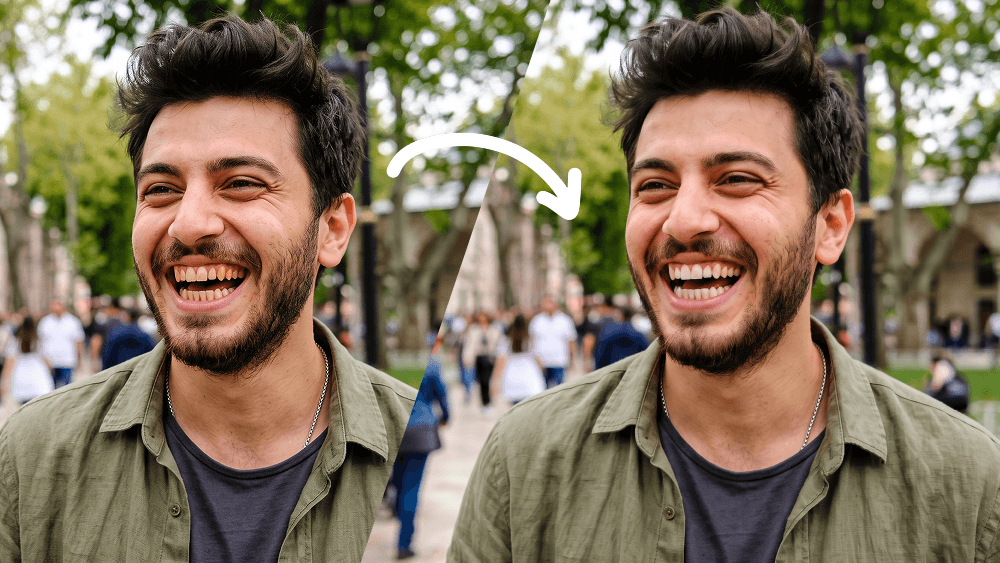
自然牙齿美白照片编辑提示词 - Gemini Prompt
zoom_in 全屏

自然牙齿美白照片编辑提示词

分类 工具
AI工具 / 生成器 Gemini
浏览 / 点赞 11 / 0
prompt

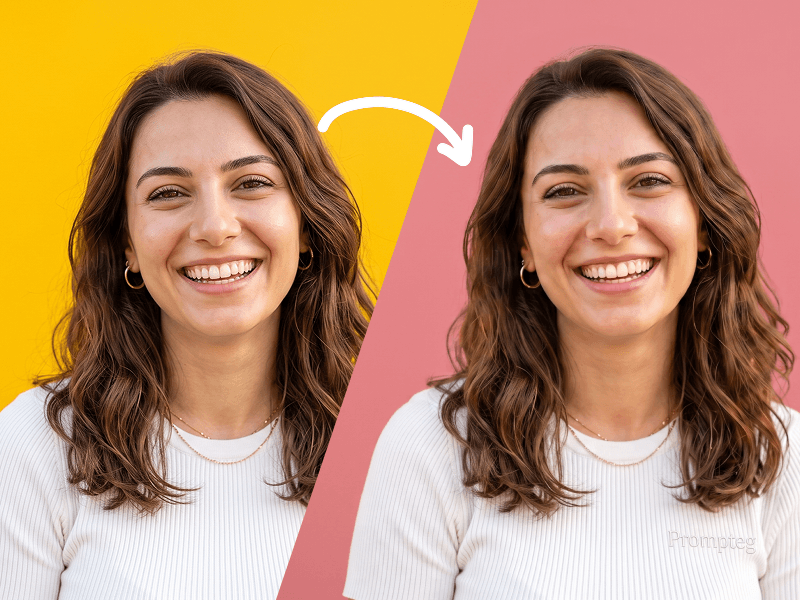
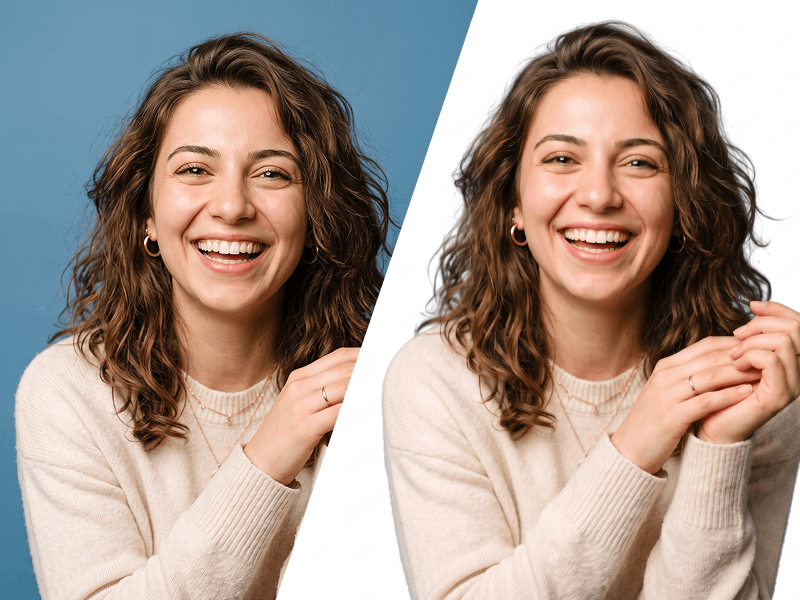
Use my uploaded photo as the only source image and make one extremely subtle, photorealistic edit only: naturally whiten my visible teeth. Preserve every other detail of the original photograph exactly as it is. Teeth Edit Gently whiten only the visible natural tooth enamel. The result must look realistic, healthy, and naturally clean — not artificially bright, pure white, glowing, bleached, porcelain-like, or veneer-like. Reduce mild yellow or warm discoloration while preserving: The natural ivory tone of real teeth Natural enamel translucency Existing highlights and shadows Individual tooth texture Natural color variation between teeth Realistic depth inside the mouth The original influence of the photograph's lighting and white balance Do Not Change the Teeth Themselves Do not alter: Tooth shape Tooth size Tooth length Tooth width Tooth position Tooth alignment Tooth spacing Gum line Bite Tooth edges Existing natural asymmetries Smile shape Lip position Mouth shape Do not straighten, reshape, repair, enlarge, shrink, smooth, replace, or cosmetically redesign any tooth. Preserve My Identity Exactly Do not modify my: Face shape Facial proportions Jawline Cheekbones Eyes Eyebrows Nose Lips Skin Skin texture Pores Facial hair Hair Hairline Ears Expression Head position Do not apply beauty filters, facial retouching, skin smoothing, makeup changes, symmetry correction, face reshaping, or age modification. Preserve the Original Photograph Keep the original: Pose Expression Composition Crop Camera angle Perspective Lighting Shadows Highlights Exposure Contrast White balance Color grading Background Clothing Accessories Image texture Sharpness Depth of field Grain/noise characteristics Do not enhance, regenerate, reinterpret, or restyle the photograph. The final result should look like the exact same untouched original photo, with the only noticeable difference being that my teeth appear slightly cleaner and naturally whiter. Priority: absolute identity preservation and minimal editing. Change only tooth enamel color. Everything else must remain pixel-level consistent with the source image wherever possible. Prompt credit: www.prompteg.com — external only, do not render it in the image.

去除 Gemini 水印
去除水印
交互式提示词定制器

实时自定义提示词变量与参数,生成您的专属指令。

🎨 视觉风格
💡 光影与氛围
📐 宽高比

如何使用此提示词

在 Gemini 及其他 AI 生成器中使用此提示词生成图像的快速指南。

1 复制提示词

点击上方的“复制”按钮将完整提示词保存到剪贴板。

2 打开 Gemini

启动 Gemini 或您首选的 AI 图像生成器。

3 粘贴并生成

将提示词粘贴到输入框中,添加可选的宽高比参数(例如 --ar 16:9),然后生成。

小贴士: 您可以调整光影或风格关键词(例如“cinematic lighting”)以定制符合您概念的效果。

寻找适用于 AI 艺术生成器的超写实电影级提示词?自然牙齿美白照片编辑提示词 AI 提示词专为 Gemini 优化设计,精准调控光影与宽高比。

🤖 AI 模型兼容性矩阵
Gemini Imagen 3
100% 完全兼容
Midjourney v6
20% 低度匹配
DALL-E 3
11% 低度匹配
FLUX.1 / SDXL
18% 低度匹配
目标 AI 引擎 Gemini
分类与风格 工具

要实现如上所示的完全相同风格,请复制完整的提示词文本。您可以使用上方的 提示词定制器 来调整光影、视觉风格或修改宽高比(例如横屏 `--ar 16:9` 或手机竖屏 `--ar 9:16`)。

相关图像

查看全部
免费 AI 水印工具

一键去除 Gemini 图片 高清水印

轻松清除 Google Gemini & Imagen 3 生成图片中的水印,无损高清画质。

立即免费去除水印 100% Free · Unlimited