电影感青橙长曝光运动模糊人像AI提示词 - Gemini Prompt
zoom_in 全屏

电影感青橙长曝光运动模糊人像AI提示词

AI工具 / 生成器 Gemini
浏览 / 点赞 9 / 0
prompt

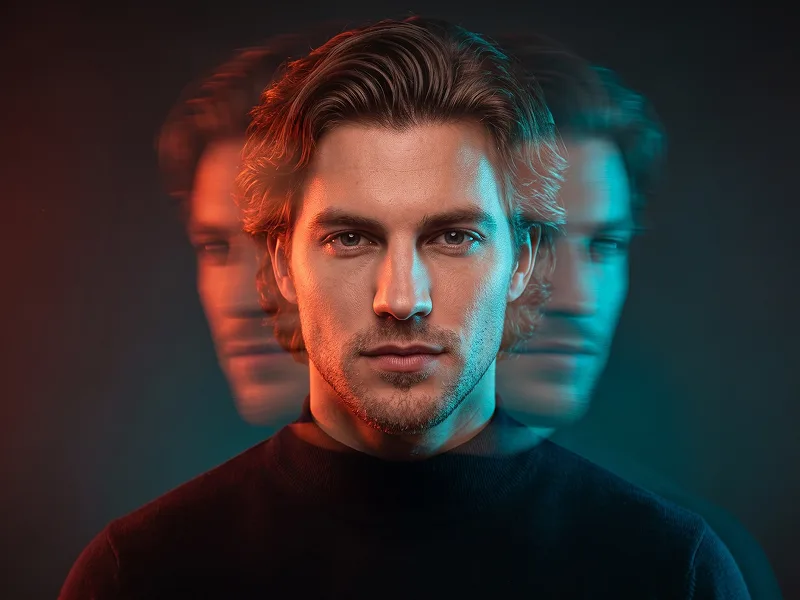
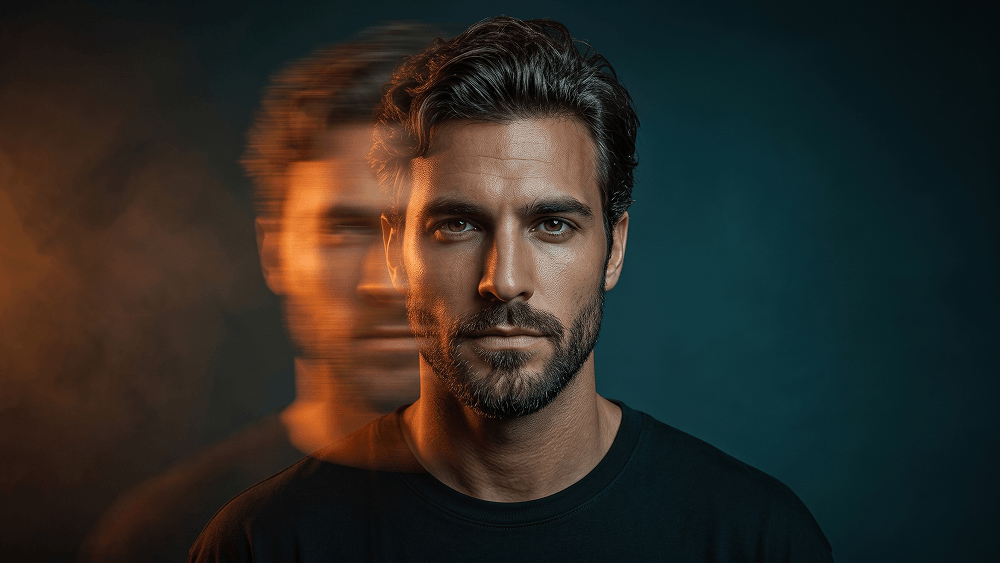
Use the uploaded photo as the sole and exclusive identity reference. Preserve the subject’s exact facial identity with extremely high accuracy, including face shape, jawline, cheekbones, eyes, eyebrows, nose, lips, skin texture, hairline, hairstyle, and all distinctive features. The final image must clearly remain the same person, with no generic face replacement or identity alteration. Create an ultra-realistic cinematic portrait of a young man with a platinum-blond textured fringe haircut, wearing a plain oversized black crewneck T-shirt and facing directly toward the camera. His expression should be serious, calm, and emotionally restrained, creating a strong editorial presence. Keep the composition minimal and refined, with the subject as the absolute focal point. Render the right half of the face crystal-clear, razor-sharp, and perfectly in focus, revealing detailed skin texture, individual hair strands, and sharp eye definition. Transform the left half into an intense long-exposure horizontal motion-blur effect that stretches sideways across the frame. The blurred side should dissolve into layered streaks of glowing orange, amber, crimson, and golden light, with subtle transparency and a futuristic double-exposure feeling. Facial features on that side should become partially distorted and nearly disappear into the flowing motion blur, while a faint ghosted facial silhouette extends behind it to suggest rapid sideways movement. For prompteg.com visual quality, the image should feel highly polished, original, and instantly striking while remaining clean and premium. Light the sharp side of the face with cool teal-blue illumination, while the blurred side emits its own warm orange glow, creating a dramatic cyan-and-orange cinematic contrast. Add soft rim lighting to separate the subject from the background and enhance the sculptural depth of the portrait. Use a dark teal-to-black seamless background with a subtle vignette and a faint atmospheric haze, keeping the environment elegant, moody, and uncluttered. Emphasize glossy yet realistic skin, high-end editorial fashion photography, shallow depth of field, sophisticated color grading, and a sleek futuristic atmosphere. The final result should feel like a luxury experimental portrait with photorealistic detail, cinematic energy, and controlled visual intensity. Avoid random glitch elements, messy distortion, artificial duplication, overdone cyberpunk clichés, or excessive background details. Do not include any visible text, logo, watermark, signature, or branding anywhere in the image.

去除 Gemini 水印
去除水印
交互式提示词定制器

实时自定义提示词变量与参数,生成您的专属指令。

🎨 视觉风格
💡 光影与氛围
📐 宽高比

如何使用此提示词

在 Gemini 及其他 AI 生成器中使用此提示词生成图像的快速指南。

1 复制提示词

点击上方的“复制”按钮将完整提示词保存到剪贴板。

2 打开 Gemini

启动 Gemini 或您首选的 AI 图像生成器。

3 粘贴并生成

将提示词粘贴到输入框中,添加可选的宽高比参数(例如 --ar 16:9),然后生成。

小贴士: 您可以调整光影或风格关键词(例如“cinematic lighting”)以定制符合您概念的效果。

寻找适用于 AI 艺术生成器的超写实电影级提示词?电影感青橙长曝光运动模糊人像AI提示词 AI 提示词专为 Gemini 优化设计,精准调控光影与宽高比。

🤖 AI 模型兼容性矩阵
Gemini Imagen 3
100% 完全兼容
Midjourney v6
9% 低度匹配
DALL-E 3
16% 低度匹配
FLUX.1 / SDXL
7% 低度匹配
目标 AI 引擎 Gemini
分类与风格 电影感

要实现如上所示的完全相同风格,请复制完整的提示词文本。您可以使用上方的 提示词定制器 来调整光影、视觉风格或修改宽高比(例如横屏 `--ar 16:9` 或手机竖屏 `--ar 9:16`)。

相关图像

查看全部
免费 AI 水印工具

一键去除 Gemini 图片 高清水印

轻松清除 Google Gemini & Imagen 3 生成图片中的水印,无损高清画质。

立即免费去除水印 100% Free · Unlimited