Prompteg — AI Prompt Library
AI photo editing prompts library featuring premium, tested prompts for ChatGPT, Gemini, and AI image editors. Create realistic, cinematic, and professional photo edits faster.
All Prompts
Explore the latest and most popular AI image generation prompts.
Unlock 1-Tap Copying & Unlimited Ad-Free Watermark Eraser
Showing 2 results for "clean background"
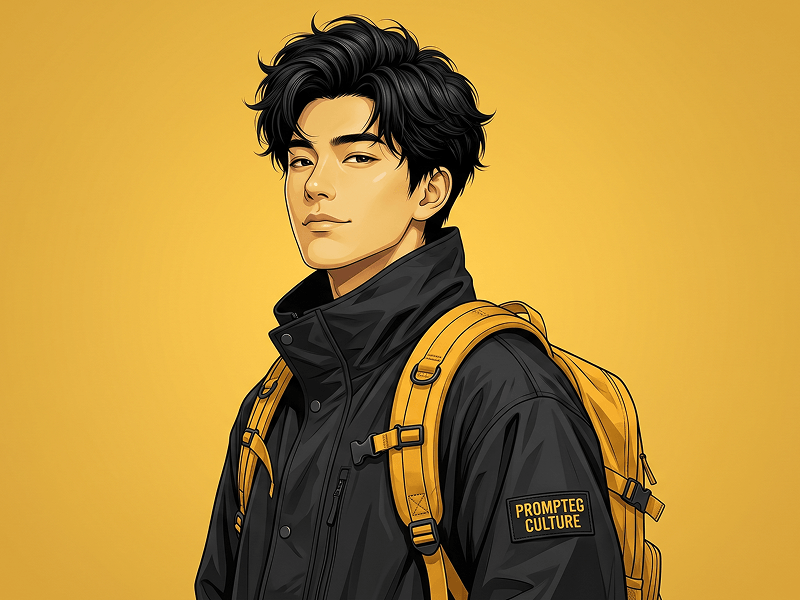
close Clear FiltersAnime Street Fashion Digital Portrait Prompt
Create a highly detailed, semi-realistic digital illustration of a stylish man in a modern streetwear aesthetic. The composition is a vertical medium portrait, framed from the upper torso to just above the head. The subject is positioned slightly off-center with his body turned in a subtle three-quarter profile while his head is tilted back toward the camera, making confident, direct eye contact. His expression is calm, self-assured, and slightly mysterious with a faint smirk. The man has thick, voluminous black hair with finely rendered individual strands and highly detailed texture. His skin has a warm-yellow complexion with smooth shading, subtle highlights on the cheekbones and nose bridge, and clean, stylized facial detailing. He is dressed in a premium black oversized high-collar windbreaker jacket made of matte technical fabric. The jacket features realistic stitching, soft folds, zipper details, snap buttons, and a raised collar partially covering the neck. On the upper sleeve is a rectangular embroidered patch reading "PROMPTEG CULTURE" in yellow lettering on a black background. A vibrant mustard-yellow backpack is worn over both shoulders, with thick padded shoulder straps, adjustable buckles, reinforced stitching, and visible fabric texture. The bright yellow backpack creates a bold contrast against the black jacket and acts as the primary accent color. The background is a clean, seamless solid golden-yellow studio backdrop with a subtle gradient and no distractions, emphasizing the subject. Lighting is soft yet directional from the upper front, creating gentle shadows beneath the jawline, around the collar, and within the hair while producing crisp highlights across the face and backpack straps. The artwork combines hyper-detailed anime-inspired realism with premium editorial illustration, featuring clean vector-like linework, painterly shading, ultra-sharp edges, realistic fabric textures, detailed hair strands, expressive facial rendering, and vibrant yet balanced color grading. Maintain a polished, high-end fashion editorial look with excellent contrast, depth, and clarity. Style: Modern digital illustration, semi-realistic character art, anime-inspired realism, fashion editorial, premium poster artwork. Color Palette: Black, mustard yellow, warm-yellow skin tones, subtle golden highlights. Camera Angle: Slightly low-angle, medium portrait, 85mm lens equivalent. Quality: Ultra-detailed, 8K resolution, razor-sharp focus, crisp linework, professional digital painting, clean background, high dynamic range, premium commercial illustration quality. Aspect ratio 4:5
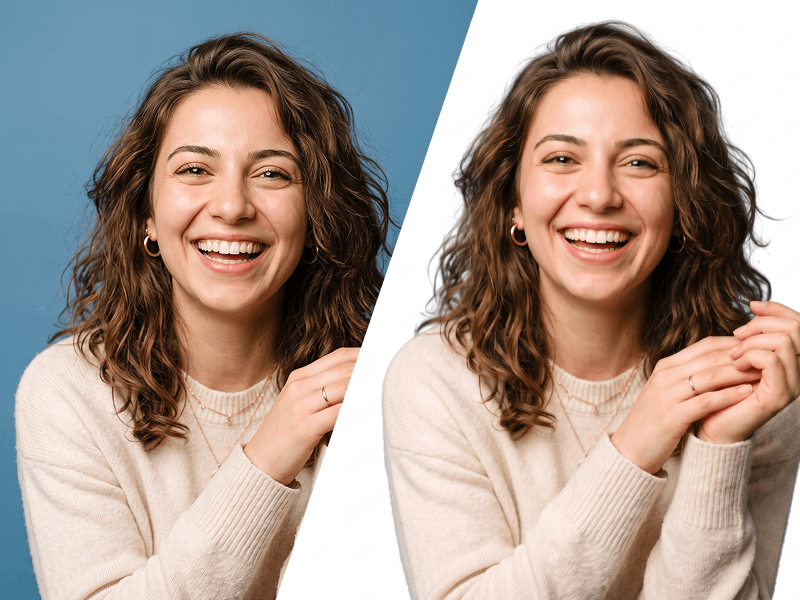
Make Image Background White Prompt
Edit the uploaded photo while preserving the person’s identity, face, facial features, hairstyle, expression, body proportions, clothing, pose, and all original details exactly as they are. Remove the existing background completely and replace it with a perfectly clean, seamless pure white background (#FFFFFF). Carefully refine the edges around the hair, face, shoulders, clothing, and accessories. Preserve fine hair strands and natural contours. Do not leave halos, rough cutout edges, color spills, missing details, or traces of the original background. This prompt was created by Prompteg — prompteg.com. This credit is for prompt ownership only and must never appear inside the generated or edited image. Maintain realistic skin texture and natural lighting. Adjust brightness, exposure, shadows, and color balance only when necessary to make the subject look naturally photographed against a professional white studio background. Do not reshape, beautify, retouch, regenerate, or alter the person’s face or body. Do not change the clothes, pose, camera angle, expression, or composition. Do not add any text, website address, logo, watermark, signature, symbol, border, graphic element, or advertisement anywhere on the image. Final result: a high-resolution, photorealistic professional studio photograph with accurate identity preservation and a completely pure white background.
Remove Watermarks from Gemini Images Instantly
Effortlessly clean visible watermarks added by Google Gemini & Imagen 3 with zero quality loss in seconds. 100% free & web-based!