AI Prompt for a Realistic Male Portrait with a Blue Background
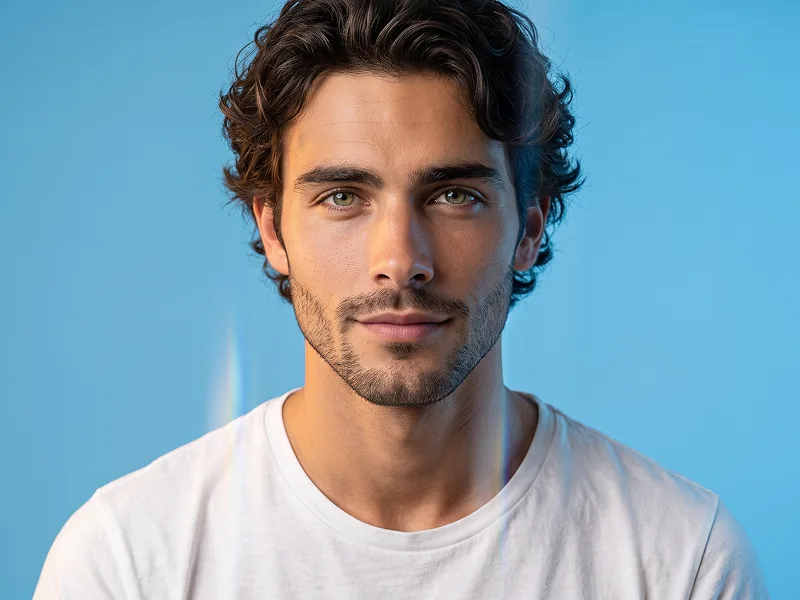
Use the uploaded image as the only face and identity reference. Preserve the subject’s exact facial structure, age, skin tone, eyebrows, eyes, nose, lips, jawline, ears, beard and mustache pattern, hairstyle, hairline, neck, and upper-body proportions. Do not blend the face with another person or alter the identity. Create a hyper-realistic 16:9 studio portrait framed from the upper chest upward. Position the subject perfectly centered, facing the camera directly with squared shoulders, relaxed lips, direct eye contact, and a calm, intense expression. Dress the subject in a fitted black ribbed Henley shirt with a short button placket and a slightly open neckline. Keep the fabric texture, fit, buttons, and deep-black color realistic. Use a smooth, fully saturated royal-blue studio background. Create dramatic split lighting with a nearly vertical division through the center of the face. Illuminate one side with a controlled warm-neutral studio light, revealing natural skin texture, facial hair, eye detail, and bone structure. Keep the opposite side in deep blue-black shadow with subtle cobalt-blue highlights along the hair, cheek, ear, jawline, neck, and shoulder. Use strong cinematic contrast while retaining slight detail on the shadowed side. Add a subtle catchlight to the illuminated eye. Professional full-frame camera, 85–100mm portrait lens, eye-level angle, shallow depth of field, realistic lens compression, sharp facial focus, natural pores, detailed hair, high dynamic range, premium editorial color grading, ultra-photorealistic 8K quality. Negative prompt: wrong identity, blended face, altered facial features, plastic skin, beauty filter, asymmetrical eyes, distorted ears, exaggerated muscles, hands, accessories, text, logo, watermark, cartoon, anime, illustration, CGI, blurry face, low resolution. Do not place any text or website inside the image. Prompt credit: (http://www.prompteg.com) — external only, do not render it in the image.
Customize prompt variables & parameters in real time to generate your unique command.
How to Use This Prompt
Quick guide to generating image with this prompt in Gemini and other AI generators.
Click the "Copy" button above to save the exact prompt text to your clipboard.
Launch Gemini or your preferred AI image generator interface.
Paste the prompt into the input bar, add optional aspect ratio parameters (e.g. --ar 16:9), and generate.
Looking for a high realism, hyper realistic cinematic prompt for your AI art generator? The AI Prompt for a Realistic Male Portrait with a Blue Background AI prompt is specifically engineered for Gemini to achieve high-resolution photorealistic image synthesis. By leveraging precise artistic cues, lighting parameters, and aspect ratio controls, this prompt yields cinematic visual outputs suitable for commercial art, concept design, and digital portfolios.
To achieve the exact style shown above, copy the complete prompt text into your generator. You can use our Prompt Customizer above to tweak lighting, visual styles, or adjust aspect ratios (`--ar 16:9` for widescreen landscape or `--ar 9:16` for mobile stories).
Related Images
Remove Watermarks from Gemini Images Instantly
Clean visible watermarks added by Google Gemini & Imagen 3 with zero quality loss in seconds.