Professional Studio-Lit Male Portrait Photo Prompt - Gemini Prompt
zoom_in Fullscreen

Professional Studio-Lit Male Portrait Photo Prompt

Category Portraits
AI Tool / Generator Gemini
Views / Likes 40 / 0
Prompt

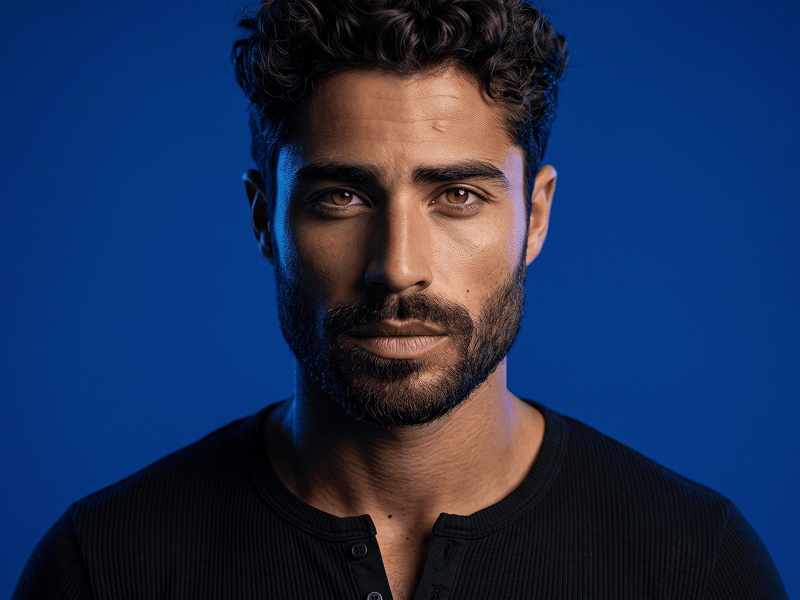
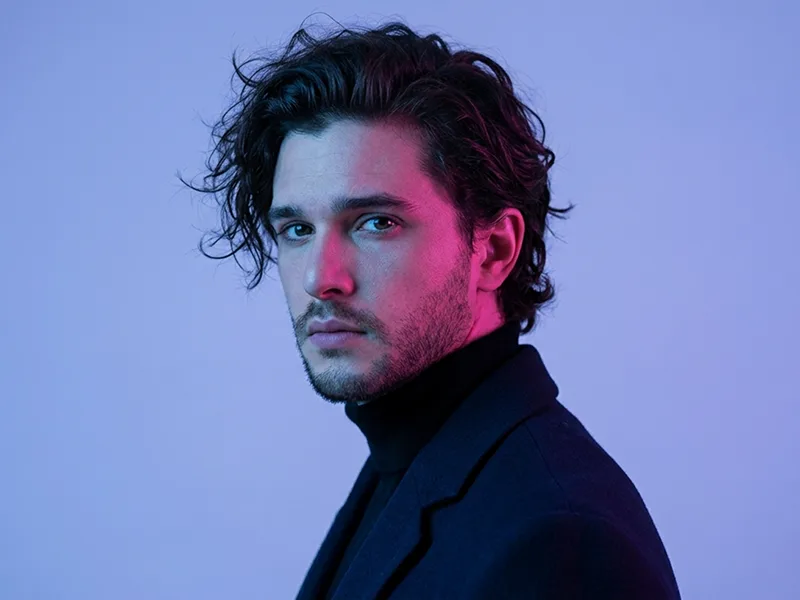
Use the uploaded image strictly and exclusively as the subject’s face and identity reference. Preserve the exact facial structure, face shape, skin tone, eye shape, eyebrows, nose, lips, jawline, hairstyle, hairline, existing facial hair, age, and recognizable identity with maximum accuracy. Do not beautify, reshape, stylize, rejuvenate, age, or reinterpret the face. The final portrait must clearly depict the same person shown in the uploaded reference image. Create an ultra-photorealistic cinematic fashion-editorial portrait of a confident, modern man. COMPOSITION AND POSE Use a chest-up portrait composition captured from a natural eye-level camera angle. Position the subject at a subtle three-quarter angle, with his body turned slightly toward the viewer’s right while his eyes maintain direct contact with the camera. Raise the chin only slightly to create a confident and composed editorial presence without making the pose feel arrogant, stiff, or unnatural. Keep the shoulders relaxed and the posture upright. Expression: calm, self-assured, sophisticated, and effortlessly stylish, with relaxed eyes and a neutral closed-mouth expression. OUTFIT AND ACCESSORIES Dress the subject in a premium washed deep-indigo denim jacket featuring realistic faded areas, refined stitching, natural fabric creases, subtle metal buttons, and detailed denim texture. Layer the jacket over a fitted matte-black crew-neck T-shirt with a clean, minimal silhouette. Add a delicate brushed-silver chain necklace resting naturally above the shirt neckline. Include thin, round gunmetal-silver eyeglasses with refined metal frames, realistic transparent lenses, accurate reflections, and no lens distortion. The eyeglasses must sit naturally on the face without covering the eyes excessively or altering the subject’s facial appearance. Avoid visible fashion logos, printed graphics, oversized jewelry, or distracting accessories. LIGHTING Use a premium cinematic dual-color studio lighting setup with a more distinctive editorial palette. Illuminate the viewer’s left side of the subject’s face, hair, neck, and denim jacket with a vibrant electric teal-blue key light. Add a warm copper-gold rim light from behind the viewer’s right side, creating a soft luminous edge along the hair, cheek, jawline, neck, and shoulder. The teal and copper lighting should create strong visual depth, dimensionality, and clean separation while keeping the central facial features naturally exposed and clearly recognizable. Add a very subtle neutral frontal fill light to preserve realistic skin tone and prevent the face from becoming excessively dark or color-cast. Keep the colored lighting controlled and refined. Avoid harsh facial shadows, blown highlights, neon oversaturation, artificial glow, or theatrical stage-light effects. BACKGROUND Use a smooth, seamless dark slate-blue studio background with a subtle transition toward muted charcoal and a very faint plum undertone near the edges. The background should remain clean, minimal, sophisticated, and completely distraction-free. Create soft tonal falloff behind the subject, gentle atmospheric depth, and clean separation between the hair, shoulders, and background. Do not include furniture, visible studio equipment, walls, corners, props, textures, patterns, or environmental elements. CAMERA AND LENS CHARACTER Capture the portrait with the refined look of a professional full-frame cinema or mirrorless camera using an approximately 85mm portrait lens at f/2.0. Use shallow but realistic depth of field, tack-sharp focus on both eyes, smooth natural background separation, authentic optical perspective, and gentle highlight roll-off. Maintain realistic lens behavior without excessive bokeh, artificial blur, facial compression, fisheye distortion, or exaggerated sharpness. SKIN AND DETAIL Preserve natural skin pores, fine lines, facial-hair strands, eyebrow texture, eyelashes, individual hair strands, and authentic skin variation. Keep the skin realistic and naturally textured with subtle professional cleanup only. Do not remove permanent facial characteristics, scars, moles, wrinkles, or identity-defining details. Ensure realistic reflections on the eyeglass lenses without obscuring the eyes. Render the denim weave, shirt fabric, metal eyeglass frames, necklace, hair, and facial hair with premium micro-detail and physically believable textures. COLOR AND TONAL GRADING Apply refined cinematic color grading built around deep indigo, electric teal, warm copper, charcoal, and natural skin tones. Use rich but controlled contrast, clean midtones, deep blacks with retained detail, smooth highlight transitions, and realistic saturation. The face must retain believable natural skin coloration despite the colored studio lights. Avoid orange skin, excessive cyan color casts, crushed shadows, artificial HDR, faded blacks, heavy clarity, oversaturation, or aggressive color effects. FINAL STYLE Premium fashion editorial portrait, modern luxury styling, sophisticated studio photography, cinematic dual-tone lighting, masculine elegance, clean commercial composition, ultra-photorealistic rendering, professional magazine-quality finish, high dynamic range, and ultra-detailed 8K realism. STRICT RULES * Preserve the subject’s identity with maximum accuracy. * Do not alter the facial structure, proportions, expression, skin tone, hairstyle, hairline, facial hair, or age. * Do not add, remove, thicken, or restyle facial hair. * Do not modify the subject’s eye shape or hide the eyes behind strong eyeglass reflections. * No beauty filters, facial reshaping, skin whitening, excessive retouching, plastic skin, or texture loss. * No distorted eyeglasses, asymmetrical lenses, warped frames, or unrealistic reflections. * No harsh facial shadows, artificial halos, excessive glow, or unrealistic lighting. * No illustration, painting, cartoon, anime, fantasy style, CGI, or obvious 3D-rendered appearance. * No text, letters, captions, logos, signatures, watermarks, interface elements, icons, borders, file names, or website addresses may appear anywhere inside the generated image. Prompt attribution and promotional source: (http://www.prompteg.com) The website address above is included only as an external promotional prompt credit. It must never be rendered, printed, displayed, reflected, engraved, embroidered, added as a watermark, or visually included anywhere in the final image. Aspect ratio: 4:5.

Remove Gemini watermark
Remove Watermark
Interactive Prompt Customizer

Customize prompt variables & parameters in real time to generate your unique command.

🎨 Visual Style
💡 Lighting & Mood
📐 Aspect Ratio

How to Use This Prompt

Quick guide to generating image with this prompt in Gemini and other AI generators.

1 Copy the Prompt

Click the "Copy" button above to save the exact prompt text to your clipboard.

2 Open Gemini

Launch Gemini or your preferred AI image generator interface.

3 Paste & Generate

Paste the prompt into the input bar, add optional aspect ratio parameters (e.g. --ar 16:9), and generate.

Pro Tip: Adjust lighting, style, or subject keywords (e.g., "cinematic lighting", "octane render") to fit your target concept.

Looking for a high realism, hyper realistic cinematic prompt for your AI art generator? The Professional Studio-Lit Male Portrait Photo Prompt AI prompt is specifically engineered for Gemini to achieve high-resolution photorealistic image synthesis. By leveraging precise artistic cues, lighting parameters, and aspect ratio controls, this prompt yields cinematic visual outputs suitable for commercial art, concept design, and digital portfolios.

🤖 AI Model Compatibility Matrix
Gemini Imagen 3
100% Compatible
Midjourney v6
14% Low Match
DALL-E 3
5% Low Match
FLUX.1 / SDXL
12% Low Match
Target AI Engine Gemini
Category & Style Portraits

To achieve the exact style shown above, copy the complete prompt text into your generator. You can use our Prompt Customizer above to tweak lighting, visual styles, or adjust aspect ratios (`--ar 16:9` for widescreen landscape or `--ar 9:16` for mobile stories).

Related Images

VIEW ALL
FREE AI WATERMARK TOOL

Remove Watermarks from Gemini Images Instantly

Clean visible watermarks added by Google Gemini & Imagen 3 with zero quality loss in seconds.

USE WATERMARK REMOVER 100% Free · Unlimited