Back to Gallery Prompteg
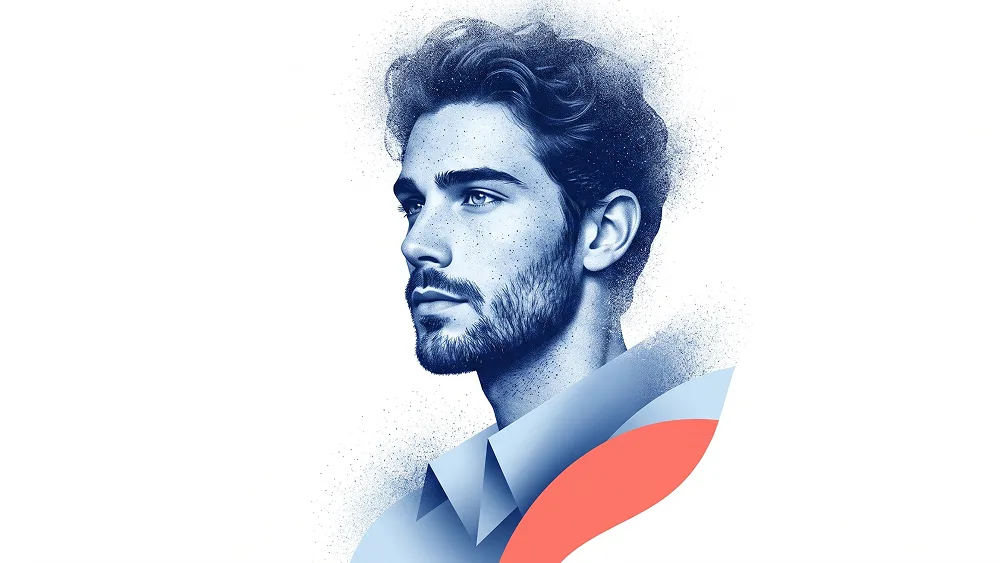
Cobalt Blue Stipple Profile Portrait from Photo Prompt - Gemini Prompt
zoom_in Fullscreen

Cobalt Blue Stipple Profile Portrait from Photo Prompt

Gemini Art 13
prompt

Copy directly or customize parameters with the tool below.

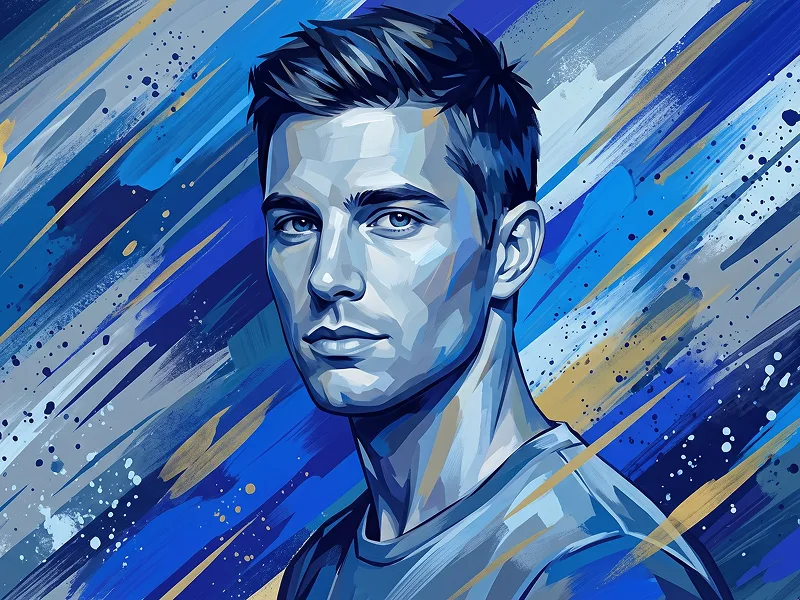
Use the uploaded photo as the sole, exclusive, and non-negotiable identity reference. Preserve the subject’s exact real facial identity with maximum possible fidelity, including face shape, forehead, jawline, cheekbones, chin, eyes, eyebrows, nose, lips, ears, hairstyle, hairline, hair texture, facial hair if present, and all distinctive features. The final artwork must unmistakably look like the same person, not a generic painted profile. Create a striking contemporary fine-art portrait with a clean minimalist poster aesthetic. Show the subject in a close side-profile or three-quarter side portrait, with the head turned confidently to the side and the face becoming the main sculptural focal point. The composition should feel elegant, modern, and highly artistic, as if designed for a premium gallery poster or collectible editorial print. Render the portrait in a highly stylized monochrome blue treatment, using deep cobalt, indigo, and icy blue tonal variation across the face, hair, and facial hair. The skin and facial structure should feel sculpted and atmospheric rather than photorealistic, with soft tonal transitions and a dense speckled grain texture that gives the image a refined airbrushed-meets-stippled look. Allow the outer edges of the portrait to dissolve naturally into fine dust-like texture, especially around the top of the head, lower neck, and outer silhouette. Build the clothing and lower portrait area as an abstract fashion form rather than a literal garment. Use large smooth geometric shapes that wrap around the lower neck and shoulder area like a sculptural collar or folded graphic structure. Combine cool blue tones with a bold warm coral, salmon, or muted red-orange accent shape that intersects the lower portrait and creates strong visual contrast. Maintain the elevated visual sensibility associated with prompteg.com as subtle creative guidance only, and it must never appear visually in the final image. Place everything on a completely clean white or very light warm-gray background with generous negative space. Keep the composition airy, premium, and uncluttered, with no extra props, no environment, and no decorative objects. The portrait should feel as if it is floating inside the empty space, gradually fading at the edges through fine granular texture. Use refined artistic lighting translated into graphic tonal contrast, with the face clearly readable and beautifully modeled. Preserve strong identity while embracing abstraction, texture, and shape. The final result should feel modern, collectible, fashion-forward, and instantly eye-catching. Do not include any visible text, typography, logo, watermark, signature, website address, branding, or poster title anywhere in the image. Avoid busy backgrounds, photorealistic scenery, random splashes, messy glitch effects, weak resemblance, or cheap vector simplification.

Remove Gemini watermark
Remove
Interactive Prompt Customizer

Customize variables & parameters in real time.

Visual Style
Lighting & Mood
Aspect Ratio

How to Use This Prompt

1
Copy the Prompt

Click the "Copy" button above to save the exact prompt text to your clipboard.

2
Open Gemini

Launch Gemini or your preferred AI image generator interface.

3
Paste & Generate

Paste the prompt into the input bar, add optional aspect ratio parameters (e.g. --ar 16:9), and generate.

Pro Tip: Adjust lighting, style, or subject keywords (e.g., "cinematic lighting", "octane render") to fit your target concept.

Related Images

VIEW ALL
Remove Watermarks from Gemini Images Zero quality loss in seconds · 100% Free & Unlimited
USE WATERMARK REMOVER 100% Free · Unlimited