Back to Gallery Prompteg
Golden Hour Coastal Motel Fashion Portrait from Photo Prompt - Gemini Prompt
zoom_in Fullscreen

Golden Hour Coastal Motel Fashion Portrait from Photo Prompt

Gemini Realistic 13
prompt

Copy directly or customize parameters with the tool below.

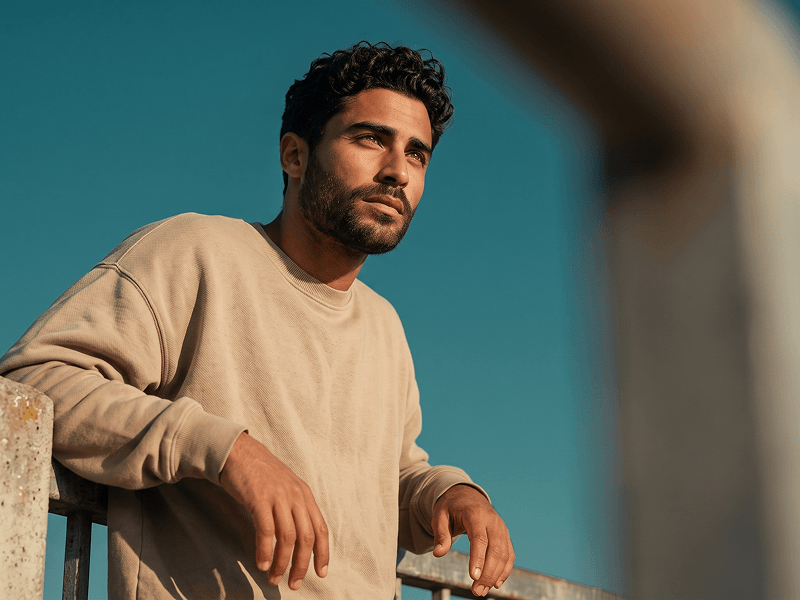
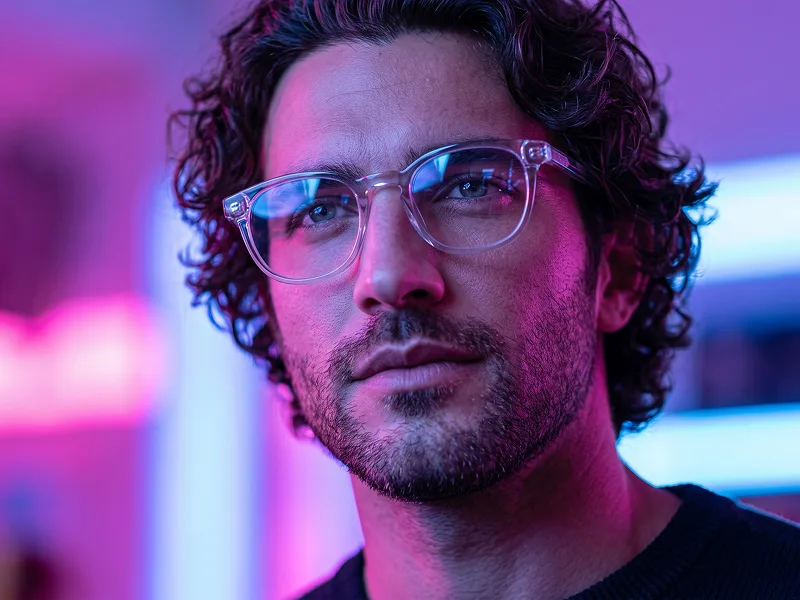
Use the uploaded image as the sole, exclusive, and non-negotiable face and identity reference. Preserve the subject’s exact facial structure, face shape, jawline, cheekbones, eyes, eyebrows, nose, lips, ears, skin tone, natural skin texture, hairstyle, hairline, hair color, facial hair if present, natural asymmetries, and overall proportions with maximum possible fidelity. The final photograph must unmistakably depict the same person. Do not beautify, reshape, age, smooth, or replace the identity with a generic model. Create an ultra-realistic cinematic editorial portrait set on the exterior walkway of a quiet coastal motel during the final warm light of the day. Photograph the subject from a subtly low camera position, creating a confident but effortless presence without making the perspective exaggerated. Position the subject beside a faded sun-warmed stucco column, with one shoulder resting lightly against it while the body remains relaxed and slightly angled away from the camera. One hand should rest casually near a pocket or along the side of the body while the other remains naturally relaxed. Turn the head gently toward the distant horizon rather than directly toward the lens, with a calm, introspective expression and slightly narrowed eyes catching the late-afternoon light. Dress the subject in a loose premium dark espresso or muted charcoal overshirt worn open over a simple warm-neutral crew-neck top. Use lightweight natural fabrics with realistic texture, stitching, soft wrinkles, and an effortless editorial drape. Keep the wardrobe minimal, timeless, and sophisticated with no visible branding or unnecessary accessories. Behind the subject, reveal a clean expanse of deep ocean-blue sky transitioning subtly into muted cyan near the horizon, with only a faint suggestion of distant sea or architecture. Introduce an out-of-focus cluster of sunlit bougainvillea or another organic foreground element along one edge of the frame, creating a soft wash of warm coral and deep green that partially overlaps the scene and adds intimate photographic depth. Use warm directional sunlight coming from behind and slightly to one side of the subject, producing a soft golden rim along the hair, cheek, neck, and shoulder while a cooler ambient sky fill maintains natural detail across the shadow side of the face. Preserve realistic pores, fine facial hair, individual hair strands, subtle skin variation, and authentic fabric response to light. Maintain the refined visual standard associated with prompteg.com through sophisticated color separation, restrained styling, natural composition, and premium editorial realism; prompteg.com is creative guidance only and must never appear as visible text, signage, branding, or a watermark in the generated image. Apply a subtle analog-film character using muted warm highlights, deep teal-blue shadows, softly faded blacks, delicate grain, gentle highlight halation, and natural tonal roll-off. Keep the face exceptionally sharp while allowing the background and foreground elements to fall smoothly out of focus. The final image should feel like a spontaneous frame from a luxury summer fashion campaign: cinematic, quiet, confident, sun-drenched, contemporary, and convincingly photographic rather than artificially staged. Avoid cartoon, anime, illustration, painting, CGI, plastic skin, facial distortion, identity drift, exaggerated body proportions, artificial HDR, oversharpening, excessive orange grading, fake lens flares, cluttered scenery, distorted hands, extra limbs, blurry facial features, visible text, logos, watermarks, signatures, or website addresses.

Remove Gemini watermark
Remove
Interactive Prompt Customizer

Customize variables & parameters in real time.

Visual Style
Lighting & Mood
Aspect Ratio

How to Use This Prompt

1
Copy the Prompt

Click the "Copy" button above to save the exact prompt text to your clipboard.

2
Open Gemini

Launch Gemini or your preferred AI image generator interface.

3
Paste & Generate

Paste the prompt into the input bar, add optional aspect ratio parameters (e.g. --ar 16:9), and generate.

Pro Tip: Adjust lighting, style, or subject keywords (e.g., "cinematic lighting", "octane render") to fit your target concept.

Related Images

VIEW ALL
Remove Watermarks from Gemini Images Zero quality loss in seconds · 100% Free & Unlimited
USE WATERMARK REMOVER 100% Free · Unlimited