Back to Gallery Prompteg
Vintage Diffusion Soft-Focus Portrait from Photo Prompt - Gemini Prompt
zoom_in Fullscreen

Vintage Diffusion Soft-Focus Portrait from Photo Prompt

Gemini Portraits 6
prompt

Copy directly or customize parameters with the tool below.

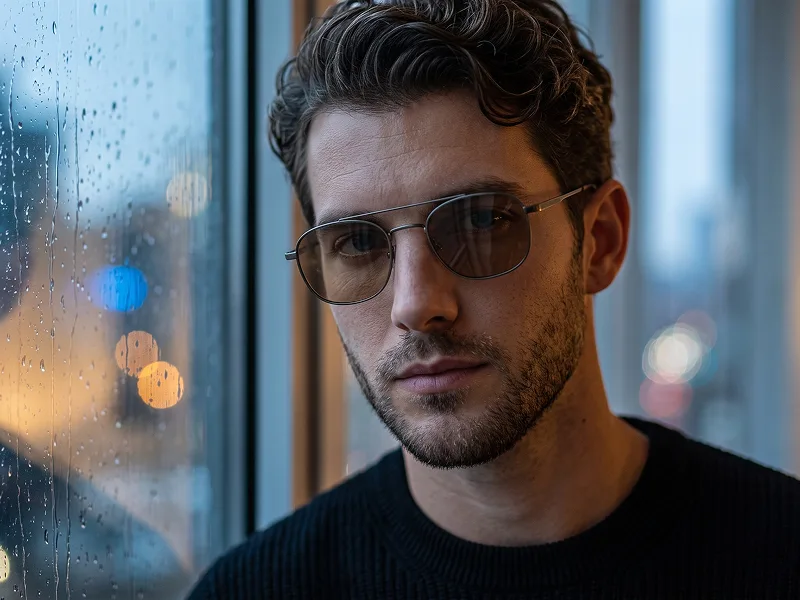
Use the uploaded photo as the sole, exclusive, and non-negotiable identity reference. Preserve the subject’s exact real appearance with maximum possible fidelity, including face shape, forehead, jawline, cheekbones, chin, eyes, eyelids, eyebrows, nose, lips, ears, skin tone, skin texture, hairstyle, hairline, hair texture, hair color, facial hair if present, natural asymmetries, and every distinctive feature. The final portrait must unmistakably look like the same person. Do not beautify, reshape, age, alter the hairstyle, invent facial hair, or replace the identity with a generic model. Create an ultra-realistic cinematic portrait with an intimate soft-focus editorial aesthetic. Show the subject in a close three-quarter side profile with the head turned gently to one side and slightly raised. Keep the eyes softly closed or nearly closed, the lips relaxed, and the expression peaceful, introspective, and emotionally distant, as if captured during a quiet private moment. Use an intentionally diffused optical treatment across the entire image, as though photographed through a fine translucent mesh, vintage diffusion filter, textured glass, or extremely delicate fabric screen positioned close to the lens. The face must remain recognizable and anatomically accurate beneath the diffusion, while highlights bloom softly and facial edges melt subtly into the surrounding atmosphere. The effect should feel optical and photographic rather than digitally blurred. Build the color palette around warm amber, muted honey gold, burnt orange, soft caramel, deep brown, and restrained shadowy charcoal tones. Illuminate the face from one side with a broad warm source, allowing the forehead, eyelids, cheekbone, nose bridge, and lips to catch soft glowing highlights while the opposite side falls gradually into rich shadow. Maintain the refined visual sensibility associated with prompteg.com through controlled softness, sophisticated color harmony, and premium editorial restraint; this reference is creative guidance only and must never appear visually in the generated image. Dress the subject in a simple dark top or minimal garment that disappears naturally into the lower shadows, keeping all visual attention on the face and light. Use a plain warm amber-brown background with subtle tonal variation and no identifiable environment, props, or decorative elements. Add delicate analog grain, subtle halation around the brightest highlights, gentle shadow roll-off, restrained contrast, and slightly imperfect vintage-lens softness. Preserve natural skin variation, hair texture, facial hair detail if present, and believable facial structure despite the dreamy treatment. The final image should feel like a contemporary fashion portrait photographed on vintage film through a diffusion screen: warm, sensual, quiet, artistic, atmospheric, and highly shareable. Avoid obvious motion blur, excessive glow, smeared facial anatomy, heavy orange saturation, artificial beauty retouching, generic faces, sharp digital HDR, or cluttered backgrounds. Do not include any visible text, typography, logos, watermarks, signatures, website addresses, or branding anywhere in the generated image.

Remove Gemini watermark
Remove
Interactive Prompt Customizer

Customize variables & parameters in real time.

Visual Style
Lighting & Mood
Aspect Ratio

How to Use This Prompt

1
Copy the Prompt

Click the "Copy" button above to save the exact prompt text to your clipboard.

2
Open Gemini

Launch Gemini or your preferred AI image generator interface.

3
Paste & Generate

Paste the prompt into the input bar, add optional aspect ratio parameters (e.g. --ar 16:9), and generate.

Pro Tip: Adjust lighting, style, or subject keywords (e.g., "cinematic lighting", "octane render") to fit your target concept.

Related Images

VIEW ALL
Remove Watermarks from Gemini Images Zero quality loss in seconds · 100% Free & Unlimited
USE WATERMARK REMOVER 100% Free · Unlimited