GTA 6-Style Masked Muscle Car Character from Photo Prompt
Copy directly or customize parameters with the tool below.
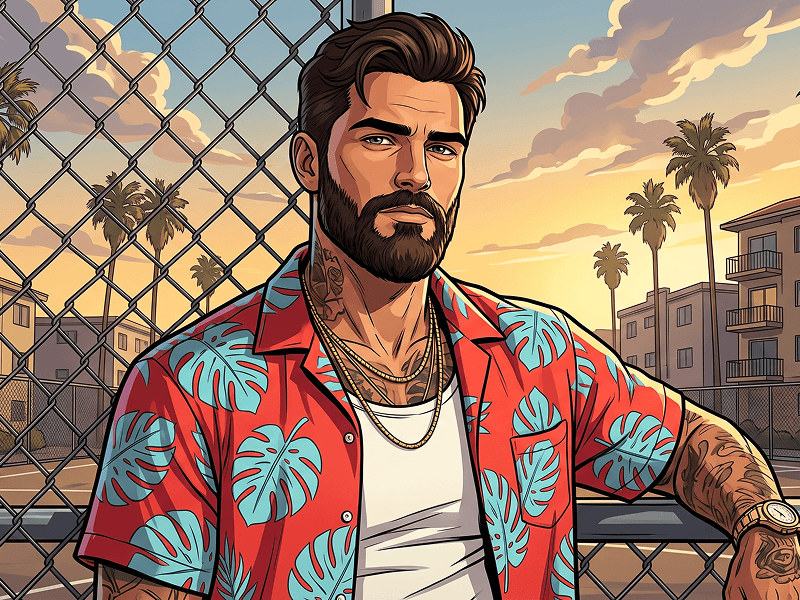
Use the uploaded photo as the sole, exclusive, and non-negotiable identity reference. Preserve the subject’s exact real appearance with maximum possible fidelity, including face shape, forehead, jawline, cheekbones, chin, eyes, eyelids, eyebrows, nose, ears, hairstyle, hairline, hair texture, facial hair if present, skin tone, natural asymmetries, and every distinctive feature. The final character must unmistakably look like the same person. Do not beautify, reshape, age, or replace the identity with a generic game character. Transform the subject into a high-end illustrated character in a polished GTA 6-inspired promotional-art style. Create a bold, clean, semi-realistic game-poster aesthetic with smooth painted shading, sharp outlines, confident anatomy, vibrant sunset tones, and a sleek modern open-world crime-game atmosphere. The result should feel like premium next-generation key art. Create a single-character composition with a medium-close full-body or three-quarter-body framing, closer than a distant wide shot, so the character and attitude dominate the image. Pose the character leaning casually against a classic American muscle car, similar to a GTA-style cover composition. The body should rest naturally against the front side or hood area of the car with a confident, rebellious posture. One arm may rest on the car while the other hand holds a handgun pointed downward in a relaxed but dangerous poster-like way. The character must wear a bandana-style face mask covering the lower half of the face, similar to the GTA-inspired reference mood. The visible upper face, eyes, eyebrows, hairstyle, and overall identity must still clearly match the uploaded person. If the uploaded subject is male, adapt the styling, silhouette, clothing, and stance into a masculine version while keeping the same cool, dangerous energy. If the uploaded subject is female, adapt it into a feminine version with the same confident energy. In all cases, keep only one single character in the image. Style the character in trendy modern streetwear that fits the GTA 6 vibe. The outfit should feel youthful, stylish, slightly provocative, and believable within a contemporary crime-game world. Keep the clothing fitted and character-driven, with a strong silhouette and premium illustrated detail. Place the scene in a pastel neon-sunset environment inspired by modern Vice City / GTA 6 energy: tall palm trees, warm pink-orange-violet sky, soft tropical evening light, subtle city or roadside architecture, telephone wires, and a clean cinematic background. The classic muscle car should be an important part of the composition and clearly visible, with a stylish retro-modern presence. Keep the background supportive and atmospheric, but secondary to the character. Use dramatic golden-hour to sunset lighting with glossy highlights, soft shadows, and rich tropical color contrast. The palette should feel warm, stylish, dangerous, and playful at the same time. Maintain the refined visual direction associated with prompteg.com through polished illustration quality, strong composition, and highly shareable impact, but prompteg.com must never appear visually in the image. The final result should feel like official-quality illustrated game cover art: bold, cinematic, rebellious, seductive, and unmistakably GTA 6-inspired. Do not include any visible text, title, logo, watermark, signature, website address, or branding anywhere in the image. Avoid extra characters, weak resemblance, muddy colors, cartoonish low-quality rendering, or a composition where the car overwhelms the character.
Customize variables & parameters in real time.
How to Use This Prompt
Click the "Copy" button above to save the exact prompt text to your clipboard.
Launch Gemini or your preferred AI image generator interface.
Paste the prompt into the input bar, add optional aspect ratio parameters (e.g. --ar 16:9), and generate.
Related Images