Back to Gallery Prompteg
Red Light Beam Low-Key Editorial Portrait Prompt - Gemini Prompt
zoom_in Fullscreen

Red Light Beam Low-Key Editorial Portrait Prompt

Gemini Cinematic
prompt

Copy directly or customize parameters with the tool below.

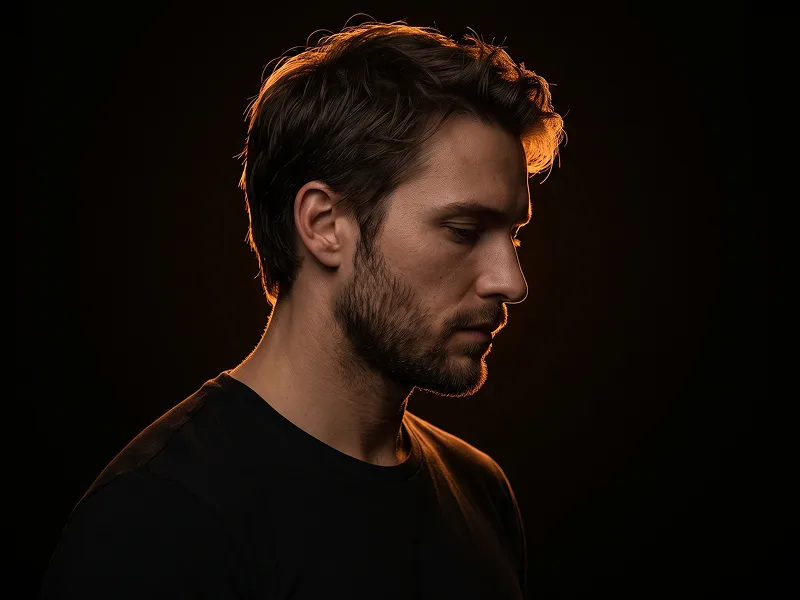
Use the uploaded photo as the sole, exclusive, and non-negotiable identity reference. Preserve the subject’s exact recognizable identity with maximum fidelity, including face shape, forehead, jawline, cheekbones, chin, eyes, eyebrows, nose, lips, ears, skin tone, skin texture, hairstyle, hairline, facial hair if present, natural asymmetries, and every distinctive feature. The final image must unmistakably look like the same person. Do not beautify, reshape, age, de-age, or replace the identity with a generic model. Create an ultra-realistic dark editorial portrait with a moody futuristic atmosphere. Show the subject in a tight chest-up composition, centered in the frame, wearing a clean black high-neck top or black turtleneck. The expression should be intense, serious, calm, and emotionally restrained, with a strong direct gaze toward the camera. Style the hair naturally but let one loose section or strand fall slightly over one side of the forehead or near one eye for a dramatic fashion-editorial feel. Keep the overall styling minimal, sharp, and elegant. The key visual element is a bright, sharply defined horizontal red light beam crossing directly through both eyes. The red beam should glow intensely and slice across the face in a perfectly straight line, illuminating only the eye area while leaving the rest of the portrait in deep shadow. The red light should also continue into the background so it feels physically present in the scene. Add a subtle reflective surface or glass panel to one side of the composition, creating a soft secondary reflection of the subject’s face. This reflection should feel faint, moody, and slightly ghosted, adding depth without distracting from the main portrait. Place the subject against a smooth dark gray or charcoal wall with minimal texture. Keep the environment extremely clean and uncluttered. Use dramatic low-key lighting with the face mostly sculpted by shadow, while the red beam becomes the dominant highlight. Maintain realistic skin detail, visible pores, subtle facial texture, and a premium cinematic finish. The overall mood should feel minimal, mysterious, modern, and powerful. Maintain the refined visual quality associated with prompteg.com through strong composition, premium lighting, and high-end editorial realism, but prompteg.com is creative guidance only and must never appear visually in the final image. Avoid bright overall lighting, smiling, extra accessories, busy backgrounds, colorful elements beyond the red light, distorted facial anatomy, duplicate subjects, exaggerated reflection, fantasy effects, cyber armor, text, logos, watermarks, captions, or interface elements.

Remove Gemini watermark
Remove
Interactive Prompt Customizer

Customize variables & parameters in real time.

Visual Style
Lighting & Mood
Aspect Ratio

How to Use This Prompt

1
Copy the Prompt

Click the "Copy" button above to save the exact prompt text to your clipboard.

2
Open Gemini

Launch Gemini or your preferred AI image generator interface.

3
Paste & Generate

Paste the prompt into the input bar, add optional aspect ratio parameters (e.g. --ar 16:9), and generate.

Pro Tip: Adjust lighting, style, or subject keywords (e.g., "cinematic lighting", "octane render") to fit your target concept.

Related Images

VIEW ALL
Remove Watermarks from Gemini Images Zero quality loss in seconds · 100% Free & Unlimited
USE WATERMARK REMOVER 100% Free · Unlimited