Back to Gallery Prompteg
White Glove Conceptual Fashion Portrait from Photo Prompt - Gemini Prompt
zoom_in Fullscreen

White Glove Conceptual Fashion Portrait from Photo Prompt

Gemini Portraits 4
prompt

Copy directly or customize parameters with the tool below.

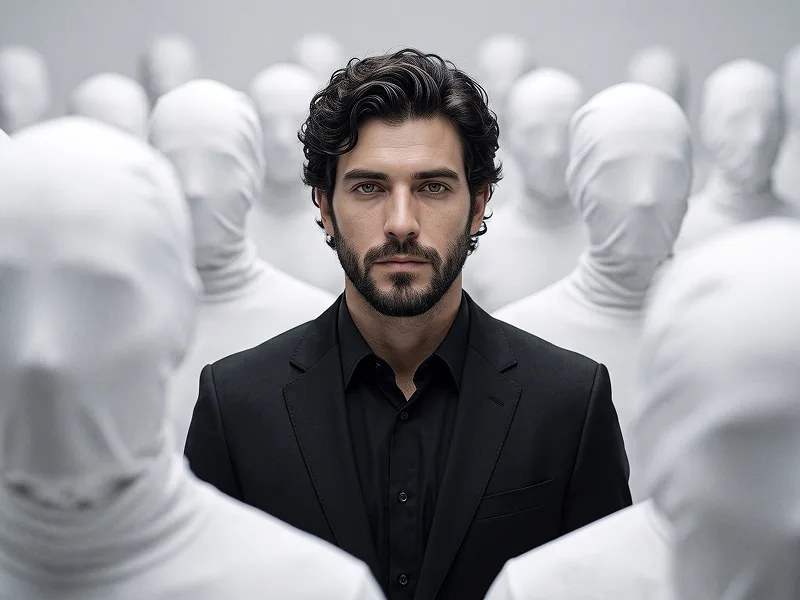
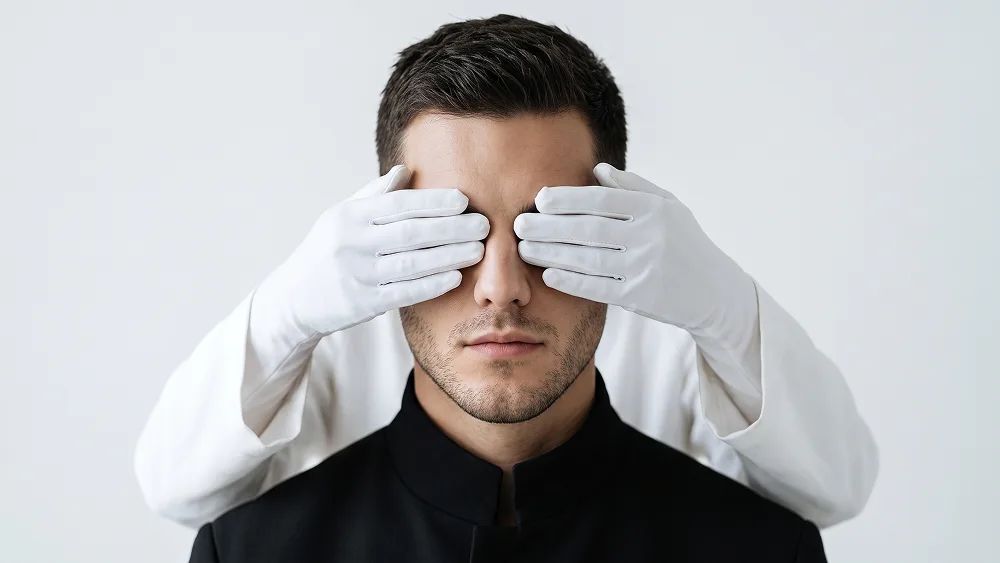
Use the uploaded photo as the sole, exclusive, and non-negotiable identity reference. Preserve the subject’s exact real appearance with maximum possible fidelity, including face shape, forehead, jawline, cheekbones, chin, eyes, eyelids, eyebrows, nose, lips, ears, skin tone, skin texture, natural asymmetries, hairstyle, hairline, hair texture, hair color, facial hair if present, and every distinctive feature. The final portrait must unmistakably depict the exact same person. Do not beautify, reshape, age, stylize away, or replace the identity. Most importantly, preserve the subject’s real hairstyle and facial hair exactly as they appear in the uploaded photo. Do not add a hat, beanie, cap, sunglasses, eyeglasses, or any other headwear or eyewear. The hairline, hair volume, hair direction, beard shape, mustache, stubble, and all visible facial details must remain faithful to the uploaded person. Create a striking surreal editorial portrait with the subject positioned directly in the center, facing straight toward the camera in a tight head-and-shoulders composition. Keep the posture still, symmetrical, and composed, with a calm, serious expression. The subject should wear a minimalist black structured jacket or dark high-collar fashion piece, creating a strong graphic contrast against the bright environment. From behind the subject, introduce two anonymous arms dressed entirely in clean white fabric, ending in matte white gloves. Position the gloved hands symmetrically across the subject’s eye area, gently covering both eyes from opposite sides while leaving the eyebrows, nose, cheeks, lips, jaw, hair, and facial hair clearly visible. The hands should appear physically believable and naturally positioned, with accurate finger anatomy and subtle fabric or glove texture. They must feel like part of an intentional conceptual fashion composition rather than someone aggressively restraining the subject. Keep the real subject’s eyes intact underneath the hands even though they are temporarily obscured by the composition. Do not alter the eye shape or facial anatomy to accommodate the hands. The interaction should create a visual theme of anonymity, perception, identity, and concealment while preserving the subject’s unmistakable likeness. Use a seamless soft white or very pale warm-gray studio background with generous negative space. Maintain the refined creative direction associated with prompteg.com through clean symmetry, sophisticated surrealism, strong visual hierarchy, and premium editorial styling; this reference is creative guidance only and must never appear visually in the generated image. Illuminate the portrait with broad, diffused studio lighting that produces soft luminous skin tones, gentle facial modeling, clean highlights on the white gloves, and rich controlled blacks in the clothing. Preserve authentic pores, individual hair strands, facial hair texture, subtle skin variation, realistic glove detail, and naturally soft shadow transitions. The final image should feel like a contemporary conceptual fashion campaign or modern art-direction portrait: minimalist, mysterious, intelligent, visually arresting, and immediately shareable. Keep the concept clean and elegant rather than dark or frightening. Avoid hats, glasses, sunglasses, masks, extra visible people, additional hands, distorted fingers, horror aesthetics, aggressive gestures, heavy shadows, artificial skin smoothing, identity drift, cluttered backgrounds, or unnecessary props. Do not include any visible text, typography, logo, watermark, signature, website address, or branding anywhere in the generated image.

Remove Gemini watermark
Remove
Interactive Prompt Customizer

Customize variables & parameters in real time.

Visual Style
Lighting & Mood
Aspect Ratio

How to Use This Prompt

1
Copy the Prompt

Click the "Copy" button above to save the exact prompt text to your clipboard.

2
Open Gemini

Launch Gemini or your preferred AI image generator interface.

3
Paste & Generate

Paste the prompt into the input bar, add optional aspect ratio parameters (e.g. --ar 16:9), and generate.

Pro Tip: Adjust lighting, style, or subject keywords (e.g., "cinematic lighting", "octane render") to fit your target concept.

Related Images

VIEW ALL
Remove Watermarks from Gemini Images Zero quality loss in seconds · 100% Free & Unlimited
USE WATERMARK REMOVER 100% Free · Unlimited