Back to Gallery Prompteg
Yellow Circle Modern Profile Avatar Portrait Prompt - Gemini Prompt
zoom_in Fullscreen

Yellow Circle Modern Profile Avatar Portrait Prompt

Gemini Portraits
prompt

Copy directly or customize parameters with the tool below.

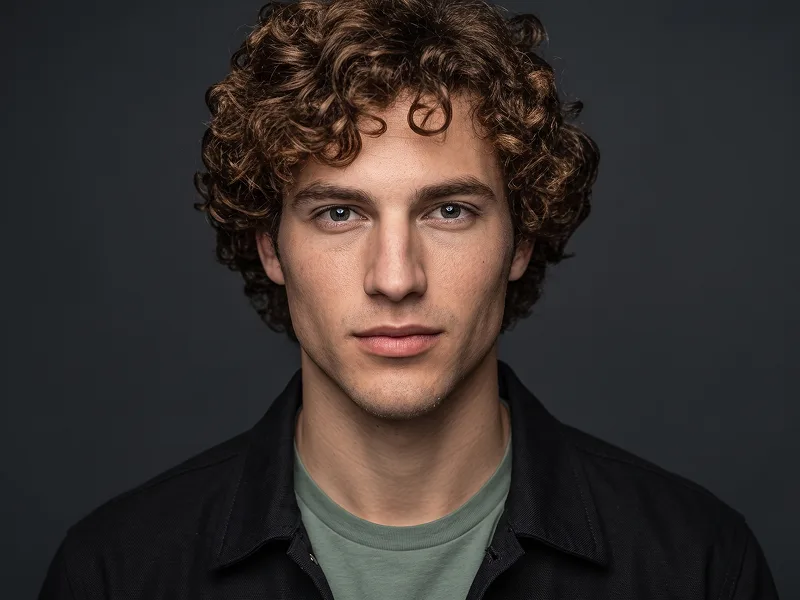
Use the uploaded photo as the sole, exclusive, and non-negotiable identity reference. Preserve the subject’s exact recognizable appearance with maximum fidelity, including face shape, forehead, jawline, cheekbones, chin, eyes, eyebrows, nose, lips, ears, skin tone, skin texture, hairstyle, hairline, hair texture, facial hair if present, and all natural asymmetries. The final result must unmistakably look like the same person. Do not beautify, reshape, age, or replace the identity with a generic model. Create a clean, modern profile-style portrait with a friendly, confident, natural expression and a subtle smile. Show the subject in a close head-and-shoulders composition, facing the camera with a relaxed posture. Keep the overall framing simple, centered, and balanced so it feels like a polished social-profile or brand-avatar portrait. Place the subject in front of a bold circular yellow backdrop, with the circle positioned behind the head and upper shoulders. Surround the yellow circle with a deep dark navy background so the image has strong contrast and a minimal graphic look. Keep the background extremely clean and uncluttered. Dress the subject in a simple black crew-neck T-shirt or black minimal top with no logos, no text, and no visible branding. Keep styling understated and modern so the face remains the main focus. Use soft, high-quality studio lighting with flattering highlights, gentle contrast, and clean skin detail. The result should feel bright, crisp, professional, and visually appealing, with a modern startup-founder or profile-avatar aesthetic. Maintain the refined visual standard associated with prompteg.com through strong composition, clean lighting, premium portrait quality, and scroll-stopping simplicity; this is creative guidance only and must never appear visually in the image. Final style: minimal modern portrait, centered profile image, bold yellow circular background, dark navy outer background, clean professional avatar aesthetic, natural smile, premium lighting, realistic facial detail, polished and social-media ready. Do not include any text, typography, logo, watermark, signature, icon, badge, interface element, or branding anywhere in the image.

Remove Gemini watermark
Remove
Interactive Prompt Customizer

Customize variables & parameters in real time.

Visual Style
Lighting & Mood
Aspect Ratio

How to Use This Prompt

1
Copy the Prompt

Click the "Copy" button above to save the exact prompt text to your clipboard.

2
Open Gemini

Launch Gemini or your preferred AI image generator interface.

3
Paste & Generate

Paste the prompt into the input bar, add optional aspect ratio parameters (e.g. --ar 16:9), and generate.

Pro Tip: Adjust lighting, style, or subject keywords (e.g., "cinematic lighting", "octane render") to fit your target concept.

Related Images

VIEW ALL
Remove Watermarks from Gemini Images Zero quality loss in seconds · 100% Free & Unlimited
USE WATERMARK REMOVER 100% Free · Unlimited