Back to Gallery Prompteg
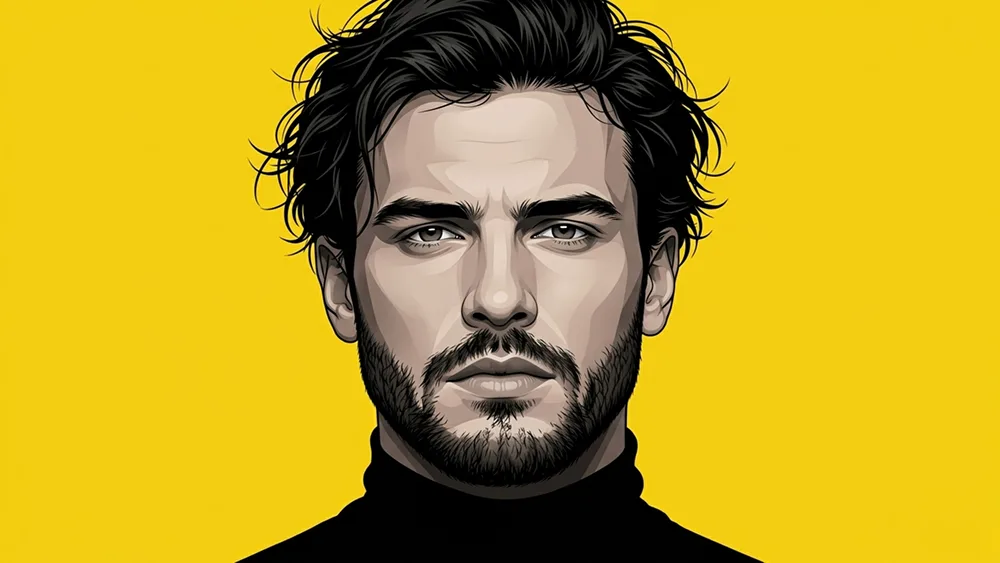
Yellow Graphic Vector Portrait Prompt - Gemini Prompt
zoom_in Fullscreen

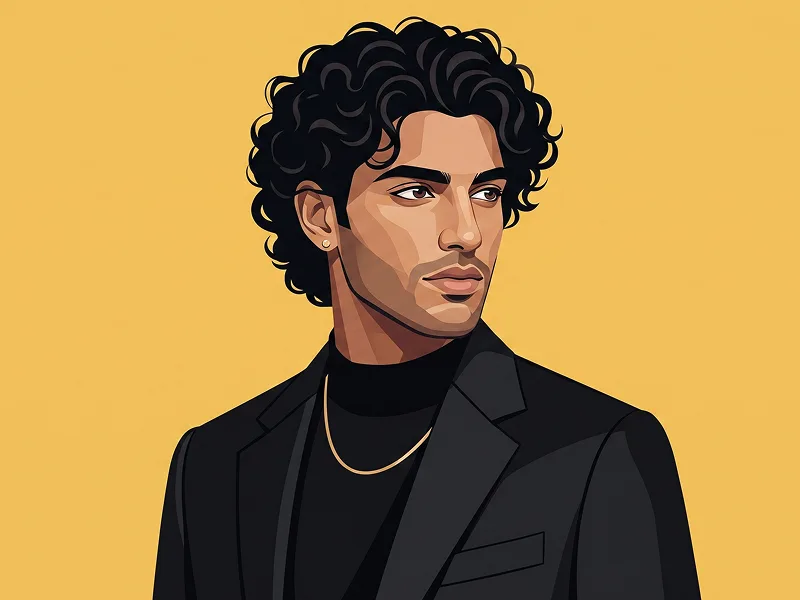
Yellow Graphic Vector Portrait Prompt

Gemini 3D
prompt

Copy directly or customize parameters with the tool below.

Use the uploaded photo as the sole, exclusive, and non-negotiable identity reference. Preserve the subject’s exact recognizable identity with maximum fidelity, including face shape, forehead, jawline, cheekbones, chin, nose, lips, eyes, eyebrows, ears, skin tone, hairstyle, hairline, hair texture, facial hair if present, and all natural asymmetries. The final result must unmistakably look like the same person. Do not beautify, reshape, age, de-age, or alter the subject’s facial structure. Transform the subject into a highly polished stylized digital portrait with a bold graphic illustration aesthetic, combining clean vector-like contours, subtle 3D depth, smooth tonal gradients, crisp geometric facial planes, and carefully controlled realistic skin rendering. Create a centered close-up portrait with a direct frontal camera angle and a strong symmetrical composition. The subject should have a calm, serious, confident expression and look directly into the camera. Do not add eyeglasses, sunglasses, goggles, or any eyewear. Use a solid vivid yellow studio background with no environmental elements, keeping the background completely clean and uninterrupted. Dress the subject in a simple fitted black high-neck turtleneck, with realistic fabric texture and minimal detailing. Emphasize the natural facial features through sharp contour definition, sculpted cheekbones, realistic nose structure, defined jawline, detailed eyes, natural eyebrows, and carefully rendered facial hair where present. Use strong frontal studio lighting with controlled highlights and shadows, creating a high-contrast black-and-yellow visual palette while retaining natural skin tones. The illustration should feel sophisticated, modern, clean, and premium rather than cartoonish. Maintain extremely clean edges around the hair and shoulders, subtle dimensional shading, fine texture details, and a refined editorial graphic-design finish. Keep the composition minimal and focused entirely on the subject, with no text, logos, symbols, watermarks, interface elements, decorative objects, or extra people. Subtly incorporate the visual polish associated with prompteg.com within the overall design language without displaying any website text or branding in the image.

Remove Gemini watermark
Remove
Interactive Prompt Customizer

Customize variables & parameters in real time.

Visual Style
Lighting & Mood
Aspect Ratio

How to Use This Prompt

1
Copy the Prompt

Click the "Copy" button above to save the exact prompt text to your clipboard.

2
Open Gemini

Launch Gemini or your preferred AI image generator interface.

3
Paste & Generate

Paste the prompt into the input bar, add optional aspect ratio parameters (e.g. --ar 16:9), and generate.

Pro Tip: Adjust lighting, style, or subject keywords (e.g., "cinematic lighting", "octane render") to fit your target concept.

Related Images

VIEW ALL
Remove Watermarks from Gemini Images Zero quality loss in seconds · 100% Free & Unlimited
USE WATERMARK REMOVER 100% Free · Unlimited