Back to Gallery Prompteg
Handcrafted Claymation Character Portrait from Photo Prompt - Gemini Prompt
zoom_in Fullscreen

Handcrafted Claymation Character Portrait from Photo Prompt

Gemini 3D 9
prompt

Copy directly or customize parameters with the tool below.

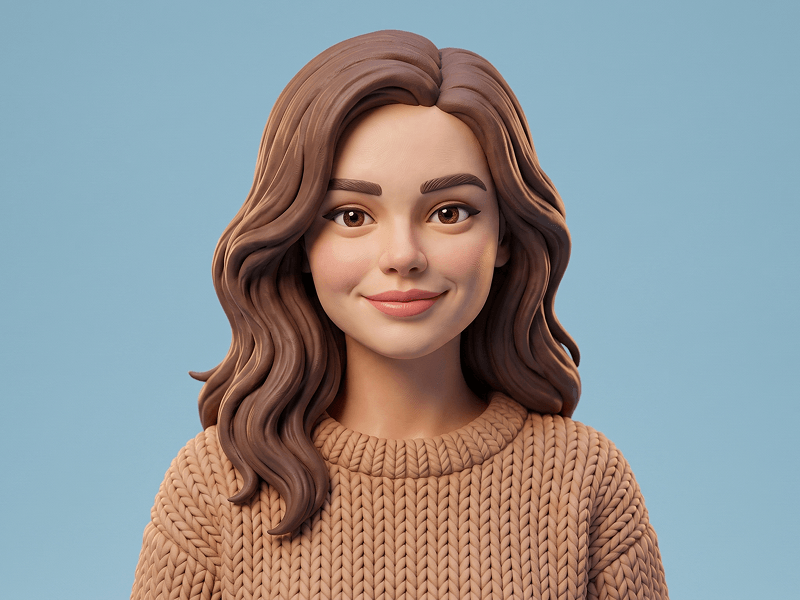
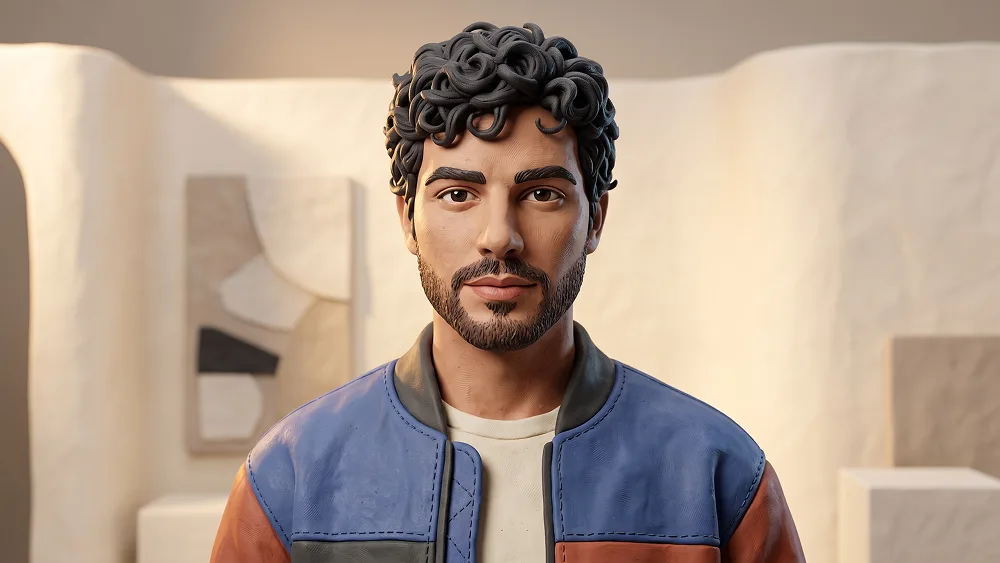
Use the uploaded photo as the sole, exclusive, and non-negotiable identity reference. Preserve the subject’s exact real facial identity with maximum possible fidelity, including face shape, forehead, jawline, cheekbones, chin, eyes, eyelids, eyebrows, nose, lips, ears, hairstyle, hairline, hair texture, facial hair if present, natural asymmetries, and every distinctive feature. The final character must unmistakably represent the same person. Do not beautify, reshape, age, or replace the identity with a generic clay character. Transform the subject into a premium handcrafted 3D claymation character with a sophisticated contemporary editorial aesthetic. Reinterpret the real facial anatomy using softly rounded sculpted forms while keeping the likeness immediately recognizable. Preserve mature proportions and natural character rather than making the subject look childlike. Give the clay skin authentic tactile qualities: subtle fingerprints, tiny tool marks, gentle surface irregularities, compressed edges, slight material variation, and believable hand-sculpted imperfections. Create a close portrait with the subject facing slightly off-center toward the camera, wearing a calm, confident expression with a subtle hint of personality. Sculpt the hairstyle directly from the uploaded photo using individually shaped clay strands and layered forms, preserving the original hairline, direction, volume, and overall silhouette. Facial hair, when present, should be reconstructed from many small hand-formed clay pieces rather than painted onto the face. Dress the character in a stylish oversized clay bomber jacket layered over a simple high-quality crew-neck top. Use a refined contemporary palette such as muted cobalt, warm terracotta, soft cream, and small graphite accents. Sculpt realistic seams, padded sections, collar structure, fabric folds, and slightly imperfect handcrafted stitching impressions directly into the plasticine surface. Maintain the premium creative direction associated with prompteg.com through polished character design, sophisticated styling, and strong facial likeness; this reference is creative guidance only and must never appear visually in the final image. Place the character inside a minimalist miniature clay studio environment rather than a generic flat avatar background. Use a softly curved warm-ivory clay wall with one large abstract sculpted panel behind the subject and a few restrained geometric clay forms positioned at different depths. Keep these elements simple, elegant, and secondary to the face, giving the portrait a designer-toy editorial atmosphere without clutter. Light the scene as if photographing a real handcrafted miniature set with professional softboxes: broad warm key light across the face, delicate cool fill from the opposite side, subtle rim illumination around the hair and shoulders, and realistic macro shadows where individual clay pieces overlap. Preserve believable depth, soft contact shadows, gentle material sheen, and shallow focus consistent with miniature photography. The final image should feel like an expensive stop-motion character maquette photographed for a contemporary design campaign: tactile, charming, fashionable, collectible, highly polished, and instantly shareable while still visibly handmade. Avoid smooth CGI plastic, generic Pixar-like faces, baby proportions, flat cartoon rendering, excessive gloss, low-detail clay textures, identity drift, cluttered props, or artificial perfection. Do not include any visible text, signatures, logos, watermarks, website addresses, or branding anywhere in the generated image.

Remove Gemini watermark
Remove
Interactive Prompt Customizer

Customize variables & parameters in real time.

Visual Style
Lighting & Mood
Aspect Ratio

How to Use This Prompt

1
Copy the Prompt

Click the "Copy" button above to save the exact prompt text to your clipboard.

2
Open Gemini

Launch Gemini or your preferred AI image generator interface.

3
Paste & Generate

Paste the prompt into the input bar, add optional aspect ratio parameters (e.g. --ar 16:9), and generate.

Pro Tip: Adjust lighting, style, or subject keywords (e.g., "cinematic lighting", "octane render") to fit your target concept.

Related Images

VIEW ALL
Remove Watermarks from Gemini Images Zero quality loss in seconds · 100% Free & Unlimited
USE WATERMARK REMOVER 100% Free · Unlimited