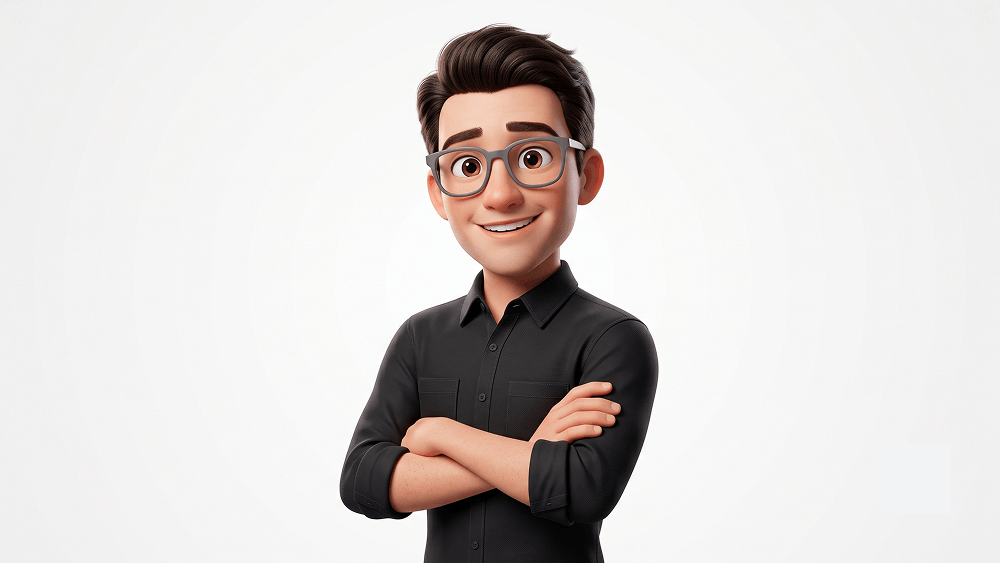
High-Quality 3D Animated Character Avatar Prompt
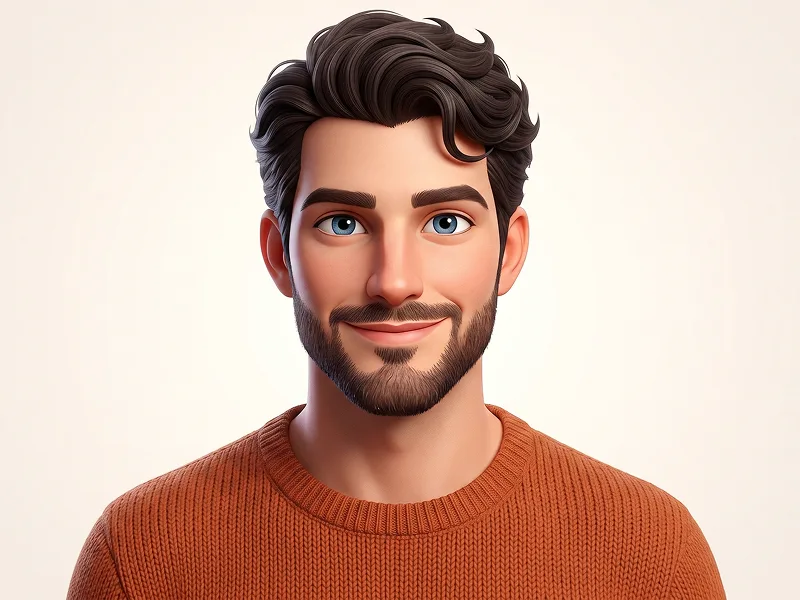
Create an ultra-high-detail 3D animated character portrait in a premium Disney/Pixar-inspired style, designed to feel highly appealing, expressive, and avatar-friendly. Composition: Medium portrait (waist-up), centered, slightly body turned one side, eye-level camera angle. Subject fills ~65–75% of the frame. Subject: Stylized male character with slightly chibi-influenced proportions — subtly larger head (~10–15% larger than realistic proportion) and a slightly compact, youthful body while still maintaining an adult identity. Clean facial structure, smooth but detailed skin, highly expressive large eyes (not cartoonishly oversized). Hair & Accessories: Neatly styled, soft-volume hair with visible strand detail. Thick matte grey rim glasses, well-fitted and premium-looking. Outfit: Matte black long-sleeve button-down shirt with collar and two chest pockets. Sleeves rolled to mid-forearms. Fabric must feel premium and realistic — visible micro-texture, stitching, natural folds, soft cloth behavior, subtle specular highlights (no plastic look). Pose (IMPORTANT): Arms confidently crossed. Body slightly angled (~15° right) to avoid flatness. Head turned toward camera with strong, natural posture. Expression: Highly joyful, warm, and engaging smile — friendly and likable (avatar appeal focus), not exaggerated to the point of distortion. Eyes lively with strong emotional presence. Background: Pure white seamless studio background (#FFFFFF), completely clean and minimal. Lighting: Soft high-key studio lighting. Even facial illumination with gentle shadow depth. Subtle rim light on left side of hair and shoulder for separation. Bright, crisp eye catchlights. Rendering & Quality: 8K ultra-detailed render, Unreal Engine 5 / Octane quality. PBR materials, subsurface scattering for natural skin glow, high-resolution textures, sharp focus, clean premium color grading. Stylized realism — no AI artifacts, no over-smoothing, no plastic skin. Aspect Ratio: 4:5
Customize prompt variables & parameters in real time to generate your unique command.
How to Use This Prompt
Quick guide to generating image with this prompt in Gemini and other AI generators.
Click the "Copy" button above to save the exact prompt text to your clipboard.
Launch Gemini or your preferred AI image generator interface.
Paste the prompt into the input bar, add optional aspect ratio parameters (e.g. --ar 16:9), and generate.
Looking for a high realism, hyper realistic cinematic prompt for your AI art generator? The High-Quality 3D Animated Character Avatar Prompt AI prompt is specifically engineered for Gemini to achieve high-resolution photorealistic image synthesis. By leveraging precise artistic cues, lighting parameters, and aspect ratio controls, this prompt yields cinematic visual outputs suitable for commercial art, concept design, and digital portfolios.
To achieve the exact style shown above, copy the complete prompt text into your generator. You can use our Prompt Customizer above to tweak lighting, visual styles, or adjust aspect ratios (`--ar 16:9` for widescreen landscape or `--ar 9:16` for mobile stories).
Related Images
Remove Watermarks from Gemini Images Instantly
Clean visible watermarks added by Google Gemini & Imagen 3 with zero quality loss in seconds.