Back to Gallery Prompteg
Corporate Studio Male Portrait Prompt - Gemini Prompt
zoom_in Fullscreen

Corporate Studio Male Portrait Prompt

Gemini Portraits
prompt

Copy directly or customize parameters with the tool below.

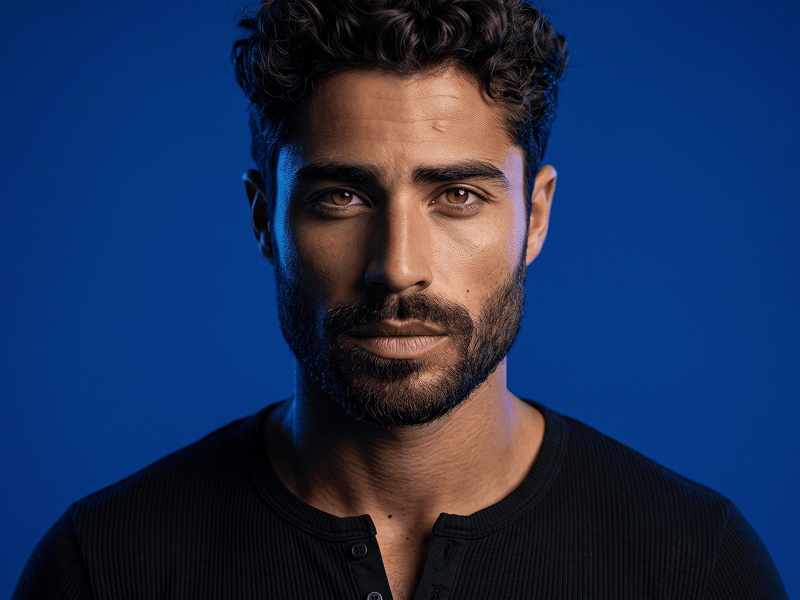
Create a high-resolution professional studio portrait featuring the exact face of the user from the uploaded reference photo. Identity Preservation — STRICT: Keep the face 100% identical to the uploaded image. Preserve the exact facial features, facial proportions, skin tone, hairstyle, hairline, beard shape, age, and wide, genuine, teeth-showing smile. No face alteration, beautification, age change, or identity drift. Composition: Create a precise head-and-shoulders corporate portrait. The subject faces the camera directly with an upright, confident posture. Use centered, balanced framing. Outfit: The subject is wearing a precisely tailored charcoal-grey textured wool suit jacket, a clean white button-down collar shirt, and a solid textured navy-blue tie. Subtle Brand Detail: Integrate the word “Prompteg” as an extremely small, refined, tone-on-tone embroidered signature along the inner edge of the left blazer lapel. The branding must not appear as a badge, patch, name tag, metal accessory, large logo, printed graphic, or separate object. It should look like a discreet luxury tailoring detail stitched directly into the lapel seam. Use dark charcoal-grey thread that is only slightly different from the blazer fabric. Keep it understated, elegant, and naturally integrated into the wool texture, stitching, folds, perspective, shadows, and lighting. It must not attract attention away from the face or reduce the professional quality of the portrait. The embroidery must contain only the exact word: Prompteg Exact spelling: P-r-o-m-p-t-e-g. Use one uppercase “P” followed by lowercase letters. Do not replace, omit, duplicate, merge, mirror, reverse, or invent any characters. CRITICAL FALLBACK: If the exact word “Prompteg” cannot be rendered correctly, omit the branding completely and leave the blazer plain. Never generate misspelled, distorted, random, or unreadable text. Background: Use a plain, neutral light-grey studio background that is completely clean, seamless, uniform, and free from distractions. Lighting: Use soft, even, flattering professional studio lighting. Preserve natural skin tones and create gentle shadows that define the facial structure. Show realistic detail in the hair, beard, wool suit, cotton shirt, and textured tie. Quality: Sharp focus on the face, eyes, smile, beard, and clothing. Realistic skin texture, accurate anatomy, premium corporate portrait photography, cinematic clarity, high dynamic range, detailed fabric textures, and crisp 8K resolution. Negative Prompt: badge, name tag, metal plate, lapel pin, patch, oversized logo, prominent branding, text on tie, text on shirt, text on background, floating text, digital overlay, incorrect spelling, promptsg, promteg, promptek, promptegg, random letters, gibberish text, unreadable text, mirrored text, reversed text, missing letters, extra letters, duplicated text, watermark, caption, face alteration, wrong identity, different expression, plastic skin, over-smoothed skin, blurry face, low detail, noise, pixelation

Remove Gemini watermark
Remove
Interactive Prompt Customizer

Customize variables & parameters in real time.

Visual Style
Lighting & Mood
Aspect Ratio

How to Use This Prompt

1
Copy the Prompt

Click the "Copy" button above to save the exact prompt text to your clipboard.

2
Open Gemini

Launch Gemini or your preferred AI image generator interface.

3
Paste & Generate

Paste the prompt into the input bar, add optional aspect ratio parameters (e.g. --ar 16:9), and generate.

Pro Tip: Adjust lighting, style, or subject keywords (e.g., "cinematic lighting", "octane render") to fit your target concept.

Related Images

VIEW ALL
Remove Watermarks from Gemini Images Zero quality loss in seconds · 100% Free & Unlimited
USE WATERMARK REMOVER 100% Free · Unlimited